
KontextAI
Advanced AI Image and Video Generation & Editing.
- Category
- Image Editing
- Alternatives
- 6 similar tools
- Last updated
- 4 months ago
- Source
- Official site ↗︎
AI Collection Top Picks

Image Editing Category Picks



About KontextAI
KontextAI offers revolutionary mage and video generation with character consistency, online editing, and style preservation. Create and edit images and videos with unprecedented control.
What you get
Additional Information
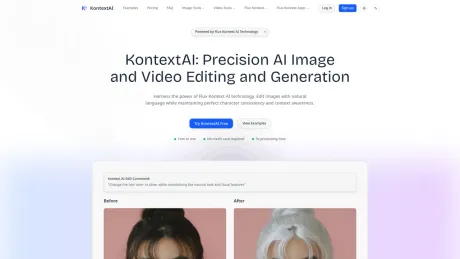
KontextAI is an advanced multimodal AI model developed by Black Forest Labs designed for context-aware image generation and editing. It allows users to edit images using natural language while ensuring character consistency and artistic coherence. By leveraging Flux Kontext technology, creators can employ intuitive controls to make minor tweaks or significant transformations to their images without starting from scratch.
The platform excels in various editing capabilities, including style transfer, text editing, and object modifications. With a simple text prompt, users can remix images or alter specific aspects, such as changing the color of a vehicle or replacing text in an image. This makes it a vital tool for digital artists and creative professionals looking to enhance their workflows and maintain visual consistency across multiple projects.
One of the critical features of KontextAI is its ability to process edits quickly, typically within 30-60 seconds, which is significantly faster than many competing AI image editors. Users can also take advantage of batch processing, applying the same edits across multiple images, which is particularly useful for maintaining consistency in projects.
KontextAI offers a free tier for new users to explore the platform with five free credits upon registration. For those needing more extensive features and higher credit limits, various subscription plans are available, catering to both casual users and professionals.
Frequently asked questions
What is KontextAI used for?
KontextAI - Advanced AI Image and Video Generation & Editing.Is KontextAI free?
Pricing for KontextAI varies — see the Pricing section for details.What are alternatives to KontextAI?
Top alternatives to KontextAI include ProductScope AI, PicTools.AI, AI Photos Editor, AVCLabs PhotoPro AI, Fotor.Where can I get KontextAI?
KontextAI is available at https://kontextai.io/.What category is KontextAI in?
KontextAI is listed in Image Editing.What is KontextAI and how does KontextAI use it?
KontextAI is an advanced multimodal AI model developed by Black Forest Labs for context-aware image generation. KontextAI leverages this powerful technology to enable precision image editing through natural language.How does KontextAI work?
KontextAI uses multimodal understanding to process your image and text instructions simultaneously. The technology excels at context-aware generation, meaning it understands not just what you want to change, but how it relates to the entire image.Is KontextAI free to use?
Yes! KontextAI offers a generous free tier. New users get 5 free credits upon registration, and each edit costs only 5 credits.What types of images can I edit with Kontext?
KontextAI works with all common image formats including PNG, JPG, JPEG, and WEBP. We support images up to 10MB in size.How do I write effective prompts for KontextAI?
The key is to be specific and use action verbs. Start with what you want to do (change, add, remove, replace), then describe exactly what to modify.How fast is KontextAI compared to other tools?
KontextAI typically processes edits in 30-60 seconds, which is significantly faster than most AI image editors.Can I use KontextAI for commercial projects?
Yes! All images edited with KontextAI can be used for commercial purposes. You retain full rights to your edited images.What’s the difference between Kontext Dev, Pro, and Max models?
Kontext Dev is our fastest model, perfect for quick iterations. Kontext Pro offers a balance of quality and speed. Kontext Max provides maximum quality with better understanding for complex instructions.How does KontextAI handle privacy and data security?
Images are processed in isolated environments and automatically deleted after processing. We never store, share, or use your images for training.Can I edit multiple images with the same prompt?
Yes! KontextAI supports batch processing, allowing you to apply the same edit to multiple images.
Compare KontextAI with…
Pick any tool to see a structured side-by-side: pricing, deployment, capabilities, and content policy.








