Plus AI for Google Slides
AI for Google Slides | Plus AI.
- Category
- Slides & Presentations
- Pricing
- Free
- Alternatives
- 6 similar tools
- Last updated
- 1 weeks ago
- Source
- Official site ↗︎
AI Collection Top Picks

Slides & Presentations Category Picks



About Plus AI for Google Slides
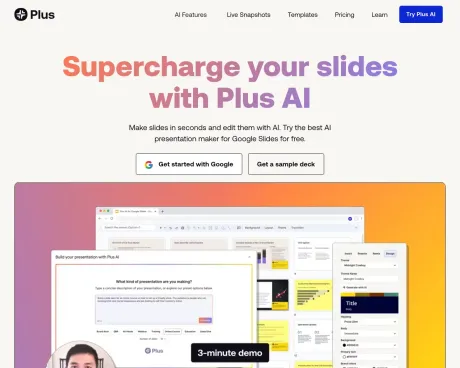
Generate a presentation and edit slides with AI directly in Google Slides. Try the best Google Slides AI for free.
What you get
Additional Information
Plus AI for Google Slides allows users to create presentations quickly from prompts or existing documents, integrating seamlessly with Google Slides. It's designed for individuals and teams needing a powerful tool to create professional presentations without the hassle of traditional slide-making processes.
Key features include the ability to generate presentations based on brief descriptions, upload files in various formats, and easily edit slides using AI tools to refine content. Users can insert images, icons, and charts, as well as translate text into multiple languages, making it versatile for global teams.
Plus AI caters to a wide variety of professionals including consultants, sales teams, marketers, startups, and educators, providing tailored features for each use case. The tool also supports collaborative efforts, allowing teams to share templates and maintain consistent branding across presentations.
With its user-friendly interface and rich feature set, Plus AI streamlines the presentation creation process, saving users significant time while enhancing the quality of their slides. Whether for a business pitch or an academic presentation, Plus AI delivers the tools needed to produce compelling and well-structured presentations effortlessly.
Frequently asked questions
What is Plus AI for Google Slides used for?
AI for Google Slides | Plus AI.Is Plus AI for Google Slides free?
Plus AI for Google Slides is free to use.What are alternatives to Plus AI for Google Slides?
Top alternatives to Plus AI for Google Slides include PitchBob io, Storydoc, ChatBA, SlidesAI, Pitchgrade.Where can I get Plus AI for Google Slides?
Plus AI for Google Slides is available at https://www.plusdocs.com/plus-ai-for-google-slides.What category is Plus AI for Google Slides in?
Plus AI for Google Slides is listed in Slides & Presentations.How do I use Plus AI for Google Slides?
Install the Plus AI add-on and then open a Google Slides presentation. From there, click Extensions → Plus AI → New Presentation.Is there a free Google Slides AI generator?
Yes! Plus AI for Google Slides allows you to make presentations in Google Slides using AI. You can try Plus free for 7 days, and after that, you can choose a paid plan that meets your needs.How can I use AI to make Google Slides?
Plus AI allows you to create a new presentation by starting from a prompt or an existing document. All you have to do is provide a short description of the presentation or a source document (like a PDF), and Plus AI will generate an entire presentation in a few minutes.Can I use Plus AI to format existing Google Slides?
Yes, Plus AI works with existing Google Slides presentations. You can insert new slides, rewrite existing slides, and use the Remix feature to convert existing slides into new formats and layouts.How does security work for Plus AI?
We follow enterprise-grade security practices and have achieved SOC 2 Type II compliance. You can read more about our security policies and procedures on our security page.Can I use Plus AI in other Google Workspace apps?
Yes. Your Plus AI subscription allows you to use Plus AI features in Google Slides, Google Docs, and PowerPoint as well.Can I use Plus AI with my team?
Yes. All Plus AI presentations are standard Google Slides presentations, so you can collaborate and share slides like a normal presentation.How do I use AI in Google Docs?
Plus AI is directly integrated into Google Docs, so you can use the same interface in both Google Slides and Google Docs.What is the best Google Slides AI tool?
Plus AI is the best Google Slides AI for users who want to build professional presentations in Google Slides.Can I use a custom Google Slides template with Plus AI?
Yes. If you have an existing Google Slides template, we can train Plus to work with custom templates for our Enterprise customers.
Compare Plus AI for Google Slides with…
Pick any tool to see a structured side-by-side: pricing, deployment, capabilities, and content policy.