
Image EditingFree
Pokecut-AI Powered Online Photo Editor
Pokecut: Free Online AI Photo Editor & Image Generator.
- Category
- Image Editing
- Pricing
- Free
- Alternatives
- 6 similar tools
- Last updated
- 5 days ago
- Source
- Official site ↗︎
AI Collection Top Picks

Image Editing Category Picks



About Pokecut-AI Powered Online Photo Editor
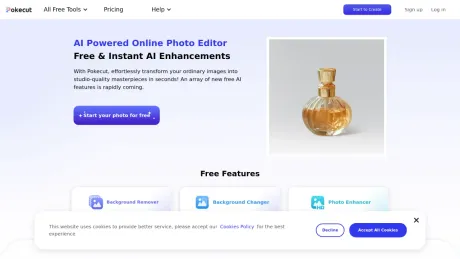
Pokecut is an AI-powered photo editor to transform ordinary images into stunning masterpieces effortlessly. Remove background, enhance photo and generate image online without sign-up.
Frequently asked questions
What is Pokecut-AI Powered Online Photo Editor used for?
Pokecut: Free Online AI Photo Editor & Image Generator.Is Pokecut-AI Powered Online Photo Editor free?
Pokecut-AI Powered Online Photo Editor is free to use.What are alternatives to Pokecut-AI Powered Online Photo Editor?
Top alternatives to Pokecut-AI Powered Online Photo Editor include ProductScope AI, PicTools.AI, AI Photos Editor, AVCLabs PhotoPro AI, Fotor.Where can I get Pokecut-AI Powered Online Photo Editor?
Pokecut-AI Powered Online Photo Editor is available at https://www.pokecut.com/.What category is Pokecut-AI Powered Online Photo Editor in?
Pokecut-AI Powered Online Photo Editor is listed in Image Editing.1. Can my images be stored in the cloud?
Pokecut provides cloud storage space, you can conveniently save your works in the cloud and access them from anywhere.2. Does Pokecut offer a free trial?
Yes, we offer a free trial period so you can experience the full range of features and functionalities before committing to a subscription.3. Can I cancel my Pro subscription at any time?
Yes, you can cancel your Pro subscription with Pokecut at any time, and you won't be charged for the following billing cycle.4. Is my data safe on Pokecut?
Of course, Pokecut attaches great importance to user data, and we have advanced security measures to ensure data security.5. Is Pokecut suitable for beginners?
With Pokecut, you can transform ordinary photos into studio-quality masterpieces in just a few seconds. Even beginners can easily get started.1. Multiple image functions
Pokecut has multiple AI image processing functions such as Background Remover, Background Changer, and Photo Enhancer, which can instantly and efficiently process various types of photos and generate high-quality works of art.2. Rich template resources
Pokecut has background templates and design resources of various categories and styles, which can easily meet the design needs of different photos.3. Advanced AI technology
What makes us different is that we have a strong AI development team. This ensures that our technology is always at the forefront of the industry and constantly updated.4. More functions
Pokecut has just been released, and we are committed to launching more innovative AI functions regularly.5. Wide application
Everyone can use our tools to easily transform ordinary images into studio-quality masterpieces in seconds! Be bold and try it and see what you can achieve!6. Free use
All users can experience all AI image editing functions for free and enjoy new intelligent image technologies.7. Cross-platform
The application is available for Android and iOS devices, making it available to a wide range of users.Is Pokecut free?
Yes, Pokecut is free to use. You receive five free daily credits to try out basic features, such as photo enhancement and background removal.Can I use Pokecut without signing up?
Yes you can. Pokecut can be used directly without signing up or login.Can I use Pokecut's AI photo editor for commercial use?
Yes, you can. Pokecut allows you to use the images generated by Pokecut's AI Image Editor and AI Image Generator for commercial purposes.What makes Pokecut better than other AI photo editing tools?
Pokecut combines AI image generation, background removal, object erasing, portrait retouching, product cleanup, and batch editing in one platform—features that usually require multiple apps.Is Pokecut suitable for beginners?
Definitely. All tools are beginner-friendly and optimized for one-tap editing.What is Pokecut and what can I use it for?
Pokecut is an all-in-one AI photo editing platform designed for portraits, travel photos, product images, and creative content. You can remove backgrounds, erase objects, enhance quality, create collages, and customize images with stickers, text, and templates, all in one place.Can Pokecut edit images in batches?
Yes. Pokecut's Batch Editing tool can process up to 50 images at once.
Compare Pokecut-AI Powered Online Photo Editor with…
Pick any tool to see a structured side-by-side: pricing, deployment, capabilities, and content policy.








