Presenti AI
AI Presentation Maker | Editable Slides Online - Presenti.
- Category
- Slides & Presentations
- Alternatives
- 6 similar tools
- Last updated
- 1 weeks ago
- Source
- Official site ↗︎
AI Collection Top Picks

Slides & Presentations Category Picks



About Presenti AI
Create an AI presentation from a topic, text, or document. Shape the outline, choose a design, and edit your slides online for work or study with Presenti.
What you get
Additional Information
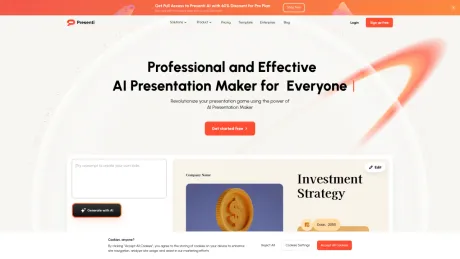
Presenti is an innovative AI-powered presentation maker designed to streamline the process of creating professional and visually appealing slides. Users can transform their raw ideas, messy notes, and various document formats such as PDFs, Word documents, and Markdown files into structured presentations with just a few clicks. The AI intelligently manages design elements, ensuring that users focus on content while the tool handles layouts, colors, and typography.
The platform offers features like 'Text to Presentation', which converts simple inputs into attractive slides, and 'AI-Beautify Slide', which enhances marketing content with design finesse. Presenti also supports uploading existing files to create presentations that maintain the original content while improving visual appeal. The tool is ideal for professionals across education, marketing, and business sectors who require quick and efficient solutions for presentation creation.
Presenti includes a library of designer-curated templates, allowing users to select styles that are appropriate for different contexts, from corporate pitches to educational lectures. The AI crafts a narrative flow based on the user’s topic or keywords, engaging the audience effectively from the first slide to the last. This makes it a valuable resource for anyone looking to create high-quality presentations with minimal effort and time involved.
Frequently asked questions
What is Presenti AI used for?
AI Presentation Maker | Editable Slides Online - Presenti.Is Presenti AI free?
Pricing for Presenti AI varies — see the Pricing section for details.What are alternatives to Presenti AI?
Where can I get Presenti AI?
Presenti AI is available at https://presenti.ai/.What category is Presenti AI in?
Presenti AI is listed in Slides & Presentations.What is Presenti AI?
Presenti AI is a smart presentation tool that helps you quickly create professional, visually appealing slides with the power of AI. With just a few clicks, you can auto-generate slides from topics or documents and access a rich collection of templates.What are the differences among Plus plan, Pro plan, and Ultra plan subscription?
The plans differ mainly in presentation generation length in each file and the monthly AI limits that apply to Pro Agent generation, AI Image Matching, and Audio-to-PPT features.What's the difference between the free version and the Pro membership?
The free version has basic product usage functions and a limited amount of free AI credits without access to all advanced features. Pro members can purchase AI credit packages and enjoy all advanced features, including importing various file formats and using premium templates.How can I check my membership benefits?
Simply click on the avatar icon in the top right corner to view your purchased membership details.How do I request an invoice?
Please contact the customer service team via support@presenti.ai to request an invoice.What's the refund policy?
For yearly plan users, we support refunding subscription fees within 7 calendar days after the purchase. The monthly plan is non-refundable.What file formats can I import to generate presentation?
Currently, we support importing Markdown and Xmind files to directly convert into presentations, as well as importing TXT, Word, or PDF files.How do I cancel my subscription?
To cancel your subscription, follow the steps in your workspace settings.What are the browser and system requirements?
Presenti AI is a fully browser-based tool supporting macOS, Windows, and Linux with recommended browsers being Chrome, Microsoft Edge, Firefox, and Safari.How does workspace management work?
Each workspace allows you to invite team members and collaborate in real time. Subscription fees are based on the number of editor seats.How do I invite team members for collaboration?
To invite teammates, click Invite on your dashboard, enter their email address, or share the invitation link.Do you support upgrade by paying the difference?
Please contact our customer service team via support@presenti.ai to upgrade your annual plan. The monthly plan is not supported for further upgrades.What file formats can I import to generate a presentation?
Currently, we support importing Markdown and Xmind files to convert into presentations, as well as importing TXT, Word, or PDF files.What are the difference among Plus plan, Pro plan, and Ultra plan subscription?
The plans differ mainly in presentation generation length in each file, and the monthly AI limits that applies to Pro Agent generation, AI Image Matching, and Audio-to-PPT features.How do the Plus, Pro, and Ultra plans differ?
The plans differ mainly in presentation generation length in each file, and the monthly AI limits that apply to Pro Agent generation, AI Image Matching, and Audio-to-PPT features.What's the difference between the free and paid plans?
The free version includes basic features and a limited amount of AI credits. Paid Plus, Pro, and Ultra plans include editable downloads, PPTX/PDF export, premium templates, and the import options listed above. The plans have different limits for slides per file and monthly uses of Pro Agent, AI Image Matching, and Audio-to-PPT.
Compare Presenti AI with…
Pick any tool to see a structured side-by-side: pricing, deployment, capabilities, and content policy.