
ProductToModel
Flat-Lay Apparel to On-Model Images | ProductToModel.
- Category
- Image Editing
- Alternatives
- 6 similar tools
- Last updated
- 1 weeks ago
- Source
- Official site ↗︎
AI Collection Top Picks

Image Editing Category Picks



About ProductToModel
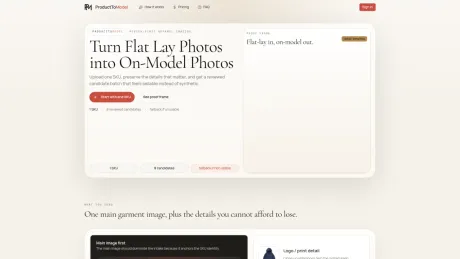
Turn flat-lay apparel photos into sellable on-model ecommerce images. Each eligible account gets one free preview, then pays and reviews on the same SKU job.
What you get
Additional Information
ProductToModel specializes in converting flat-lay apparel photographs into on-model images tailored for ecommerce. The platform allows users to upload a primary garment image, along with optional detail references, to ensure crucial details are maintained in the final output. Each job is scoped around a single SKU, providing a focused approach to creating sellable results.
The process begins with one eligible free preview per account, followed by a paid review system that generates up to three variations of the on-model image. Users can make adjustments before finalizing one on-model hero image, all while remaining on the same job URL for ease of comparison.
Key features include the ability to protect important garment details such as logos, colors, shapes, and structural elements, ensuring the final product aligns with the seller's expectations. The platform also includes a fallback policy that triggers if the generated results are not usable, providing reassurance during the image creation workflow.
With a straightforward pricing structure of $29 per SKU, ProductToModel is aimed at businesses looking to enhance their online apparel presentations, making it easier for sellers to maintain the integrity and appeal of their products in the competitive e-commerce landscape.
Frequently asked questions
What is ProductToModel used for?
Flat-Lay Apparel to On-Model Images | ProductToModel.Is ProductToModel free?
Pricing for ProductToModel varies — see the Pricing section for details.What are alternatives to ProductToModel?
Top alternatives to ProductToModel include ProductScope AI, PicTools.AI, AI Photos Editor, AVCLabs PhotoPro AI, Fotor.Where can I get ProductToModel?
ProductToModel is available at https://producttomodel.com.What category is ProductToModel in?
ProductToModel is listed in Image Editing.How does the first free preview work?
Each eligible signed-in account can claim one free preview on its first setup-ready job. Later jobs go straight to paid generation instead of offering a second preview.Do I switch pages after payment?
No. Preview, payment, and paid review stay on the same stable job URL so the comparison set and history stay attached to one SKU job.What input quality do I need?
A clear main garment image is the minimum. Detail references improve fidelity for prints, trims, and structure.What if the batch is not usable?
The workflow moves into fallback instead of silently shipping a weak result.
Compare ProductToModel with…
Pick any tool to see a structured side-by-side: pricing, deployment, capabilities, and content policy.








