
- Category
- Video Editing
- Pricing
- Paid
- Alternatives
- 6 similar tools
- Last updated
- 4 weeks ago
- Source
- Official site ↗︎
AI Collection Top Picks

Video Editing Category Picks



About Rizzle AI
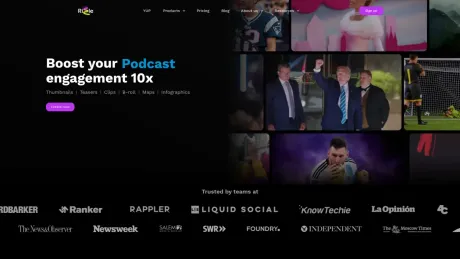
Rizzle helps publishers turn articles into editorial-grade video produced by expert editors, then distribute and monetize them across major platforms.
Rizzle AI's Pricing Plans
Rizzle AI may change prices at any time. Here's our latest information:
Pricing Details
Starter Plan
For aspiring YouTubers, Podcasters and Freelancers
$8
monthly
- 1200 tokens per year
- Create custom thumbnails
- Create teasers, clips, and highlights for your videos
- Auto B-roll with premium stock media
- Upload images, videos & music
- Video resolution up to 4k
Grow
For small and medium sized businesses and Podcasters
$100
monthly
- 4400 tokens per year
- Create custom thumbnails
- Create teasers, clips, and highlights for your videos
- Auto B-roll with premium stock media
- Team workspace and collaboration
- Video resolution up to 4k
Frequently asked questions
What is Rizzle AI used for?
Publisher Video Creation, Distribution & Monetization.Is Rizzle AI free?
Rizzle AI is a paid product. See the Pricing section for current plans.What are alternatives to Rizzle AI?
Top alternatives to Rizzle AI include Klap App, AI video editor, Atlabs AI, Topview AI URL to Video, Colossyan.Where can I get Rizzle AI?
Rizzle AI is available at https://rizzle.com/.What category is Rizzle AI in?
Rizzle AI is listed in Video Editing.2. Can I estimate how many tokens a video might cost before I create it?
Yes, our token calculator helps you estimate video costs based on minutes, assets and output resolution. Click here and scroll down for more details.3. How long does it take for a video to upload and process on Rizzle?
Depending on your video size, the upload and analysis process takes under 5 minutes.4. Can I edit my video after its generation?
You can edit the transcript segments, replace stock media, and adjust media types (B-roll, Original Media, Enhanced Media) even after video generation.5. Can I share my videos directly to social media from Rizzle?
Yes, Rizzle lets you share videos directly to YouTube and TikTok.Features:
1. **Text-to-Video**: Transforms your text inputs into dynamic video content, automatically integrating visuals, animations, and effects to create engaging videos from scripts or articles. 2. **Text-to-Maps**: Converts textual data or location-based information into interactive map visuals within your videos, making it easier to visualize and convey geographical data. 3. **Podcast-to-Video**: Turns audio podcast episodes into visually compelling videos by automatically adding relevant visuals, captions, and animations to accompany the audio content. 4. **Custom Thumbnails**: Offers tools to create eye-catching, custom thumbnails that are designed to attract viewers and increase click-through rates on platforms like YouTube or social media. 5. **AI-Powered Video Regeneration**: Allows you to regenerate existing videos with different styles, effects, and enhancements, offering fresh variations without needing to recreate content from scratch. 6. **Auto Script Creation**: Automatically generates structured video scripts from brief inputs, streamlining the content creation process. 7. **Customizable Templates**: Provides a wide array of templates that can be customized to fit your brand's style and tone, ensuring consistency across your video content. 8. **Voiceover and Background Music Integration**: Easily add AI-generated voiceovers and background music that aligns with the tone of your video, with AI-powered suggestions to match your content. 9. **Real-Time Collaboration**: Enables seamless collaboration with team members, allowing multiple users to work on the same project in real-time. 10. **AI-Driven Editing Tools**: Uses AI to simplify the editing process by automatically trimming, cutting, and enhancing videos, making post-production faster and more efficient.Use cases
1. **Content Creation for Social Media Influencers**: Influencers can quickly generate engaging content by transforming their text-based ideas into visually captivating videos. They can create teasers, highlights, and custom thumbnails to promote their content on various social media platforms. 2. **Podcast Promotion**: Podcasters can use Rizzle to generate teaser videos or highlights from their episodes, attracting potential listeners and increasing their podcast's visibility. These clips can be shared on social media platforms to grab the audience's attention and drive traffic to the full episodes. 3. **Educational Content Creation**: Educators and online course creators can utilize Rizzle to transform their textual explanations or data into animated map videos. This can help in explaining complex concepts in a visually appealing and easily understandable manner, enhancing the learning experience for students. 4. **Business Marketing**: Small businesses or startups can leverage Rizzle to create promotional videos quickly and affordably. They can generate engaging clips to showcase their products or services, highlight customer testimonials, or present data in an animated map format to convey information effectively to their target audience. 5. **Personal Branding**: Individuals looking to establish their personal brand online can use Rizzle to create professional-looking videos without the need for complex editing skills. Whether it's sharing motivational messages, travel experiences, or DIY tutorials, Rizzle offers a simple yet powerful tool to express oneself creatively and attract an audience.
**Video Preview**: https://youtu.be/FF7Mhz5mm7U?feature=sharedHow does Rizzle turn text into video?
Rizzle automatically analyzes your article’s context, tone, and key messages to generate a video storyboard. It pairs your text with relevant visuals, templates, music, transitions, and voiceovers, creating a polished video in minutes. Our team refines it, ready to publish wherever you choose.Can I syndicate videos to platforms like Yahoo News or MSN Start?
Yes. Rizzle handles distribution to top web aggregators like Yahoo News, MSN Start, and others. Once your video is ready, we syndicate it seamlessly.Is my content ownership protected?
Absolutely. You retain full rights to all videos created with Rizzle. We use only ethically sourced, editorial, and creative assets to ensure your content is brand-safe and legally compliant.How does Rizzle help my existing content strategy?
Rizzle repurposes your text content into video format, distributing them to audiences who prefer video over text. This extends your content’s lifespan, drives engagement, and expands reach, unlocking revenue from platforms that reward video views.What makes Rizzle different from other tools?
We combine AI speed with human polish and direct access to premium syndication networks. Unlike generic tools, we’re built for publishers and enterprises—focusing on scalability, brand safety, and measurable ROI. Plus, with Getty's editorial media integration, you can tap into up-to-the-minute visual coverage of current trends, events, and cultural moments that matter to your audience.
Compare Rizzle AI with…
Pick any tool to see a structured side-by-side: pricing, deployment, capabilities, and content policy.








