Satura AI
YouTube Growth & AI Video Creation Platform.
- Category
- Workflow & Automation
- Alternatives
- 6 similar tools
- Last updated
- 1 weeks ago
- Source
- Official site ↗︎
AI Collection Top Picks

Workflow & Automation Category Picks


About Satura AI
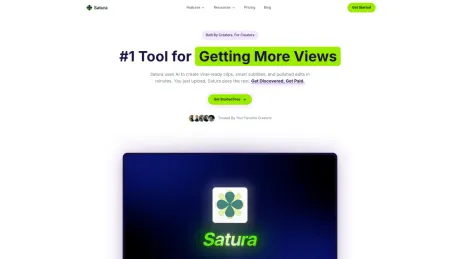
Satura is an all-in-one AI video creation, editing, and YouTube growth platform for creators, faceless channel operators, agencies, and teams.
What you get
Additional Information
Satura is an AI-assisted creation workspace tailored for YouTube creators. It simplifies video editing by allowing users to edit videos, add subtitles, generate thumbnails, and analyze video performance all in one place. Satura's suite of tools helps creators navigate their video editing needs without the hassle of juggling multiple applications.
With features like AI-generated subtitles, voiceovers, and motion control, Satura streamlines the video creation process, enabling creators to focus on producing engaging content. The platform also includes a comprehensive analytics tool, TrustScore, which evaluates a video's potential for virality and offers insights on how to improve.
Designed for creators at all levels, from newcomers to seasoned professionals, Satura provides a tiered subscription model that aligns with different growth needs. Features such as export minutes and channel limits evolve with the creator, allowing for flexibility as their content requirements expand.
Satura not only facilitates video creation but also emphasizes monetization. Creators can publish and monetize their AI-generated content while relying on the platform's guidance on best practices for viewer engagement and algorithmic enhancements.
Frequently asked questions
What is Satura AI used for?
Satura AI: YouTube Growth & AI Video Creation Platform.Is Satura AI free?
Pricing for Satura AI varies — see the Pricing section for details.What are alternatives to Satura AI?
Where can I get Satura AI?
Satura AI is available at https://saturaai.com.What category is Satura AI in?
Satura AI is listed in Workflow & Automation.Can I start with Satura for free?
Yes. You can create an account and start exploring the product right away. Paid plans unlock monthly credits, export minutes, and higher channel limits.What can I create with Satura?
Satura helps you create and polish short-form videos with AI tools like subtitles, voiceovers, image/video generation, background removal, and export-ready edits in one place.How do credits work?
Credits power AI actions inside Satura, like generation, voice, transcription, and effects. Different tools use different amounts of credits based on processing cost.What are export minutes?
Export minutes are the total runtime you can render each billing cycle. Credits and export minutes are tracked separately, so you can see both in your usage and billing pages.How do I view my usage?
Open Settings and go to Usage History to track credits spent, features used, and generation activity. This makes it easy to monitor usage before you run low.Can I cancel my plan anytime?
Yes. You can cancel anytime from your subscription settings. There are no long-term contracts or commitments.Do you offer refunds?
No. Satura follows a no-refund policy. If you cancel, you will not be billed again.Can I monetize videos created with Satura?
Yes, creators can publish and monetize videos made in Satura. You are responsible for following platform policies and having rights to any media you upload.Can I connect more than one YouTube channel?
Yes. Channel limits depend on your plan: Starter supports 1 channel, Creator supports 5, and Pro is unlimited. You can upgrade anytime as your channel portfolio grows.What happens if I run out of credits?
You can add extra credits anytime with top-up packs from pricing. Top-up credits are great for busy weeks and roll over while your subscription remains active.
Compare Satura AI with…
Pick any tool to see a structured side-by-side: pricing, deployment, capabilities, and content policy.