- Category
- Podcast Tools
- Pricing
- Freemium
- Alternatives
- 6 similar tools
- Last updated
- 1 weeks ago
- Source
- Official site ↗︎
AI Collection Top Picks

Podcast Tools Category Picks

About Seply
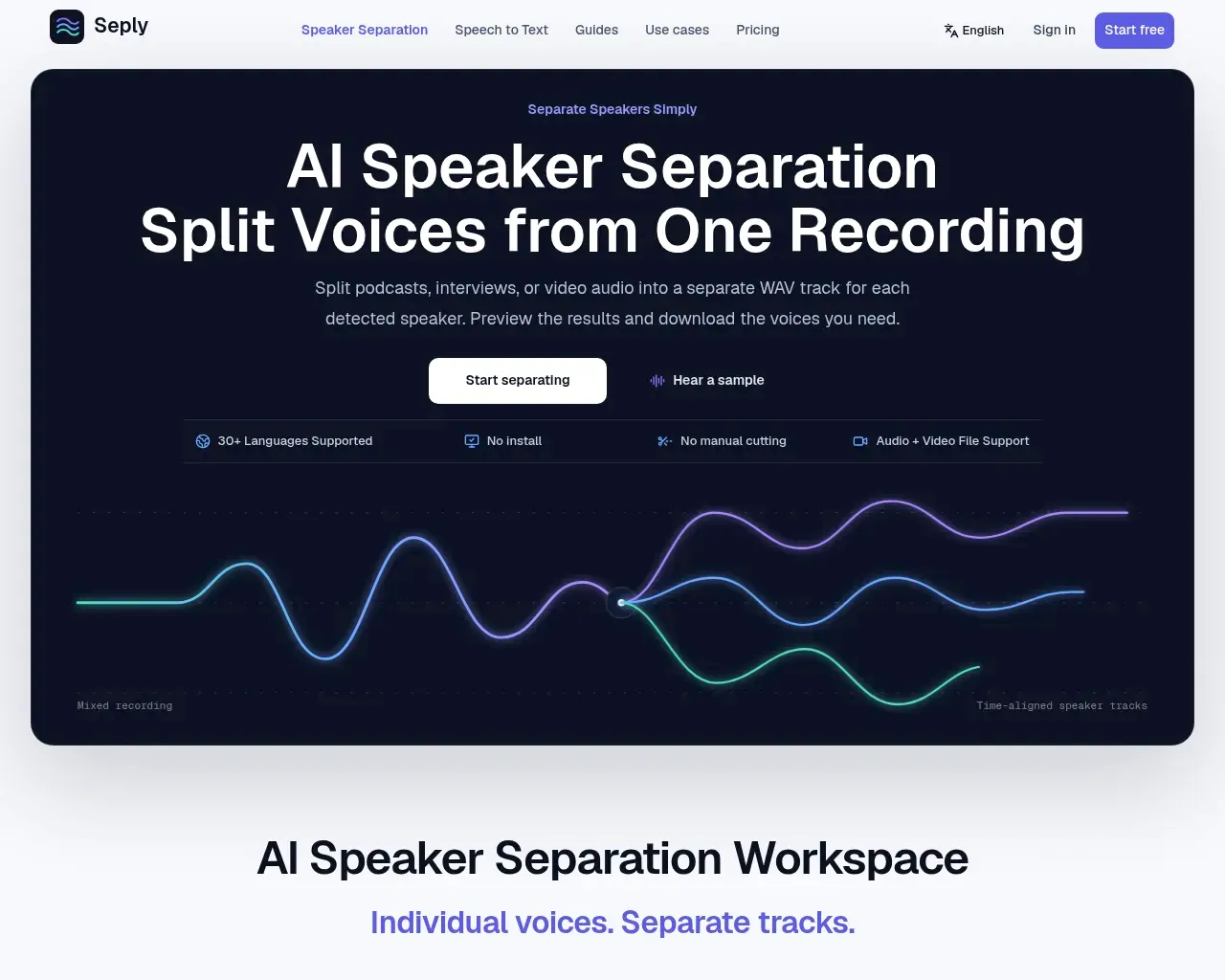
Use AI speaker separation to split podcast, interview, meeting, or video audio by speaker into individual tracks. Preview and download WAV files. Free to try.
Seply's Pricing Plans
Seply may change prices at any time. Here's our latest information:
Save 17% with annual billing
Free Trial
trial
$0
one-time
- 30 credits once
- 3 minutes of Speaker Separation
- 90 minutes of transcription
- No recurring credits
Starter
for occasional interviews
$12
monthly
- 200 credits every month
- 20 minutes of Speaker Separation
- 600 minutes of transcription
- Automatic or manual speaker count
- Credits refresh monthly
- Cancel any time
Frequently asked questions
What is Seply used for?
AI Speaker Separation – Split Audio by Speaker | Seply.Is Seply free?
Seply has a free tier; paid plans unlock additional features.What are alternatives to Seply?
Where can I get Seply?
Seply is available at https://seply.org/.What category is Seply in?
Seply is listed in Podcast Tools.Can AI separate two voices in one recording?
Yes. Seply splits spoken conversations into separate, time-aligned WAV tracks for each detected speaker. Upload your podcast, interview, or recording, then preview each voice and download the tracks you need.Can I separate two people talking at the same time?
Advanced Overlap mode is designed for interruptions and simultaneous speech and requires a successful purchase. Use Standard for ordinary turn-taking conversations. Results vary with noise, echo, similar voices, and the amount of overlap; some of the other voice may remain.Can I keep just one person’s voice?
Yes. First separate the conversation, then preview the resulting tracks to find the person you need and download just their WAV track.What do I get when I upload a video?
You get separate WAV audio tracks for the detected speakers.Can I try AI speaker separation for free?
New accounts receive 30 one-time trial credits, valid for 30 days.Is speaker separation the same as speaker diarization?
No. Speaker diarization labels who spoke when; speaker separation creates an individual audio track for each detected speaker.What files can I upload?
Standard supports WAV, MP3, M4A, AAC, FLAC, OGG, OPUS, WMA, Speex, MP4, AVI, MOV, MKV, and WebM.Can I get speakers split into individual tracks?
Yes. Seply creates an independent, time-aligned WAV file for each detected speaker.
Compare Seply with…
Pick any tool to see a structured side-by-side: pricing, deployment, capabilities, and content policy.