- Category
- Text To Speech
- Pricing
- Freemium
- Alternatives
- 6 similar tools
- Last updated
- 1 weeks ago
- Source
- Official site ↗︎
AI Collection Top Picks

Text To Speech Category Picks

About Speech to Text AI
Speech to Text converts voice, audio files, and recordings into accurate text with AI for free. Transcribe meetings, interviews and podcasts online for free.
Speech to Text AI's Pricing Plans
Speech to Text AI may change prices at any time. Here's our latest information:
Speech to Text AI Pricing Plans
Free
Free
0
mo
Pro
Pro
$9.99
mo
What you get
Additional Information
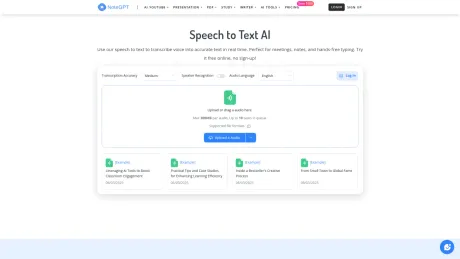
NoteGPT Speech to Text is a free, no-sign-up online tool that instantly converts your audio into accurate, well-structured text. Whether you’re transcribing meetings, lectures, interviews, or voice memos, NoteGPT makes the process seamless and efficient.
Key Features
- Free & No Registration Required – Upload and convert audio right away, no account needed.
- Large File Support – Transcribe files up to 300 MB without splitting.
- High Accuracy with Speaker Detection – Distinguishes multiple speakers and adds labels automatically.
- Batch Processing – Upload and transcribe multiple files at once.
- Automatic Punctuation – AI enhances readability with smart punctuation and formatting.
- Privacy First – All files are processed instantly and never stored, keeping your data secure.
Perfect For
- Professionals creating meeting notes
- Students recording lectures and study sessions
- Journalists transcribing interviews
- Podcasters or creators organizing audio content
With NoteGPT, turning speech into text is fast, accurate, and hassle-free — all directly in your browser.
Frequently asked questions
What is Speech to Text AI used for?
Speech to Text - AI Transcription & Voice Typing Online Free.Is Speech to Text AI free?
Speech to Text AI has a free tier; paid plans unlock additional features.What are alternatives to Speech to Text AI?
Where can I get Speech to Text AI?
Speech to Text AI is available at https://notegpt.io/speech-to-text.What category is Speech to Text AI in?
Speech to Text AI is listed in Text To Speech.Key Features
* **Free & No Registration Required** – Upload and convert audio right away, no account needed. * **Large File Support** – Transcribe files up to 300 MB without splitting. * **High Accuracy with Speaker Detection** – Distinguishes multiple speakers and adds labels automatically. * **Batch Processing** – Upload and transcribe multiple files at once. * **Automatic Punctuation** – AI enhances readability with smart punctuation and formatting. * **Privacy First** – All files are processed instantly and never stored, keeping your data secure.Perfect For
* Professionals creating **meeting notes** * Students recording **lectures and study sessions** * Journalists transcribing **interviews** * Podcasters or creators organizing **audio content** > With NoteGPT, turning speech into text is fast, accurate, and hassle-free — all directly in your browser.What is this Speech to Text and how is it different?
This is a free online platform that turns spoken audio into clean, readable text. It stands out by offering batch transcription, speaker identification, and support for long files up to 5GB—all without any login or download required.Is there a cost or usage limit?
No, it's completely free. You can use this Speech to Text service as often as you need, with no hidden costs, sign-up steps, or paywalls.Can I use it without installing anything?
Yes. Everything works directly in your browser. Just upload your file and let the AI transcription system process it in seconds—no downloads or setup needed.What file formats are supported?
Most common formats are accepted, such as MP3, WAV, and M4A. You can transcribe voice files without converting them first.How long can my recordings be?
The tool can handle files up to 5GB, which covers most meetings, lectures, or long-form content. You won't need to compress or split audio to convert speech to text efficiently.Will the transcription include punctuation and formatting?
Yes, the voice to text engine adds punctuation like commas and periods automatically. It also separates different speakers, making your final text clear and easy to follow.Can I transcribe more than one file at the same time?
Absolutely. This Speech to Text platform supports bulk transcription. You can upload several files at once, and each will be processed in parallel.Is my uploaded content safe and private?
Yes. Your files are only used for transcription and are not stored permanently. We never access or share your recordings. Once the process is complete, your data is removed from our servers securely.Can I edit the transcription after it's generated?
Of course. Once the Speech to Text result is ready, you can make quick edits right in the browser. Fix names, add labels, or adjust anything before copying or downloading the final version.Does speech to text work for different accents or languages?
The tool supports multiple accents and standard English variations. While the accuracy may vary slightly based on clarity, most clear speech is transcribed well. Additional language support may be added in future updates.
Compare Speech to Text AI with…
Pick any tool to see a structured side-by-side: pricing, deployment, capabilities, and content policy.