
Video EditingPaid
Steve AI
Patented AI Video Creation Platform - Text, Audio, Prompt to Video | Steve AI.
- Category
- Video Editing
- Pricing
- Paid
- Alternatives
- 6 similar tools
- Last updated
- 1 weeks ago
- Source
- Official site ↗︎
AI Collection Top Picks

Video Editing Category Picks



About Steve AI
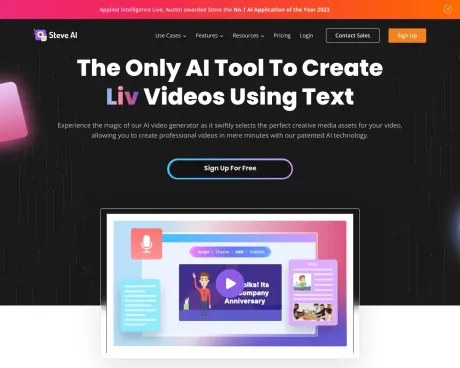
Steve AI - The only AI video maker with 3 patents, Trusted by 7M+ users. Turn blogs, ideas, or audio into professional AI videos. Create generative AI, live action, or animated videos in minutes. Start free.
Steve AI's Pricing Plans
Steve AI may change prices at any time. Here's our latest information:
Pay yearly and save up to 25%. That’s equal to 3 months free.
Basic
$20
billed Monthly
- 720p video resolution
- 5 Video Downloads/Month
- Multiple Video styles, live action and animation
- No Steve AI branding
- 10 Credits to use Premium Assets/Month
Starter
$60
billed Monthly
- Everything in Basic, Plus
- 15 Video Downloads/Month
- 1080p video resolution
- 10 voiceover accents in English
- 25 Credits to use Premium Assets/Month
Pro
$80
billed Monthly
- Everything in Starter, Plus
- 40 Video Downloads/Month
- 2k video resolution
- 20 voiceover accents in English
- 50 Credits to use Premium Assets/Month
Enterprise
Custom
- Everything in Pro, Plus
- Unlimited Downloads
- 4k video resolution
- Custom voiceovers
- Dedicated account manager
Frequently asked questions
What is Steve AI used for?
Patented AI Video Creation Platform - Text, Audio, Prompt to Video | Steve AI.Is Steve AI free?
Steve AI is a paid product. See the Pricing section for current plans.What are alternatives to Steve AI?
Top alternatives to Steve AI include Klap App, AI video editor, Atlabs AI, Topview AI URL to Video, Colossyan.Where can I get Steve AI?
Steve AI is available at http://www.steve.ai.What category is Steve AI in?
Steve AI is listed in Video Editing.What occurs when we select the Text to Speech feature?
This option is chosen when you require a voiceover or narration for your text-based script.Can we propose alternative scripts instead of using the automated version?
Certainly, you have the option to input your own script using the tool.What kinds of content can Steve''s automated script and video creation generate?
The current template encompasses a wide array of scripts and videos that can be generated in a matter of seconds. This includes announcements, invitations, social media posts, greetings, celebrations, special occasions, and more.Does Steve assist in script creation as well?
Steve not only serves as an automated AI-based video creation tool but also generates scripts automatically with minimal user input within seconds.Why is Steve AI better than any other AI video generator?
Many tools offer video creation, but users consistently rate Steve AI as the best AI video generator for its ease of use, value for money, and quality of output. We’re also proud to be a 5-star rated platform on Product Hunt.Is my data secure with Steve AI?
Yes, Steve AI is safe and trusted by global teams. The platform is GDPR compliant, certified with ISO 27001 for robust information security, and part of CyberGRX, ensuring third-party risk management at enterprise standards. Your projects and data are always handled with privacy and protection in mind.Can I download videos on Steve AI for free?
Yes! With the free plan, you get 20 minutes of AI videos per month, 200 AI asset credits, unlimited video generation, and even 2 free local download. You can also publish directly to YouTube, making it easy to start creating videos.Can Steve AI generate videos?
Absolutely! Just type in your idea or prompt, and Steve AI instantly generates ready to publish videos with visuals, narration, and music.What kind of videos can I create with Steve AI?
With Steve AI, you can create explainers, storytelling videos, kids’ content, promo ads, generative videos, animation videos, and even geopolitical news videos.Does Steve AI have an app?
Yes, there’s an iOS app that enables you to create and edit videos anywhere. Perfect for creators on the go looking to create quick social media content.How to download from Steve AI?
Once your video is ready, just click “Download.” On the free plan, you get unlimited video generation and 2 local download, plus the option to publish directly to YouTube. Paid plans unlock HD quality and watermark-free downloads.Why is Steve AI the number 1 AI tool for creating videos?
Users rate Steve AI as the best AI video generator because it’s easy to use, delivers high-quality output, and offers great value for money. It’s the only tool with 3 patents, a one-stop shop for all video needs, and trusted by both B2C creators and B2B teams with full AI compliance and security. Backed by Animaker (a G2 Top 5 design product in the world) and 5-star rated on Product Hunt, Steve AI leads the way in AI-powered video creation.Why is Steve AI better than any other AI video creation platform?
Many tools offer video creation, but users consistently rate Steve AI as the best AI video creation platform for its ease of use, value for money, and quality of output. We’re also proud to be a 5-star rated platform on Product Hunt.
Compare Steve AI with…
Pick any tool to see a structured side-by-side: pricing, deployment, capabilities, and content policy.








