
- Category
- Video Editing
- Pricing
- Paid
- Alternatives
- 6 similar tools
- Last updated
- 4 weeks ago
- Source
- Official site ↗︎
AI Collection Top Picks

Video Editing Category Picks



About Submagic
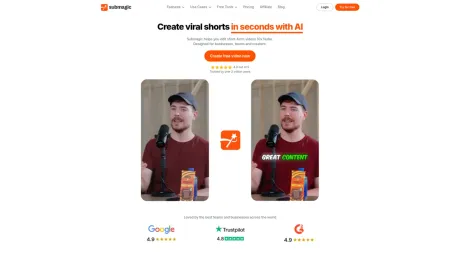
Submagic makes your short-form videos captivating with AI captions, b-rolls, and smart edits. Save time and grow your social media reach effortlessly.
Submagic's Pricing Plans
Submagic may change prices at any time. Here's our latest information:
Freemium
Starter
Starting in content creation
$14
Per month, billed yearly
- 20 videos/month
- No custom templates
- 2 mins/video
- No watermark
- AI Auto Captions
- Free B-Roll
- Trimming
- AI Description ⚡
- No 4K Import & Export
- No Premium B-Roll
Frequently asked questions
What is Submagic used for?
Submagic - Edit shorts 10x faster with AI.Is Submagic free?
Submagic is a paid product. See the Pricing section for current plans.What are alternatives to Submagic?
Top alternatives to Submagic include Klap App, AI video editor, Atlabs AI, Topview AI URL to Video, Colossyan.Where can I get Submagic?
Submagic is available at https://www.submagic.co/.What category is Submagic in?
Submagic is listed in Video Editing.1. Is Submagic Free
Submagic is also available for a free trial and then starts with $14 monthly plan.How do I create short with Submagic?
Upload your video, and Submagic’s AI automatically detects highlights, adds captions, and formats the clip for short-form platforms. You can edit the result like text and export in minutes.Can I turn a long video into multiple shorts?
Upload a long-form video such as a podcast or interview. Submagic finds key moments and turns one video into multiple ready-to-post shorts automatically.Does Submagic add captions automatically?
Submagic generates captions automatically in multiple languages and applies modern, readable styles optimized for short-form viewing with 99% accuracy.What makes editing faster than traditional timelines?
Submagic replaces traditional timelines with text-based editing. You can cut, trim, and remove silences by editing the transcript instead of scrubbing through footage.Does Submagic support team collaboration?
Invite your team into a shared workspace where everyone can upload, edit, review, and export videos together in real time.What quality levels are available for export?
Submagic supports high-quality exports up to 4K resolution and 60fps, ensuring your videos look sharp on every platform.How do I create shorts with Submagic?
Upload your video, and Submagic’s AI automatically detects highlights, adds captions, and formats the clip for short-form platforms. You can edit the result like text and export in minutes.
Compare Submagic with…
Pick any tool to see a structured side-by-side: pricing, deployment, capabilities, and content policy.








