Thumbsnap
The nginx web server is successfully installed and working.
- Category
- AI Art & Illustration
- Pricing
- Free
- Alternatives
- 6 similar tools
- Last updated
- 2 weeks ago
- Source
- Official site ↗︎
AI Collection Top Picks

AI Art & Illustration Category Picks



About Thumbsnap
Nginx is a web server that serves static and dynamic content efficiently.
What you get
Additional Information
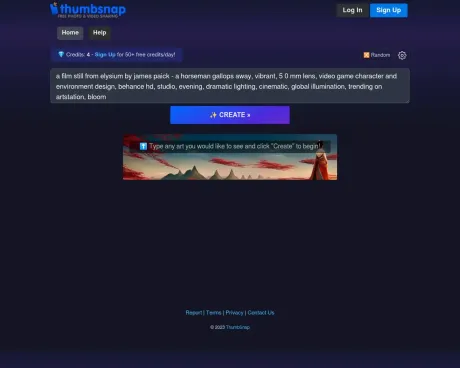
ThumbSnap is an easy-to-use free photo and video sharing solution designed for individuals looking to share media with friends, family, or online communities. It supports various formats including images in .jpg, .gif, .png, and videos in .mp4, .m4v, .avi, .mov, and .webm. Users can upload as many pictures and videos as they want with no limit on the total number of uploads. Each image can be up to 48 MB in size.
For a seamless experience, users can sign up with their email to enable multiple photo uploads and track previously uploaded content. ThumbSnap also offers a straightforward upload process where users can easily drag-and-drop files or choose them through a prompt. Besides, it has social sharing features that allow users to share their uploads directly to platforms like Twitter and Facebook.
Additionally, ThumbSnap provides a free API for developers interested in integrating its image or video hosting capabilities into their applications or websites. This makes it an excellent choice for both casual users and developers looking to leverage media hosting functionalities.
Frequently asked questions
What is Thumbsnap used for?
The nginx web server is successfully installed and working.Is Thumbsnap free?
Thumbsnap is free to use.What are alternatives to Thumbsnap?
Where can I get Thumbsnap?
Thumbsnap is available at http://art.thumbsnap.com.What category is Thumbsnap in?
Thumbsnap is listed in AI Art & Illustration.What is ThumbSnap?
ThumbSnap is an easy-to-use free photo and video sharing solution. It can be used to share pictures and movies with friends and family, as well as to post photos / videos via email, Twitter, websites, blogs, forums, auctions, and social networking sites like Facebook, Reddit, and more.Do I need to register?
Nope, ThumbSnap does not require registration. Just upload and go! You can optionally sign-up with your email to upload multiple photos at once and keep track of your previously uploaded photos.How do I upload pictures / videos?
From the ThumbSnap homepage, click the 'Choose Photo / Video' button or Drag-and-Drop a photo from your computer. Select a photo / video from the popup to upload then select 'OK'. Your media will be sent to ThumbSnap and we will then provide code that you can copy-and-paste into websites, emails and discussion forums.How can I upload multiple / batch-upload photos / videos?
First, sign-in (if you don't have an account, you can create one for free). You will then be able to select multiple photos to upload at once from the ThumbSnap homepage.How many pictures can I upload?
Upload as many as you want! There is no limit to the number of pictures/videos you can upload to ThumbSnap.What kind of image types can I upload?
ThumbSnap currently allows photos in .jpg, .gif, and .png formats. We also support WebP, TIFF, SVG, BMP, and a few other formats (these will be converted to web-standard JPG images for you).What kind of video types can I upload?
ThumbSnap allows videos in .mp4, .m4v, .avi, .mov, and .webm formats.Is there a limit to the size of the uploaded pictures?
ThumbSnap hosts images up to 48 MB (megabytes) in size.How do I delete a photo I uploaded?
Log in then click the trash icon under the image you wish to delete in the 'My Photos' area.Do you have an API for integrating ThumbSnap into my app or website?
Yes, ThumbSnap offers a free API for developers or companies that want to add image or video hosting to their applications or websites.How can I keep up with the latest news and updates from ThumbSnap?
We post any news and updates on Twitter. Come follow us on Twitter, send us a message, rant, suggestion, etc.How can I contact you?
You can email us via our feedback page. Feel free to send us any questions / concerns / suggestions!
Compare Thumbsnap with…
Pick any tool to see a structured side-by-side: pricing, deployment, capabilities, and content policy.