
Vider
Free Unlimited AI Image to Video Generator – No Login Required.
- Category
- Video Editing
- Alternatives
- 6 similar tools
- Last updated
- 1 weeks ago
- Source
- Official site ↗︎
AI Collection Top Picks

Video Editing Category Picks



About Vider
Vider is a free unlimited AI video generator that creates stunning image-to-video content. No login required and always high-quality!
What you get
Additional Information
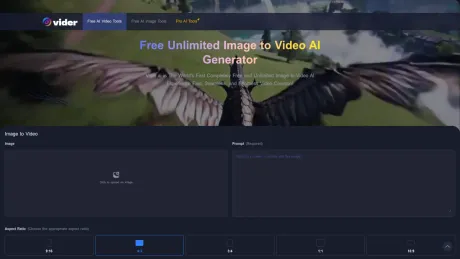
Vider.ai is the world's first completely free and unlimited image to video AI experience, allowing users to create stunning videos from images with fast processing and high-quality output. You can generate as many videos as you like without hidden costs or subscription fees, making it ideal for anyone looking to bring static images to life.
The platform supports all common image formats, including JPEG, PNG, and BMP, providing flexibility in content creation. Users can customize the output by defining video styles, aspects ratios, and visual effects through simple text prompts. Whether you need to create videos for personal projects or commercial purposes, Vider.ai gives you the creative freedom to express your ideas.
With its intuitive interface, users can upload their images, describe their desired video scene, and generate videos in just a few clicks. The platform also ensures that once your video is created, it will be available for download for up to one day before automatic deletion. Additionally, Vider.ai includes a watermark in the free version, but there's an option to upgrade to the Pro version to remove it.
Overall, Vider.ai provides a seamless user experience, advanced AI technology, and customization options, making it suitable for digital marketers, content creators, and anyone who wants to easily generate dynamic visual storytelling from their images.
Frequently asked questions
What is Vider used for?
Free Unlimited AI Image to Video Generator – No Login Required.Is Vider free?
Pricing for Vider varies — see the Pricing section for details.What are alternatives to Vider?
Top alternatives to Vider include Klap App, AI video editor, Atlabs AI, Topview AI URL to Video, Colossyan.Where can I get Vider?
Vider is available at https://vider.ai/.What category is Vider in?
Vider is listed in Video Editing.Is Vider.ai really free to use?
Yes, Vider.ai is completely free and unlimited. You can generate as many videos as you want without any charges or subscription fees.Do I need to create an account to use Vider.ai?
No, Vider.ai does not require any sign-up or account creation. You can start creating videos immediately after uploading your images.What image formats are supported?
Vider.ai supports all common image formats, including JPEG, PNG, and BMP. Simply upload your files directly from your device.How long does it take to generate a video?
Typically, generating a single video takes about 2 to 4 minutes. During busy periods it may take a bit longer, but your task will start automatically when it's your turn.Can I customize the video output?
Absolutely! You can choose the output aspect ratio and use prompts to define the video style, camera movements, and other creative details. Vider.ai gives you full control over the final result.Is there a limit to how many videos I can create?
No, there are no limits. Vider.ai allows unlimited video creation for free, so you can generate as many videos as you like.Will my videos be stored on Vider.ai?
No, we do not permanently store your videos or images. Once the video is generated, it will be available for download. We will retain your files for up to 1 day, after which they will be automatically and permanently deleted.Can I use the videos generated for commercial purposes?
Yes, you have full rights to use the videos you create with Vider.ai for personal or commercial projects.What should I do if the generated video doesn't look as expected?
If the video output is not satisfactory, try adjusting your prompt with more precise and descriptive language. Providing clearer instructions can help the AI generate a better result.How can I improve the quality of my generated videos?
Using high-resolution images and providing clear, descriptive prompts can significantly enhance the quality of your video output.Does Vider.ai add a watermark to the generated videos?
Yes, videos generated with the free version of Vider.ai include a small watermark. To remove the watermark, you can upgrade to the Pro version.
Compare Vider with…
Pick any tool to see a structured side-by-side: pricing, deployment, capabilities, and content policy.








