Wave AI Note Taker
& Meeting Transcription App.
- Category
- Meeting Assistant
- Alternatives
- 6 similar tools
- Last updated
- 4 weeks ago
- Source
- Official site ↗︎
AI Collection Top Picks

Meeting Assistant Category Picks

About Wave AI Note Taker
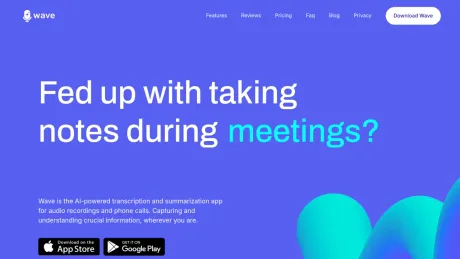
Wave is the #1 AI note taker for iPhone and Android. Record, transcribe, and summarize meetings, lectures, and conversations. Try free.
Frequently asked questions
What is Wave AI Note Taker used for?
Wave - AI Note Taker & Meeting Transcription App.Is Wave AI Note Taker free?
Pricing for Wave AI Note Taker varies — see the Pricing section for details.What are alternatives to Wave AI Note Taker?
Top alternatives to Wave AI Note Taker include Graphic AI, Fireflies, Jamie, Supernormal, Wudpecker.Where can I get Wave AI Note Taker?
Wave AI Note Taker is available at https://wave.co/.What category is Wave AI Note Taker in?
Wave AI Note Taker is listed in Meeting Assistant.What is Wave?
Wave is an AI note taker that records, transcribes, and summarizes meetings, phone calls, lectures, and conversations. It runs on iPhone, Android, Wave for Web, Wave Desktop for Mac & Windows, and Apple Watch — everything syncs automatically across devices.How does Wave work?
Press record anywhere. Wave captures your audio, transcribes it with industry-leading AI, and generates a clean, searchable summary. You can customize the summary format, add notes and photos while recording, and share the result anywhere.Which devices can I use Wave on?
Wave runs on iPhone, iPad, Android, any browser at app.wave.co, Wave Desktop for Mac and Windows, and Apple Watch. Everything syncs across devices — see Using Wave on Multiple Devices.What can I record with Wave?
Anything — in-person conversations, phone calls, video meetings, lectures, podcasts, interviews, voice memos. You can also import existing audio files, YouTube videos, and PDFs. See All the Ways to Wave.Can Wave record phone calls?
Yes. On iPhone, Wave records incoming and outgoing calls through a Phone Bridge — see Recording Phone Calls with Wave.Does Wave record Zoom, Google Meet, and Microsoft Teams?
Yes. Connect your Google or Outlook calendar and Wave will send a meeting bot to any Zoom, Meet, or Teams call. On Wave Desktop you can also capture meetings by recording your computer audio directly. See How to Record Calendar Meetings.Can Wave record in the background or with my screen off?
Yes. Wave keeps recording while you use other apps or turn your screen off.Does Wave work offline?
You can record offline. Transcription and summarization process as soon as you're back online.How accurate are the transcriptions?
Wave uses a best-in-class speech recognition engine with a very low word error rate, including automatic speaker labels across 76 languages.What languages does Wave support?
Wave transcribes and summarizes in 76 languages and can translate between any of them after recording. See Language & Translation.Does Wave identify speakers automatically?
Yes. Voice ID learns the voices of people you talk to — name a speaker once and Wave will automatically label them in every future recording.Can I customize my summaries?
Yes. Wave includes built-in templates (meeting notes, action items, executive summary, sales call, lecture notes, and more), and you can save your own. See How to Use Customize Summary.Can I search or chat across all my recordings?
Yes. Wave Assistant searches and chats across your entire recording history. Ask "what did we decide in the marketing meetings?" and Wave finds and answers from the relevant sessions automatically.Can I import audio files, YouTube videos, or PDFs?
Yes. Wave imports audio files, YouTube videos, and PDFs on mobile and web.How do I share transcripts and summaries?
You can export to Notion, Google Docs, OneNote, Evernote, PDF, or DOCX, email summaries, or generate a public share link that anyone can open in a browser — no Wave account required.Is there a limit on recording time?
The Free plan includes 30 minutes per month. Pro includes unlimited recording, transcription, and summaries. Manage your subscription from Settings in any Wave app.What about my privacy, and does Wave train AI on my recordings?
No — Wave never uses your recordings, transcripts, or summaries to train AI models. Your data is encrypted at rest and in transit, SOC 2 compliant, and fully owned by you. Read our Privacy Policy, or learn how to permanently delete your account.Does Wave work with Claude, ChatGPT, or Zapier?
Yes. Wave has a Developer API, an MCP server for Claude and ChatGPT at mcp.wave.co, and a Zapier integration. See Connecting Wave to Your Workflow.Can I use Wave for my team or company?
Yes. Wave for Teams offers centralized billing, shared workspaces, and bulk licensing for businesses. Learn more at teams.wave.co.
Compare Wave AI Note Taker with…
Pick any tool to see a structured side-by-side: pricing, deployment, capabilities, and content policy.