
Adobe Express
Free Online YouTube Thumbnail Maker | Adobe Express.
- Category
- Video Editing
- Alternatives
- 6 similar tools
- Last updated
- 1 weeks ago
- Source
- Official site ↗︎
AI Collection Top Picks

Video Editing Category Picks



About Adobe Express
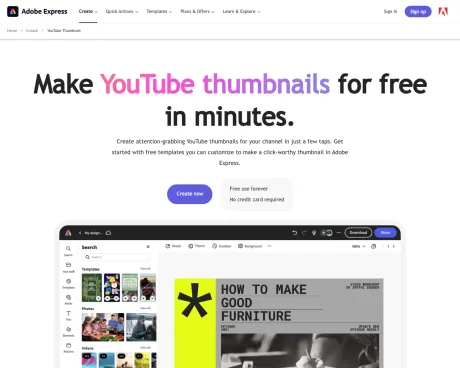
The Adobe Express free online video thumbnail creator helps you make your own custom YouTube thumbnail with a background image easily in minutes.
Adobe Express's Pricing Plans
Adobe Express may change prices at any time. Here's our latest information:
Pricing
Pricing
- Adobe Express offers a free plan with core features and templates, while premium features are available with a paid subscription.
Frequently asked questions
What is Adobe Express used for?
Free Online YouTube Thumbnail Maker | Adobe Express.Is Adobe Express free?
Pricing for Adobe Express varies — see the Pricing section for details.What are alternatives to Adobe Express?
Top alternatives to Adobe Express include Klap App, AI video editor, Atlabs AI, Topview AI URL to Video, Colossyan.Where can I get Adobe Express?
Adobe Express is available at https://www.adobe.com/express/create/thumbnail/youtube.What category is Adobe Express in?
Adobe Express is listed in Video Editing.How can I craft an eye-catching YouTube thumbnail?
Utilize thumbnails as a means to swiftly convey your video''s theme to your audience. Employ large, attention-grabbing typography that succinctly captures the essence of your content. Enhance your design with high-quality images, which may include a photograph of yourself or the subject of your video.Is it advisable to include my image in the thumbnail?
Certainly, if the video revolves around you or features your presence. You can directly upload images from your device to use in your thumbnail. Utilize our background removal tool to create a headshot cutout and generate a YouTube thumbnail-style design. Alternatively, you can opt for a still frame from your video or a suitable stock image.What dimensions should I use for my thumbnail?
YouTube thumbnails are typically sized at 1280px by 720px. You can kickstart your design process by selecting one of our pre-sized thumbnail templates or create a custom design and input your preferred dimensions.Is Adobe Express available for free, and if so, what does it include?
Indeed, Adobe Express offers a free plan that encompasses essential features such as photo editing tools, various effects, and access to thousands of free templates. For more details on our plans and pricing, please refer to our website.Can I design my own YouTube thumbnail template?
Certainly, you can create a template in Adobe Express by opening your project and selecting "Share" from the upper right corner. Choose the option to create a shareable template, and follow the prompts to publish and share your template with others.What are ways to make a standout YouTube thumbnail?
Use thumbnails to instantly communicate the theme of your video to your viewers. Feature big, bold, and easy to read typography that captures the premise. Add high-quality images to your design, potentially including a photo of yourself or the video’s subject.Should I include my picture on my thumbnail?
If the video is about you or features you, then definitely. Upload images right from your device to use in your thumbnail.What size should I make my thumbnail?
YouTube thumbnails are 1280px by 720px. Get started with one of our presized thumbnail templates, or create a design from scratch and enter in your desired size.Can I get Adobe Express for free? If so, what’s included?
Yes, Adobe Express has a free plan that includes core features like photo editing tools and effects and thousands of free templates.Can I create my own YouTube thumbnail template?
Any new or existing project can be turned into a shareable template. To turn your YouTube thumbnail into a template, click on the three-dot menu at the left of the Download button and follow the steps to turn your design into a template.What makes a high-performing YouTube thumbnail?
The best-performing thumbnails tend to share a few traits: high contrast between the foreground and background, bold text limited to 3–5 words, and a strong focal point.
Compare Adobe Express with…
Pick any tool to see a structured side-by-side: pricing, deployment, capabilities, and content policy.








