
Image EditingPaid
AVCLabs PhotoPro
The best AI-powered photo editing app to enhance and generate images.
- Category
- Image Editing
- Pricing
- Paid
- Alternatives
- 6 similar tools
- Last updated
- 4 weeks ago
- Source
- Official site ↗︎
AI Collection Top Picks

Image Editing Category Picks



About AVCLabs PhotoPro
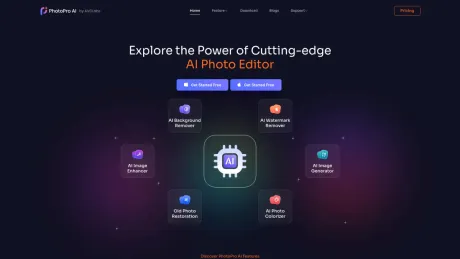
AVCLabs PhotoPro AI is a powerful photo editor that can help you easily erase photo defects, change and remove backgrounds, enlarge and upscale image, colorize black and white photos, convert photo to sketch style, etc.
AVCLabs PhotoPro's Pricing Plans
AVCLabs PhotoPro may change prices at any time. Here's our latest information:
Purchase AVCLabs PhotoPro AI
$39.95
/Montly
$89.95
/Yearly
$169.90
/Lifetime
Frequently asked questions
What is AVCLabs PhotoPro used for?
The best AI-powered photo editing app to enhance and generate images.Is AVCLabs PhotoPro free?
AVCLabs PhotoPro is a paid product. See the Pricing section for current plans.What are alternatives to AVCLabs PhotoPro?
Top alternatives to AVCLabs PhotoPro include ProductScope AI, PicTools.AI, AI Photos Editor, AVCLabs PhotoPro AI, Fotor.Where can I get AVCLabs PhotoPro?
AVCLabs PhotoPro is available at https://www.photopro-ai.com/.What category is AVCLabs PhotoPro in?
AVCLabs PhotoPro is listed in Image Editing.What are the main features of this AI Image Editor?
- **AI Image Enhancement**: Uses sophisticated AI algorithms to enhance image quality, improve sharpness, and refine details automatically. - **Background Removal and Replacement**: Includes a one-click background removal and replacement feature, making it easy to isolate subjects and create polished compositions. - **Artistic Filters and Effects**: Provides numerous artistic filters and effects to add creativity to images, turning them into visually striking masterpieces. - **Photo Restoration**: Allows users to repair old or damaged photos by reducing noise, fixing imperfections, and improving overall quality. - **Selective Editing**: Offers selective editing tools to apply changes to specific areas, giving users precise control over their edits. - **Portrait Retouching**: Includes tools like skin smoothing, blemish removal, and teeth whitening to enhance portraits professionally. - **Photo Colorizing**: Automatically adds color to black and white or grayscale images. - **AI Replace**: Intelligently generates new backgrounds or elements based on text input and replaces them within images.Is PhotoPro AI easy to use?
Yes, the software has an intuitive interface with user-friendly tools, making it accessible even for beginners. It also includes tutorials and help guides to assist users in fully utilizing its features.What platforms does PhotoPro AI support?
AVCLabs PhotoPro AI is compatible with both Windows and macOS, making it an ideal choice for users on these platforms.What file formats does the image editor support?
AVCLabs PhotoPro AI supports a variety of widely-used image formats, including JPG, JPEG, PNG, BMP, TIFF, and RAW, ensuring broad compatibility across devices and platforms.
Compare AVCLabs PhotoPro with…
Pick any tool to see a structured side-by-side: pricing, deployment, capabilities, and content policy.








