- Category
- Text to Image
- Pricing
- Free
- Alternatives
- 6 similar tools
- Last updated
- 1 months ago
- Source
- Official site ↗︎
AI Collection Top Picks

Text to Image Category Picks
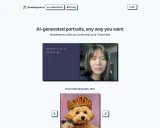

About Playground
Create custom designs and graphics with Playground
What you get
Additional Information
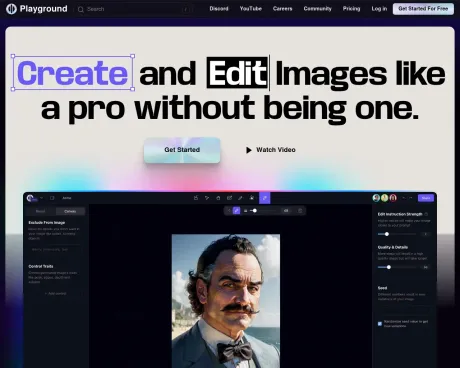
Playground is a versatile AI design tool tailored for creators looking to generate unique graphics without the need for extensive design skills. It offers a variety of templates and tools for creating logos, t-shirts, social media graphics, and much more. Users can choose from numerous pre-made designs or start from scratch using built-in AI capabilities.
With Playground, users can create high-quality images rapidly, benefiting from features such as background removal, upscale AI tools, and comprehensive editing options. The platform is designed to cater to different user needs, from casual creators looking to explore their creativity to professionals seeking advanced tools for more serious projects.
Playground provides three distinct pricing plans to accommodate various levels of usage, from a free option with basic features to more advanced plans that offer enhanced capabilities, unlimited image generations, and commercial usage rights. Whether you’re a hobbyist or a business professional, Playground makes graphic design accessible and straightforward, empowering users to produce stunning visuals efficiently.
Frequently asked questions
What is Playground used for?
Free AI Design Tool: Logos, T-Shirts, Social Media - Playground.Is Playground free?
Playground is free to use.What are alternatives to Playground?
Top alternatives to Playground include Designify, DrawAnyone, AI Picasso, AI Wall Decor, Imaginator.Where can I get Playground?
Playground is available at https://playgroundai.com/.What category is Playground in?
Playground is listed in Text to Image.How can I cancel or update my credit card?
Click on your avatar (profile picture) and then Billing. Within the Billing Portal you will be able to cancel, update your payment method, or download a receipt.Do you offer API access to your tool?
We are working with a select number of partners at this time. Currently, we are prioritizing potential partners whose users will generate more than 1M images a month. To inquire about potential API use, please fill out this form. We will reach out if it could be a fit.I've hit my Free generation limit, when will it reset or how do I get more?
Limits are based on a rolling hourly period. As time elapses, you'll be able to make more based on how many images you've created in the prior hours.What payment methods can I use?
We only accept credit cards and debit cards at the moment. Contact us at support@playgroundai.com to request other options.How does copyright work on Playground? Who owns the images I create?
You own the images you create on Playground. You can use them for personal or commercial use (YouTube, Etsy, Instagram, etc.), as long as you follow our terms.Why do I sometimes get an error "Please do not use multiple accounts"?
We don't allow you to use multiple accounts to get around our Free limits. If you don't have multiple accounts, this might occur because you're on a public Internet connection where other people are also using Playground. You can either buy a Pro plan or use another Internet connection to stop this from happening.I’ve hit my Free generation limit, when will it reset or how do I get more?
Limits are based on a rolling hourly period. As time elapses, you’ll be able to make more based on how many images you’ve created in the prior hours.Why do I sometimes get an error 'Please do not use multiple accounts'?
We don’t allow you to use multiple accounts to get around our Free limits. If you don’t have multiple accounts, this might occur because you’re on a public Internet connection where other people are also using Playground. You can either buy a Pro plan or use another Internet connection to stop this from happening.
Compare Playground with…
Pick any tool to see a structured side-by-side: pricing, deployment, capabilities, and content policy.