- Category
- Translation & Transcript
- Pricing
- Freemium
- Alternatives
- 6 similar tools
- Last updated
- 3 weeks ago
- Source
- Official site ↗︎
AI Collection Top Picks

Translation & Transcript Category Picks

About RIVERSIDE
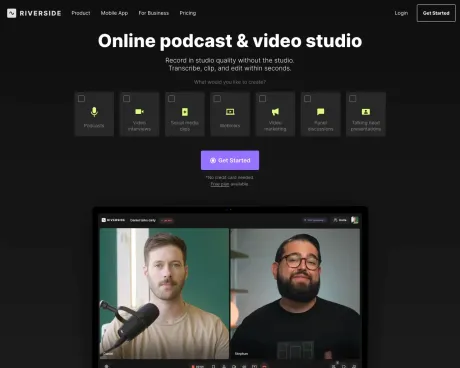
Riverside is your online studio for high-quality podcast and video recording and editing. Powered by AI, built for human conversations. Get started for free.
RIVERSIDE's Pricing Plans
RIVERSIDE may change prices at any time. Here's our latest information:
Save Up to 21% OFF Yearly plans
Free
Get a taste of Riverside
$0
/month
- 2 hours of separate audio & video tracks (one-off)
- Unlimited single track recording and editing
- Watermark on exported files
- Up to 720p video quality
- 44.1 kHz audio quality
- Unlimited video calls
Standard
For individual creators
$19.99
/month
- 5 hours of separate audio & video tracks per month
- Everything in Free, plus:
- No watermark on exported files
- Up to 4K video quality
- 48 kHz audio quality
- Screen sharing
- Live streaming to social media
Pro
For individual professional creators
$29
/month
- 15 hours of separate audio & video tracks per month
- Everything in Standard, plus:
- Accept live call-ins
- Unlimited transcriptions
- Live chat support
Business
For companies and agencies
Contact Sales
- Unlimited separate audio & video tracks
- Custom seat packages
- Unlimited productions
- Everything in Pro, plus:
- Change input/output devices of guests remotely
- Camera controls
- Presentation recorder
- Full frame view
- Supports 29.97, 25, and 24 FPS
- Roles and permissions
- Customer Success Manager & Priority Support
- SSO (Okta, Azure + more)
- SOC2 type II & ISO27001 certified
Frequently asked questions
What is RIVERSIDE used for?
Riverside: HD Podcast & Video Software | Free Recording & Editing.Is RIVERSIDE free?
RIVERSIDE has a free tier; paid plans unlock additional features.What are alternatives to RIVERSIDE?
Top alternatives to RIVERSIDE include BiRead, Rephrasely, Rythmex, Deciphr AI, Snipd Podcast Summaries.Where can I get RIVERSIDE?
RIVERSIDE is available at https://www.riverside.fm/?via=aicollection.What category is RIVERSIDE in?
RIVERSIDE is listed in Translation & Transcript.Which web browsers are compatible with Riverside.fm?
Riverside.fm''s local recording engine is compatible with Chrome and Edge when used on laptops or desktop computers. For mobile devices such as iPhones or Android, you''ll need to use the Riverside.fm iPhone or Android app. Please note that browsers like Safari and Chrome on mobile phones and tablets are not currently supported.Is a credit card required for a Riverside.fm trial?
No, you do not need a credit card to start a trial with Riverside.fm. You can easily sign up for a free account using just your name and email address.What does "locally recorded" mean?
"Locally recorded" means that the recording process takes place on your computer rather than over the internet. This approach offers the advantage of studio-quality recordings, and after downloading the recording, you won''t hear disruptions caused by poor internet connections. Each guest''s audio is recorded as a separate local track.How long can I use the free plan?
You can use the free plan for an unlimited duration; there are no time limits. This plan provides access to unlimited hours of high-quality audio and video recording, editing features, and separate tracks for up to 2 hours of recording. After 2 hours, your recording will be in a single track. If you wish to continue receiving separate tracks beyond 2 hours or remove the watermark from your recordings, please explore our various plans on our pricing page.What is the quality of the recordings?
Audio recordings are in WAV format at 48 kHz and 16-bit quality. We perform local recordings, allowing you to use your preferred microphone. Video recordings support resolutions up to 4K, depending on each participant''s webcam. You can record up to 60 minutes for free to evaluate the audio and video quality for yourself.How many participants can record together in a session?
A session can accommodate a total of 8 streams, consisting of 1 host and up to 7 guests.What happens if I exceed my recording limit?
We won''t terminate your recordings, but if you consistently exceed your limit, we will reach out to you and suggest upgrading your account.Do guests need to share their local recordings with the host?
No, we automatically upload the local recordings during the session so that the host can download all local recordings from the participants after the podcast recording.Do my guests need to create Riverside.fm accounts?
No, you will provide them with a link that grants access to the session.Can I pause the recording and resume later, and will it all be saved under the same recording?
Absolutely. Moreover, the guest link for each podcast session is reusable. If you plan to record with the same participants again, they can easily rejoin the session using the same link. This is convenient because you can create a session once and invite all future guests by sharing the same link each time. All your recordings will be stored on your Dashboard for easy access.What does “locally recorded” mean?
Each participant’s audio and video are recorded directly on their own device. As the session progresses, Riverside uploads everything to the cloud in the background, ensuring studio-quality recordings.What happens if my or my guest’s browser crashes during a session?
Your files are safe, even if something goes wrong. Riverside can withstand browser crashes due to local recording.Can I record with multiple participants?
Yes, you can record up to 10 participants (9 guests + the host) on separate, high-quality audio and video tracks.Can I share my screen while recording?
Yes, hosts and guests can share their screen, and each screen share is recorded locally on its own track.Can I create social clips from my recording?
Yes, Riverside’s AI automatically identifies the best moments in your recording and generates short, shareable clips.What does 'locally recorded' mean?
Each participant’s audio and video are recorded directly on their own device, ensuring studio-quality recordings that are uploaded to the cloud in real-time.How do I edit my recording?
You can edit your recording directly in Riverside’s built-in editor, which generates a transcript for easy editing.What is Riverside for Business?
Riverside for Business is tailored for teams creating high-quality content at scale, offering collaborative workspaces and enhanced security.Can guests join the session without a Riverside account?
Not at all. All they need to do is click the link you send them — no sign-up or installation required.Can I stream and record at the same time?
Yep — with Riverside, you can go live while recording locally in up to 4K.Can I add more editors without upgrading my plan?
On Pro, Grow, and Webinar, an additional editor seat is available as an add-on. Business is the only plan with collaborative editing and custom roles built in.
Compare RIVERSIDE with…
Pick any tool to see a structured side-by-side: pricing, deployment, capabilities, and content policy.