
- Category
- Image Editing
- Alternatives
- 6 similar tools
- Last updated
- 1 weeks ago
- Source
- Official site ↗︎
AI Collection Top Picks

Image Editing Category Picks



About AI Raphael
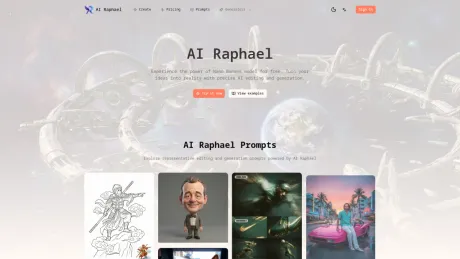
Raphael AI is a free AI image generator and photo editor. Create, edit, and remix images with natural-language prompts and consistent characters.
What you get
Additional Information
Raphael AI is a powerful and free image generation and editing tool designed for anyone looking to create and refine visuals effortlessly. Leveraging advanced AI models like Nano Banana Pro and GPT Image 2, users can transform their ideas into polished images through natural language prompts. This makes it accessible for both casual and professional users who require high-quality visuals without the steep learning curve.
Key features include natural language editing, allowing users to easily manipulate images with conversational commands. The tool also excels in maintaining character consistency, ensuring that faces, outfits, and poses remain uniform across revisions. Scene preservation capabilities enable seamless blending of edits with original backgrounds, delivering photorealistic results that enhance overall visual appeal.
Moreover, Raphael AI supports multi-image remixing, granting users the ability to combine different elements from various reference images to craft new scenes while preserving styles and continuity. With options for aspect ratio control, users can generate perfectly framed images suitable for social media, print, and more.
The platform also facilitates instant variations, allowing users to quickly iterate through ideas on lighting, color, and composition without starting from scratch, making it an invaluable tool for designers, content creators, and artists alike.
Frequently asked questions
What is AI Raphael used for?
Raphael AI: Free AI Image Generator & Editor.Is AI Raphael free?
Pricing for AI Raphael varies — see the Pricing section for details.What are alternatives to AI Raphael?
Top alternatives to AI Raphael include ProductScope AI, PicTools.AI, AI Photos Editor, AVCLabs PhotoPro AI, Fotor.Where can I get AI Raphael?
AI Raphael is available at https://www.airaphael.org.What category is AI Raphael in?
AI Raphael is listed in Image Editing.What exactly is AI Raphael and how does it work?
AI Raphael is a free AI image generation and editing tool powered by Nano Banana Pro and GPT Image 2.How do I edit existing visuals with AI Raphael?
You can edit existing visuals by using conversational prompts that AI Raphael interprets to apply precise transformations.Which projects benefit most from AI Raphael?
AI Raphael is beneficial for a wide variety of projects requiring high-quality visuals, including marketing materials, social media content, and artistic endeavors.Can I control output size and aspect ratio?
Yes, AI Raphael allows you to choose from aspect ratio presets to generate perfectly framed images.How do I craft effective prompts for AI Raphael?
Crafting effective prompts involves providing clear and specific instructions that guide the AI's output.Can I use AI Raphael outputs for commercial projects?
Yes, outputs generated by AI Raphael can be used for commercial purposes.I have an idea. What can I make with Raphael AI?
You can use Raphael AI as a free AI image generator for new ideas or as an AI photo editor for images you already have. Start with a prompt, upload a reference image, or combine both when the visual needs more context. It is useful for campaigns, product concepts, characters, social posts, thumbnails, portraits, story frames, presentation visuals, and ecommerce scenes.How do I make a first version and keep refining it?
Start with the main subject and setting, then add the details that matter most: lighting, mood, colors, framing, materials, or aspect ratio. When the result is close, ask for one focused change instead of starting over—keep the subject and change the background, keep the face and adjust the outfit, or keep the composition and try softer light.Can I use Raphael AI for work, content, or a side project?
Yes. Raphael AI can help you test a package concept before a photoshoot, create a lifestyle setting for an ecommerce idea, explore a logo direction, or turn a rough reference into a cleaner starting point. Review text, faces, product details, brand rules, and usage rights before anything goes live.How should I write a prompt that gives me useful results?
Write the prompt in the order you think about the image: what is it, where is it, and what should it feel like? Add the visual decisions that matter most, such as subject, setting, light, color, camera angle, style, and format. For edits, say both what should change and what should stay, then add one missing detail at a time.Which Raphael AI model fits my project?
Use Nano Banana Pro when you need natural-language editing, consistent characters, several reference images, or a scene that stays recognizable through revisions. GPT Image 2 is a good fit when readable text, stable layouts, product details, or marketing polish matter most. Treat the first image as a draft and review faces, hands, typography, product geometry, and reference-image rights before publishing.What exactly is Raphael AI and how does it work?
Raphael AI is a professional AI image generation and editing workspace powered by Nano Banana Pro and GPT Image 2. It supports natural-language text-to-image generation, text and image editing, multi-image composition, iterative refinements, and high-fidelity text rendering, giving you precise control over every revision.How do I edit existing visuals with Raphael AI?
Upload a base image, describe the changes you need, and Raphael AI applies additions, removals, and style shifts without masks. You can keep iterating conversationally until the scene matches your vision, and every output ships with a SynthID watermark for provenance.Which projects benefit most from Raphael AI?
Use Raphael AI for portrait retouching, product photography, cinematic storytelling, UGC campaigns, and brand-safe typography. Its multimodal understanding blends elements from multiple inputs and keeps backgrounds intact even under heavy edits.How do I craft effective prompts for Raphael AI?
Start with the subject and setting, add mood or lighting cues, then specify the level of detail or camera style you want. You can reference colors, outfits, materials, or upload guide images to steer composition and keep characters consistent with Raphael AI.Can I use Raphael AI outputs for commercial projects?
Yes. Ensure you have rights to any reference assets, double-check brand guidelines, and remember that every Raphael AI output carries a SynthID watermark to help document provenance when you launch campaigns.
Compare AI Raphael with…
Pick any tool to see a structured side-by-side: pricing, deployment, capabilities, and content policy.








