
- Category
- Image Editing
- Alternatives
- 6 similar tools
- Last updated
- 3 weeks ago
- Source
- Official site ↗︎
AI Collection Top Picks

Image Editing Category Picks



About Bg Eraser
Remove image backgrounds online for free with BgEraser. Process up to 20 photos at once and download transparent PNGs. No sign-up required.
What you get
Additional Information
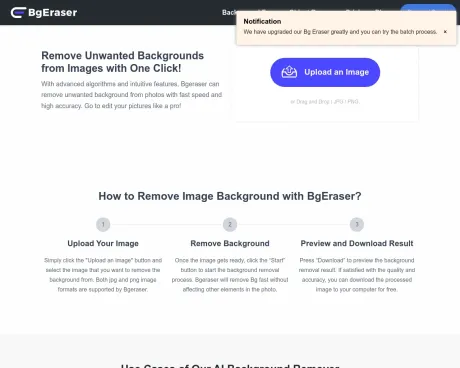
BgEraser is a free online background remover that efficiently eliminates backgrounds from images, converting them into clean transparent PNGs. It allows users to upload up to 20 images simultaneously, significantly streamlining the editing process without the need for repetitive manual adjustments. The service is ideal for e-commerce, social media, and personal projects, providing quick and polished results suitable for various applications.
With support for multiple file formats including JPG, PNG, and WebP, BgEraser ensures that processed images maintain their quality while retaining transparent backgrounds. Users have the flexibility to either keep the transparent background or opt for a solid color before downloading their images, catering to diverse creative needs.
BgEraser prioritizes user privacy by automatically deleting uploaded images and generated results within two hours. This feature assures users that their work remains confidential and minimizes long-term file storage concerns. Furthermore, the platform operates without requiring any registration or software installation, making it accessible and user-friendly.
Designed to handle both simple and complex backgrounds, BgEraser offers advanced AI capabilities to preserve edges and ensure high accuracy in background removal. It is particularly well-suited for product photos, portraits, logos, and any subject-focused images.
Frequently asked questions
What is Bg Eraser used for?
BgEraser: Free AI Background Remover & Batch BG Eraser.Is Bg Eraser free?
Pricing for Bg Eraser varies — see the Pricing section for details.What are alternatives to Bg Eraser?
Top alternatives to Bg Eraser include ProductScope AI, PicTools.AI, AI Photos Editor, AVCLabs PhotoPro AI, Fotor.Where can I get Bg Eraser?
Bg Eraser is available at http://bgeraser.com.What category is Bg Eraser in?
Bg Eraser is listed in Image Editing.What is BgEraser?
BgEraser is a free online background eraser that removes backgrounds from images and turns them into clean transparent PNG results.Can I remove backgrounds from multiple images at once?
Yes. BgEraser supports batch background removal, so you can upload multiple images in one session and download the processed results together as a ZIP file.What image formats does BgEraser support?
BgEraser supports JPG, PNG, and WebP uploads. Processed images are downloaded as PNG files so transparent backgrounds are preserved.Do I need to create an account?
No. You can use BgEraser without signing up, logging in, or installing software.How does BgEraser protect my privacy?
Uploaded images and generated results are removed within 2 hours. This helps keep your background removal work private and reduces long-term file storage.What kinds of images work best?
BgEraser works well for product photos, portraits, logos, profile pictures, ecommerce images, social posts, and many other subject-focused images.How accurate is BgEraser on complex backgrounds?
BgEraser is designed to handle many complex backgrounds and preserve subject edges. Higher-resolution images with a clear subject usually produce the best results.Can I replace the background after removing it?
Yes. You can keep the transparent background or apply a solid background color before downloading.Are processed images free for commercial use?
Yes. You can use processed images for product listings, marketing assets, presentations, and other commercial projects, provided you have the right to edit and use the original images.
Compare Bg Eraser with…
Pick any tool to see a structured side-by-side: pricing, deployment, capabilities, and content policy.







