
- Category
- Image Editing
- Alternatives
- 6 similar tools
- Last updated
- 1 weeks ago
- Source
- Official site ↗︎
AI Collection Top Picks

Image Editing Category Picks



About conceptviz
Create illustrations, flowcharts, and data visuals for science, teaching, and work. Describe what you need and refine it through conversation.
What you get
Additional Information
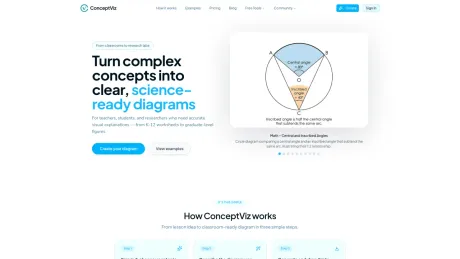
ConceptViz is an AI diagram generator designed specifically for educators, students, and researchers in the field of science. Users can generate diagrams by simply describing their needs in plain English, producing scientifically accurate and publication-ready visuals in a matter of seconds. This tool is suitable for various educational levels, from K-12 to university-level, covering subjects like physics, biology, chemistry, earth science, and math.
The platform offers a range of pre-set options tailored to different subjects and complexity levels, allowing users to create diagrams that cater specifically to their lesson plans or research needs. The output is clean and professional, making it easy to incorporate high-resolution images into presentations, worksheets, or academic publications.
ConceptViz provides both free and paid plans. The free version allows users to create a limited number of watermarked diagrams using the CV-1 model, which is designed for everyday use. Paid subscriptions unlock the higher-quality CV-2 model, giving access to additional features like SVG export and 4K output, catering to more detailed and complex diagrams. Users can also purchase credit packs to generate images as needed without a recurring monthly commitment.
In addition to being highly functional and user-friendly, ConceptViz emphasizes the scientific accuracy of its diagrams, assisting users in creating educational materials that are both visually appealing and factually correct. It supports export in various formats, including editable SVGs for further design customization.
Frequently asked questions
What is conceptviz used for?
ConceptViz – AI Agent for Diagrams, Illustrations & Charts.Is conceptviz free?
Pricing for conceptviz varies — see the Pricing section for details.What are alternatives to conceptviz?
Top alternatives to conceptviz include ProductScope AI, PicTools.AI, AI Photos Editor, AVCLabs PhotoPro AI, Fotor.Where can I get conceptviz?
conceptviz is available at https://conceptviz.app/.What category is conceptviz in?
conceptviz is listed in Image Editing.What is ConceptViz?
ConceptViz is an AI diagram assistant for STEM teachers. You type a short description of the concept you are teaching, and it generates a clean, projector-ready diagram you can drop into slides or worksheets.Who is ConceptViz designed for?
ConceptViz is built for science educators and researchers — from K-12 teachers preparing lessons to graduate students creating figures for their thesis. It works for physics, biology, chemistry, earth & space, and math at any academic level.Which subjects and grade levels are supported?
You can start from presets for physics, biology, chemistry, earth & space, and math. Prompts are tuned for different complexity levels — from elementary through high school to university and research-level diagrams.Do I need drawing skills or special software?
No. You simply describe the diagram in plain English, like "convex lens ray diagram with object between F and 2F" or "labeled plant cell cross-section for 8th grade." ConceptViz handles the layout and drawing for you.How does pricing work?
You can start with a free account that lets you sign in and generate a limited number of diagrams to try it out. If you find it useful, you can upgrade to a Pro plan for higher limits and more features.What do I get on the free plan?
The free plan lets you create an account, generate a small number of watermarked diagrams, and see how ConceptViz fits your workflow. It's enough to test it in real lessons before deciding whether to upgrade.Can I use the diagrams in worksheets and slide decks?
Yes. You can download diagrams as high-resolution images and use them in PowerPoint, Google Slides, PDFs, and printed worksheets you create for your own classes.What formats and sizes do you support?
Diagrams are generated in 2K or 4K resolution as JPEG images — perfect for slides, worksheets, and posters. Paid users can also export as SVG vector files (1 credit), which can be opened in Figma, Illustrator, or Inkscape to edit colors, shapes, and text.Are the diagrams always scientifically accurate?
ConceptViz is tuned for classroom STEM topics, but it is still AI-generated content. We recommend you quickly review each diagram before using it in class and regenerate or adjust your prompt if something looks off.What's the difference between CV-1 and CV-2?
CV-1 is the fast model for everyday diagrams and quick drafts — included free at 2K. CV-2 is the higher-quality model for complex, densely labeled, final-ready work, with stronger structure, SVG vector export, and 4K output. CV-2 is unlocked on any paid plan or the Lifetime deal.Do my students need accounts to see the diagrams?
No. Only teachers need a ConceptViz account. Students simply see the diagrams in your slides, handouts, or LMS—there is nothing for them to sign up for.What data do you store about my diagrams?
We store your prompts and generated images so you can reuse them later and so we can improve presets over time. We do not upload or use any student data. You can delete diagrams you no longer want to keep.How fast are diagram generations?
Most diagrams generate in 20-40 seconds. The goal is that you can create visuals as quickly as you type the idea, whether you are planning lessons ahead of time or updating slides right before class.Can I use ConceptViz for research papers and publications?
Yes! Many graduate students and researchers use ConceptViz to create figures for thesis work, journal articles, and conference presentations. While we recommend reviewing diagrams for publication accuracy, our high-resolution exports work well for academic documents.How is it different from ChatGPT or other AI image tools?
General image tools return a picture and start over when you ask for a change. Agent shows its plan before anything is generated, picks the right way to draw each figure (an illustration, an editable SVG diagram, or an exact chart drawn from your numbers), changes only what you ask for, and keeps every version. You can also export SVG and PPTX files to keep editing.Are the figures scientifically accurate?
Agent is built for scientific and technical figures, and charts are drawn from the numbers you give. Illustrations are still AI-generated, so review each one before you use it in class or in a paper. If something is off, describe the fix and Agent makes a new version.Can I edit a figure after it is made?
Yes. Ask for changes in plain words, such as "add a timeline under the memory cells", and Agent makes a new version while keeping the old one. You can also export SVG (2 credits) to edit in Figma, Illustrator, or Inkscape, and PPTX on Pro and Max (4 credits).Can Agent work from my notes or papers?
On Pro and Max, you can upload documents for Agent to read. It then plans a set of up to 6 related figures from your brief or your documents, and you review the plan before anything is generated.Can I use the figures in papers, slides, and commercial work?
Yes. Paid plans include commercial use, so you can use your figures in papers, theses, slides, worksheets, courses, and published materials.What happens to my prompts and figures?
We store your prompts and figures so you can come back to them and keep every version. You can delete figures you no longer want.
Compare conceptviz with…
Pick any tool to see a structured side-by-side: pricing, deployment, capabilities, and content policy.








