
- Category
- Image Editing
- Pricing
- Free
- Alternatives
- 6 similar tools
- Last updated
- 3 weeks ago
- Source
- Official site ↗︎
AI Collection Top Picks

Image Editing Category Picks



About Crayon AI
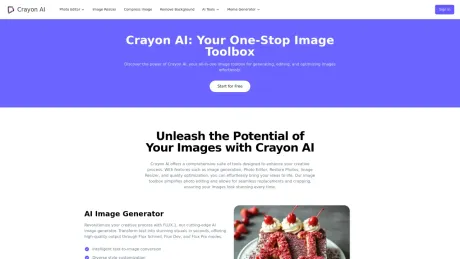
Unleash creativity with CrayonAI. Edit photos, restore images, and generate stunning visuals using our powerful AI tools. Your all-in-one AI image solution.
What you get
Additional Information
Crayon AI is your Best AI Image Assistant & AI Image Toolbox. Crayon AI is an all-inclusive online platform jam-packed with artificial intelligence driven image creation, editing, and optimization tools. It allows users of all proficiency levels to simplify their creative procedures.
Crayon AI provides various tools including image generation, Photo Editor, Restore Photos, Image Resizer and quality optimization, facilitating seamless photo alterations and cropping and thereby enhancing image appearance.
The following is a series of products we have launched. Each product provides a corresponding link. Let’s start experiencing it!
Photo Editor
Easily edit your images with intuitive tools for adjustments. PPowerful features include: Crop Image, Image Resizer, Rotate Image, Flip Image, Draw on Images, Add Text to Photo, Add Stickers, Add Shape.
AI Remove Background
Effortlessly remove backgrounds from your photos with our AI Background Remover tool. Enhance image quality and extract clear images using cutting-edge AI technology.
AI Restore Photos
Enhance image quality and resolution for better visibility. Restore damaged photos, enhance image quality, and restore faces in old pictures with cutting-edge AI technology.
Upscale Image
Quickly and easily enhance the resolution of your images with our AI Image Upscaler. Ideal for improving image quality for web use, social media, or print, while maintaining clarity.
Restore Face
Quickly and easily restore facial features in your images with our AI Face Restoration tool. Ideal for enhancing old photos, improving portrait quality, and bringing new life to facial images.
FLUX AI Image Generator
Revolutionize your creative process with FLUX.1, our cutting-edge AI image generator. Transform text into stunning visuals in seconds, offering high-quality output through Flux Schnell, Flux Dev, and Flux Pro modes.
AI Anime Generator
Generate beautiful anime art from text descriptions with our AI Anime Generator. Ideal for creating unique characters, manga panels, or anime-style scenes.
Meme Generator
Create memes instantly with our user-friendly Meme Generator. Start making memes for free online now!
Utilize our user-friendly Meme Generator to create memes instantly with 2000+ Meme Templates. Start making memes for free online now, supporting all global languages!
AI Slang Meme Generator
Create custom images of characters holding signs with your chosen text using our AI-powered generator.
Random Animal Generator
Discover diverse animal images and facts with our intuitive random animal generator. Generate random animal images for learning, creative projects, and entertaining activities.
Frequently asked questions
What is Crayon AI used for?
Unleash creativity with CrayonAI.Is Crayon AI free?
Crayon AI is free to use.What are alternatives to Crayon AI?
Top alternatives to Crayon AI include ProductScope AI, PicTools.AI, AI Photos Editor, AVCLabs PhotoPro AI, Fotor.Where can I get Crayon AI?
Crayon AI is available at https://crayonai.net/.What category is Crayon AI in?
Crayon AI is listed in Image Editing.Photo Editor
Easily edit your images with intuitive tools for adjustments. PPowerful features include: Crop Image, Image Resizer, Rotate Image, Flip Image, Draw on Images, Add Text to Photo, Add Stickers, Add Shape.AI Remove Background
Effortlessly remove backgrounds from your photos with our AI Background Remover tool. Enhance image quality and extract clear images using cutting-edge AI technology.AI Restore Photos
Enhance image quality and resolution for better visibility. Restore damaged photos, enhance image quality, and restore faces in old pictures with cutting-edge AI technology.Upscale Image
Quickly and easily enhance the resolution of your images with our AI Image Upscaler. Ideal for improving image quality for web use, social media, or print, while maintaining clarity.Restore Face
Quickly and easily restore facial features in your images with our AI Face Restoration tool. Ideal for enhancing old photos, improving portrait quality, and bringing new life to facial images.FLUX AI Image Generator
Revolutionize your creative process with FLUX.1, our cutting-edge AI image generator. Transform text into stunning visuals in seconds, offering high-quality output through Flux Schnell, Flux Dev, and Flux Pro modes.AI Anime Generator
Generate beautiful anime art from text descriptions with our AI Anime Generator. Ideal for creating unique characters, manga panels, or anime-style scenes.Meme Generator
Create memes instantly with our user-friendly Meme Generator. Start making memes for free online now! Utilize our user-friendly Meme Generator to create memes instantly with 2000+ Meme Templates. Start making memes for free online now, supporting all global languages!AI Slang Meme Generator
Create custom images of characters holding signs with your chosen text using our AI-powered generator.Random Animal Generator
Discover diverse animal images and facts with our intuitive random animal generator. Generate random animal images for learning, creative projects, and entertaining activities.What is CrayonAI?
CrayonAI is an all-in-one image toolbox that offers a variety of tools for generating, editing, and optimizing images. It provides features such as image generation, background removal, photo restoration, and meme creation, designed to enhance your creative process.How does the AI Photo Editor work?
CrayonAI's AI Photo Editor allows users to easily edit images with intuitive tools. It supports real-time edits, detailed cropping options, and various adjustments to enhance images effortlessly.What features does the Image Resizer offer?
CrayonAI's Image Resizer enables users to quickly adjust image dimensions, enlarge or reduce image sizes, and convert images to various formats while maintaining quality. It is ideal for optimizing images for web use, social media, or print.Can I remove backgrounds from images using CrayonAI?
Yes, CrayonAI offers a Background Removal tool that automatically detects and removes unwanted backgrounds from images. This feature allows for precision cutting and quick processing, making it easy to create clean images.What is the AI Image Generator?
The AI Image Generator is a powerful tool that creates unique images based on user prompts. CrayonAI's AI Image Generator offers high-resolution outputs and customizable styles, allowing users to generate stunning digital art and illustrations quickly.How can I create memes using CrayonAI?
CrayonAI features a Meme Generator that allows users to select from a library of templates or upload their own images. Users can customize text and generate memes easily, ready to share on social media.What does CrayonAI's Restore Photos tool do?
The Restore Photos tool uses AI technology to restore damaged or old photos. It enhances image quality, removes scratches, and sharpens facial features, ensuring cherished memories are preserved.Are there any costs associated with using CrayonAI tools?
The Photo Editor and related features are completely free to use. However, some AI tools may have a limited free usage allowance, after which continued use requires payment.What file formats are supported by CrayonAI tools?
CrayonAI supports various common image formats, including JPEG, PNG, and WebP. This ensures compatibility with most image files for editing and processing.Is CrayonAI accessible on mobile devices?
Yes, CrayonAI is designed to be fully responsive and can be accessed on desktop computers, tablets, and mobile devices, allowing users to edit and generate images on the go.How does the AI ensure quality in image processing?
CrayonAI utilizes advanced algorithms for image processing, which include noise reduction, vibrancy boosts, and AI-powered enhancements to optimize image quality and clarity.Can I share my generated images directly from CrayonAI?
Yes, CrayonAI allows users to easily download or share generated images directly to social media platforms, making it convenient to showcase your creations.
Compare Crayon AI with…
Pick any tool to see a structured side-by-side: pricing, deployment, capabilities, and content policy.








