- Category
- Text to Video
- Pricing
- Paid
- Alternatives
- 6 similar tools
- Last updated
- 4 weeks ago
- Source
- Official site ↗︎
AI Collection Top Picks

Text to Video Category Picks
About DEEPBRAIN AI
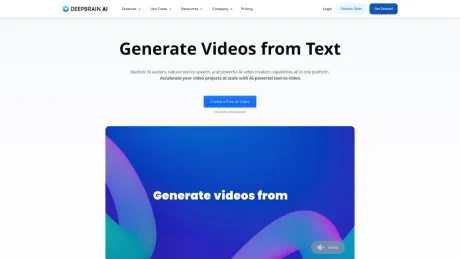
AI Video Generator, Text-to-Video, Generative Videos, Custom Avatar, 2,000+ Avatars, AI Dubbing with Translation, TTS with 150+ Languages, and 7,000+ Video Templates — for HR Training, and YouTube Creators.
DEEPBRAIN AI's Pricing Plans
DEEPBRAIN AI may change prices at any time. Here's our latest information:
Save with yearly plan
Personal
For individuals who want to experience the power of AI Studios
$29
Monthly
- 1 Seat
- 15 credits /Month
- 60+ AI Avatars
- 5 AI Prompt / Month
- Voice Upload
- Audio Download
- No Watermark
Team
For teams and SMBs who want flexibility and more room to grow
$89
Monthly
- 3 Seats
- 30 credits /Month
- 80+ AI Avatars & New Models
- Everything in Personal, plus
- Unlimited AI Prompt
- Gesture Control & Multi-Avatar
- AI Image&Video Generator
- One-Click Translation
- Team Collaboration & Workspace
- Custom Font & Logos
- Auto Captions
- Shutterstock
Enterprise
Special plan for enterprises and professional use
Custom
- Unlimited Seats
- Unlimited Minutes
- Custom Studio AI Avatars
- Everything in Team, plus
- API Access
- 24/7 Priority Support
Frequently asked questions
What is DEEPBRAIN AI used for?
Best AI Video Generator | AI STUDIO.Is DEEPBRAIN AI free?
DEEPBRAIN AI is a paid product. See the Pricing section for current plans.What are alternatives to DEEPBRAIN AI?
Top alternatives to DEEPBRAIN AI include LTX, Make a Video, Sora Town, Fotor AI video generator, VeggieAI.dance: Create AI Dance Videos with Veggie AI Free Online.Where can I get DEEPBRAIN AI?
DEEPBRAIN AI is available at https://www.deepbrain.io/aistudios?via=aicollection.What category is DEEPBRAIN AI in?
DEEPBRAIN AI is listed in Text to Video.What are the benefits of using an AI video generator?
AI video generators provide customizable, high-quality content creation that is cost-effective. They feature realistic AI avatars with lifelike voices and movements, and require no cameras, microphones, or actors, allowing users to create professional videos quickly without extensive experience.Do AI video generators support multi-language?
Yes, AI video generators like DeepBrain AI support multiple languages and translation services. DeepBrain AI offers text-to-speech in over 80 languages with natural accents and voices, and features avatars representing various nationalities, facilitating the creation of localized videos at scale.How can AI be used to generate video scripts?
AI tools like ChatGPT can generate video scripts, brainstorm ideas, check grammar, and translate text. DeepBrain AI integrates ChatGPT for script generation during video creation, converting text to video using powerful generative AI capabilities. AI Studios' AI Automation Suite also helps create professional-quality video drafts with scripts, footage, and AI avatar-led narration.What is an AI Video Generator and how does AI STUDIOS work?
An AI Video Generator uses AI to automatically create videos from your input—no cameras, actors, or manual editing needed. AI STUDIOS lets you paste a script, upload a document, or share a URL, then generates a polished video with lifelike AI avatars, visuals, and narration in minutes, all in one platform.What is the difference between AI STUDIOS and AI STUDIO?
AI Studio and AI Studios both refer to DeepBrain AI’s official AI avatar video creation platform. They’re essentially the same product name used in slightly different ways, and both represent DeepBrain AI’s cloud-based service for creating AI avatar videos, text-to-video content, and video translation.Is AI STUDIOS a free AI Video Generator, and what features are included in the free plan?
Yes. AI STUDIOS offers a free plan with limited credits so new users can try core features. You can create short AI videos, generate AI images, and test AI dubbing, but video length, avatar options, and exports are capped. Paid plans unlock higher limits, pro templates, and advanced tools.How do Generative Credits work in AI STUDIOS? Can I purchase add-ons if I run out?
Generative Credits are used only for select features like AI Images, Generative Video, and Product/Custom Avatar creation. Each tool consumes credits differently, while most editing and avatar-video features don’t require credits. Plans include monthly credits (Free 16, Personal 60, Team 150), and you can buy add-on packs anytime.Can I convert text to video with AI STUDIOS?
Yes. AI STUDIOS turns text into video in a few steps: choose a template, paste your script, select an AI Avatar, and generate scenes automatically. Then pick from 2,000+ AI voices in 150 languages or use voice cloning. You’ll get a share-ready video in minutes.Does AI STUDIOS include Text-to-Speech features?
Yes. AI STUDIOS includes built-in Text-to-Speech (TTS) with 2,000+ natural AI voices across 150+ languages. You can use TTS for avatar videos or as standalone audio, and create a custom voice clone for consistent branding. This makes fast, high-quality narration easy for any workflow.Can I translate and dub videos with AI STUDIOS (e.g., English to Spanish)?
Yes. AI STUDIOS translates and dubs videos into 150+ languages, including English to Spanish, with natural voiceovers and accurate lip-sync. You can review and edit translations before exporting, choose from 2,000+ voices, or apply a custom voice clone to keep your tone consistent across languages.Can I create an AI Avatar or a Custom Avatar in AI STUDIOS?
Yes. AI STUDIOS lets you choose from 2,000+ ready-to-use AI avatars or create your own Custom Avatar from a short video recording. You can also generate Photo Avatars from still images and Product Avatars that naturally interact with products. All avatars support 150+ languages and 2,000+ voices for fully personalized video creation.How does AI STUDIOS fit into my workflow compared to using multiple separate AI tools?
AI STUDIOS consolidates avatar video, text-to-video, dubbing, TTS, and generative tools in one workspace. Instead of managing multiple subscriptions, you create, edit, translate, and export in a single flow. This saves time and cost while supporting 2,000+ avatars/voices, 150+ languages, and 4K exports.How does AI STUDIO compare to Google AI Studio?
AI STUDIOS is a video-creation SaaS for building AI avatar videos, text-to-video content, and multilingual dubbing. Google AI Studio is a developer tool for experimenting with large language models (LLMs). The two products are unrelated — AI STUDIOS is for making videos, while Google AI Studio is for model testing.How does AI STUDIO compare to other AI video generators like Synthesia, Heygen, InVideo, or generative models like SORA and VEO3?
AI STUDIOS combines lifelike avatars, text/document-to-video, editing, and 150+-language dubbing in one platform. Tools like Synthesia or Heygen focus mainly on avatar videos, and InVideo is template-editing-centric. Generative models like SORA or VEO3 create cinematic clips but don’t include avatars or dubbing workflows.What makes AI STUDIO one of the best AI Video Generators in terms of quality?
AI STUDIOS delivers high quality with 2,000+ realistic avatars, 2,000+ AI voices, and natural lip-sync. It supports translation/dubbing in 150+ languages, 4K exports, and automation features like Video Messages and Topic-to-Video. Together, these tools help you produce professional videos quickly at scale.How can marketers, creators, or educators use AI STUDIOS?
Marketers use AI STUDIOS for ads, Product Avatars, and short-form highlights; creators scale YouTube/TikTok content with avatars and multilingual dubbing; educators convert PDFs, PPTs, and lessons into e-learning videos with clear narration and lip-sync. One platform replaces multiple apps and speeds up production.Is AI STUDIOS available worldwide and compliant with standards like ISO 27001, ISO 42001, SOC2, and GDPR?
Yes. AI STUDIO is available worldwide and designed for secure, compliant video creation. The platform follows major standards including ISO 27001 (information security), ISO 42001 (AI management), SOC 2 (data protection), and GDPR (privacy). These measures help ensure your data and content are handled responsibly.How much does AI STUDIOS cost, and what subscription plans are available for individuals and businesses?
AI STUDIOS offers tiered subscriptions for different needs. Personal is for individuals, Team supports small-group collaboration with higher limits, and Enterprise provides custom pricing, advanced controls, and dedicated support. All plans include core features like AI avatars, text-to-video, and dubbing, with higher tiers adding more credits and flexibility.
Compare DEEPBRAIN AI with…
Pick any tool to see a structured side-by-side: pricing, deployment, capabilities, and content policy.