- Category
- Workflow & Automation
- Alternatives
- 6 similar tools
- Last updated
- 1 weeks ago
- Source
- Official site ↗︎
AI Collection Top Picks

Workflow & Automation Category Picks
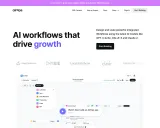

About Flowova AI
An AI agent that turns 45+ formats — text, images, PDFs, Word, Excel, code, Mermaid, JSON, URLs — into professional flowcharts. Auto-layout, 40+ themes, export to PNG, SVG, or Mermaid code.
What you get
Additional Information
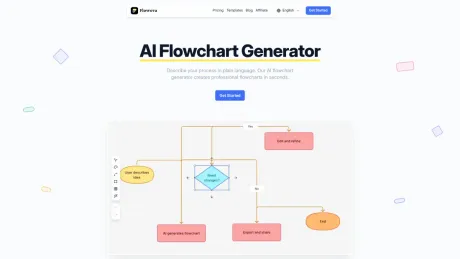
Flowova is an AI-powered flowchart generator that transforms your text descriptions into professional flowcharts in seconds. Simply describe your process in plain language, and our AI creates clear, well-organized diagrams automatically. It supports 45+ input formats, including images and various document types, making it versatile for different use cases.
The tool features an intuitive editor that allows users to customize their flowcharts with drag-and-drop functionality. Users can select from over 40 themes and adjust shapes and connections to improve the clarity of their diagrams. Flowova also includes notable features like a one-click auto-layout to organize messy diagrams into a professional layout effortlessly.
Free users can create flowcharts with basic export options, while Pro users gain access to unlimited generations and a larger variety of export formats such as SVG and Mermaid code. Flowova also enables collaboration, allowing users to share flowcharts with others via public links, without requiring them to register.
Privacy is a priority; Flowova ensures that user data remains secure without selling information or creating advertising profiles. The platform is web-based, making it accessible from any device with an internet connection, and it includes auto-save and cloud sync features for added convenience.
Frequently asked questions
What is Flowova AI used for?
Flowova — Your AI Flowchart Agent.Is Flowova AI free?
Pricing for Flowova AI varies — see the Pricing section for details.What are alternatives to Flowova AI?
Where can I get Flowova AI?
Flowova AI is available at https://flowova.ai.What category is Flowova AI in?
Flowova AI is listed in Workflow & Automation.Use Cases
* **Software Architects** - System architecture, microservices diagrams, API flow documentation * **Developers** - Code logic documentation, algorithm debugging, technical explanations * **DevOps Engineers** - CI/CD pipelines, deployment workflows, infrastructure automation * **Product Managers** - User journeys, feature specs, product requirement flows * **Business Analysts** - Business process mapping, requirements gathering, gap analysis * **UX Designers** - User flows, interaction maps, information architectureWhat is Flowova?
Flowova is an AI-powered flowchart generator that transforms your text descriptions into professional flowcharts in seconds. Simply describe your process in plain language, and our AI creates clear, well-organized diagrams automatically.How does the AI flowchart generation work?
Just type a description of your workflow, process, or decision tree in natural language. Our AI flowchart generator analyzes your input and generates a structured flowchart with appropriate shapes, connections, and layout. You can then edit, customize colors, and export the result.What input formats does Flowova support?
Flowova supports 45+ input formats. Images: PNG, JPEG, GIF, WebP, BMP, TIFF, HEIC, HEIF, AVIF, ICO, SVG. Documents: PDF, Word (.doc, .docx), PowerPoint (.ppt, .pptx), Excel (.xls, .xlsx, .csv), RTF, Markdown, JSON. Our AI can also extract content from URLs. Pro users can upload up to 20 files at once.What export formats are available?
Free users can export flowcharts as PNG images. Pro users unlock additional formats including SVG (vector graphics for infinite scaling), JPEG, WebP, and Mermaid code that can be embedded directly into documentation tools like Notion or GitHub.What's the difference between Free and Pro?
The Free plan includes AI generation, up to 3 saved flowcharts, PNG export, and full access to editing features. Pro unlocks unlimited AI generations, unlimited storage, watermark-free exports, all export formats (SVG, Mermaid), and support for uploading up to 20 files at once.Can I share my flowcharts with others?
Yes! You can create a public share link for any flowchart, allowing anyone with the link to view it. This is perfect for sharing processes with team members, clients, or in documentation without requiring them to create an account.Is my data secure and private?
We take privacy seriously. We don't sell your data or create advertising profiles. Your flowcharts are stored securely, and you have full control over sharing. When using AI features, only the necessary content is processed to generate your flowchart.Can I edit flowcharts after AI generation?
Absolutely! Every AI-generated flowchart is fully editable. You can add, remove, or modify nodes, change connections, apply different color themes, adjust the layout with one-click auto-layout, and customize every aspect of your diagram.Does Flowova offer templates?
Yes, we provide 40+ professionally designed templates across categories like business workflows, software development, marketing, HR, and more. Templates are free to use and give you a head start on common flowchart types.Can I import existing Mermaid diagrams?
Yes! Flowova supports importing Mermaid flowchart code. Simply paste your existing Mermaid syntax, and it will be converted into an editable flowchart that you can customize using our visual editor.What devices can I use Flowova on?
Flowova is a web-based application, so you can use it on any device with an internet connection and a modern browser - desktop computers, laptops, tablets, and even smartphones. No installation required. Your flowcharts sync automatically across all your devices.
Compare Flowova AI with…
Pick any tool to see a structured side-by-side: pricing, deployment, capabilities, and content policy.