
Gen Video
Free AI Video Generator Online | One Idea, Multiple Models.
- Category
- Video Editing
- Alternatives
- 6 similar tools
- Last updated
- 1 weeks ago
- Source
- Official site ↗︎
AI Collection Top Picks

Video Editing Category Picks



About Gen Video
Generate AI videos from text or images with GenVideo's free AI video generator. Turn prompts into video with Veo 3.1, Seedance, Kling, Wan, and Grok Imagine.
What you get
Additional Information
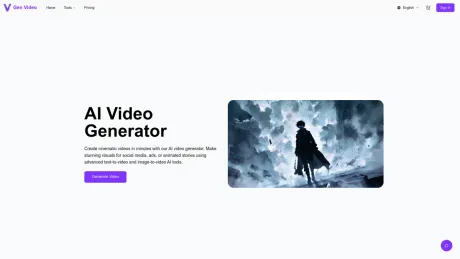
GenVideo is an AI video generator that enables users to produce videos from text prompts or still images quickly. This innovative tool is designed for creators who wish to make engaging content for social media, marketing campaigns, product showcases, and story-driven visuals. With its streamlined workflows, GenVideo helps users transition from concept to final video in just a few minutes.
The platform supports two primary workflows: text-to-video and image-to-video. Users can describe their scenes using text, outlining elements like motion, camera movement, and mood, to generate cinematic clips. Alternatively, they can upload reference images and animate them into videos while maintaining visual continuity. This dual approach caters to diverse creative needs, whether for advertisements, explainer videos, or social media content.
With a focus on flexibility, GenVideo provides various pricing plans suited for different user needs — from individuals testing workflows to larger teams producing high volumes of video content. Each plan offers a specific number of credits, which users can spend on video generations, ensuring they have the right resources for their production demands. Moreover, the platform reassures users with visible credit usage and generation status updates, making the video creation process transparent and manageable.
GenVideo is ideal for marketers, social media managers, or anyone looking to enhance their content creation with AI. It is particularly well-suited for those seeking both quality and speed in video production, allowing creative professionals to scale their projects effortlessly and effectively.
Frequently asked questions
What is Gen Video used for?
Free AI Video Generator Online | One Idea, Multiple Models.Is Gen Video free?
Pricing for Gen Video varies — see the Pricing section for details.What are alternatives to Gen Video?
Top alternatives to Gen Video include Klap App, AI video editor, Atlabs AI, Topview AI URL to Video, Colossyan.Where can I get Gen Video?
Gen Video is available at https://genvideo.app.What category is Gen Video in?
Gen Video is listed in Video Editing.Should I start with text-to-video or image-to-video?
Start with text-to-video when you want to create a scene from scratch. Start with image-to-video when you already have a reference image and want controlled motion, camera movement, or visual continuity.How long does video generation take?
Most videos take about 1-3 minutes to generate, depending on the model, queue, and settings. Keep the page open until the result is ready.Can I use GenVideo videos for product videos, ads, and client work?
Yes. Paid plans are built for commercial workflows, including product demos, ad creatives, landing page videos, and social campaigns. Choose a plan with the credits, privacy settings, and queue priority that match your volume.How do free users try video generation?
Free users can check in daily to progress toward a limited video trial. Full video generation and higher usage require purchased video credits, so the free path is designed as a controlled preview rather than a general video-credit wallet.How many credits does one video use?
Credit cost depends on the selected workflow, model, duration, resolution, and queue options. GenVideo shows the required credits before you submit a generation, so you can decide whether to run the job or adjust the settings first.What can I create with text-to-video?
Text-to-video works well for ad concepts, product stories, cinematic scenes, explainer clips, and social-first video ideas. Describe the subject, camera movement, motion, mood, and aspect ratio, then generate a short clip from your prompt.What can I create with image-to-video?
Image-to-video is ideal when you already have a product shot, character image, concept art, or campaign visual. Upload the image, describe the motion you want, and turn a static frame into a dynamic video with stronger continuity.Can I upgrade when I need more credits or faster queue priority?
Yes. You can move to a higher plan when you need more monthly credits, more concurrent video generations, or better queue priority. That is the fastest way to scale from testing ideas to repeatable production.Which workflows and models does GenVideo support?
GenVideo focuses on the workflows most teams need first: text-to-video, image-to-video, and reusable video examples you can turn into new prompts. Model availability can vary by tool page and plan, but the overall experience is designed around fast video creation rather than image-first browsing.What do I need to create a product video ad?
Start with one or more clear product images. Pick an ad example that fits your goal. You can add a person or scene image when it helps the story. Read the words that guide the video. Then choose the frame, length, quality and AI model. You will see the credit cost before you create.Can I start from an existing product ad example?
Yes. Open any example on this page and it will appear in the AI Product Video Generator. Replace the sample images with your own. Read the words that guide the video, then change the scene or action to fit your product. Check the video choices and cost before you create.Does GenVideo accept a product URL?
Not yet. The AI Product Video Generator starts with product images and an ad idea. It does not read a shop page or turn one link into a full campaign. Save the product images you may use, add them to the generator and write the key facts you want the video to show.Can I try the free AI video generator online?
Eligible new accounts can try the AI product video generator online with the current free preview. Additional generations and premium models use credits. The cost can change with the AI model, video length and quality, and you will see the exact credit cost before you create.Can I control the format, duration and model?
Yes, when the chosen AI model offers those choices. You can set the frame, length and quality before you create. Some models give you more options than others. Pick a shape and length that suit the place where you plan to share the video.Can I use the generated video commercially?
It depends on the rights you hold, the terms for the AI model and the rules of the site where you post the ad. Use only files you own or may use. Get consent for people, music, logos and brand art when needed. Watch the full clip before you share it, and check each claim and brand mark.
Compare Gen Video with…
Pick any tool to see a structured side-by-side: pricing, deployment, capabilities, and content policy.








