
Video EditingFree
HitPaw Video Enhancer
[OFFICIAL] HitPaw VikPea - Best AI Video Enhancer Software for 4K/8K Upscaling.
- Category
- Video Editing
- Pricing
- Free
- Alternatives
- 6 similar tools
- Last updated
- 2 days ago
- Source
- Official site ↗︎
AI Collection Top Picks

Video Editing Category Picks



About HitPaw Video Enhancer
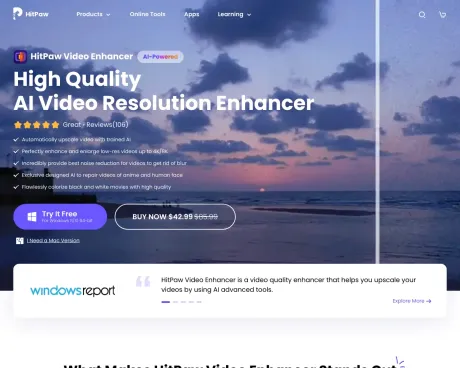
HitPaw VikPea (HitPaw Video Enhancer) is an AI video enhancer that upscales videos to 4K & 8K, colorizes videos, and works on PC, Mac, web, and mobile phones.
Frequently asked questions
What is HitPaw Video Enhancer used for?
[OFFICIAL] HitPaw VikPea - Best AI Video Enhancer Software for 4K/8K Upscaling.Is HitPaw Video Enhancer free?
HitPaw Video Enhancer is free to use.What are alternatives to HitPaw Video Enhancer?
Top alternatives to HitPaw Video Enhancer include Klap App, AI video editor, Atlabs AI, Topview AI URL to Video, Colossyan.Where can I get HitPaw Video Enhancer?
HitPaw Video Enhancer is available at https://www.hitpaw.com/hitpaw-video-enhancer.html.What category is HitPaw Video Enhancer in?
HitPaw Video Enhancer is listed in Video Editing.What is the best video enhancer available?
When searching for the best video enhancer, you can always rely on HitPaw Video Enhancer. It excels in upscaling low-resolution videos to higher resolutions, minimizing video noise, and automatically optimizing brightness and contrast. Additionally, it features a user-friendly interface and supports a wide array of input video formats.How can I enhance my video to achieve 4K quality?
Achieving 4K video quality is a breeze with HitPaw Video Enhancer. This exceptional software allows you to upscale HD or 1080p videos to glorious 4K resolution. It harnesses the power of AI technology and neural networks to process and enhance video quality effectively.What are the steps to improve video quality using HitPaw Video Enhancer?
Enhancing video quality with HitPaw Video Enhancer is a straightforward process: 1. Launch HitPaw Video Enhancer and select "Add Files" to import your video. 2. Opt for the desired AI model and the output resolution for upscaling. 3. Preview the enhanced video by clicking on "Preview." 4. Save the improved video by selecting "Export."How does HitPaw Video Enhancer rectify blurry videos?
HitPaw Video Enhancer boasts advanced algorithms that work wonders in restoring focus and sharpness to your videos. Simply import your blurry footage, apply the enhancement, and witness the remarkable transformation. HitPaw Video Enhancer is an invaluable tool for unblurring videos and crafting high-quality content. Give it a try today and breathe new life into your blurry videos.How does HitPaw Video Enhancer leverage AI upscaling?
HitPaw Video Enhancer harnesses the power of AI upscaling technology to elevate video quality. By employing advanced artificial intelligence algorithms, it meticulously analyzes and enhances low-resolution videos, significantly boosting sharpness, clarity, and overall visual appeal. When aiming for superior video enhancement, make the choice to use HitPaw Video Enhancer and elevate the quality of your videos.What is the difference between Free and Paid licenses?
The Free license only supports preview of HitPaw VikPea. With the Paid license, you can unlock all features and export your enhanced video.When do you need cloud acceleration service?
Our cloud acceleration service provides remote high-performance CPU resources to work alongside your local computer for enhanced video processing. It is recommended if your local hardware has limited specifications or you require faster processing speeds for time-sensitive tasks.What payment methods does HitPaw support?
Currently we accept Credit Card, PayPal, Direct Debit, Bank/Wire transfer, Check/Money Order, Fax-Credit Card and Invoice.Can I cancel my subscription?
Yes, you can cancel the subscription whenever before the renewal date.How long does it take to receive the login information after purchasing products?
Generally, you can receive the confirmation email which contains order information within 1 hour after the purchase.What can I do if I forget the password for the product I purchased?
You can reset the password by the order confirmation email if you forget it.What does 5 PCs/Macs and 1PC/Mac mean?
5 PCs/Macs mean that you can apply our product to 5 Windows/Mac devices. 1 PC/Mac means that you can install and use this program on one PC or Mac computer.Can I use the product with a registered account on both Win and Mac version of HitPaw product?
No. Our license cannot be cross-platform. The account bought with Windows license cannot be used on Mac and vice versa.Can I return the software and get back my money?
We do have a 30-day Money Back Guarantee. If there is no solution after contacting our support team, you'll be entitled a refund.
Compare HitPaw Video Enhancer with…
Pick any tool to see a structured side-by-side: pricing, deployment, capabilities, and content policy.








