Image to 3D AI
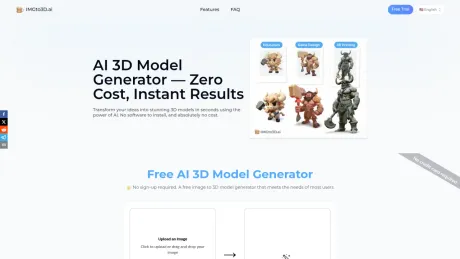
Image to 3D Model Converter Free | No Sign-up Needed.
- Category
- Animation & 3D Modeling
- Alternatives
- 6 similar tools
- Last updated
- 1 weeks ago
- Source
- Official site ↗︎
AI Collection Top Picks

Animation & 3D Modeling Category Picks
About Image to 3D AI
Turn any photo into a 3D model in 30 seconds. Free OBJ export, no registration or credit card. Trusted by 19,000+ creators. Try it now →
Image to 3D AI's Pricing Plans
Image to 3D AI may change prices at any time. Here's our latest information:
Pricing
Pricing
- Free version available with limited features; Pro plan unlocks additional capabilities.
What you get
Additional Information
Imgto3d.ai - Next-Gen AI 3D Model Generator
🚀 What is Imgto3d.ai?
Imgto3d.ai is an advanced web-based platform designed to democratize 3D content creation. By leveraging state-of-the-art deep learning algorithms, our tool functions as a powerful image to 3d AI converter. It analyzes static 2D photographs or illustrations and infers depth, structure, and texture to construct fully dimensional 3D assets in seconds.
Whether you are looking to speed up your prototyping workflow or generate assets for a virtual environment, Imgto3d.ai provides a streamlined, browser-based solution that eliminates the steep learning curve of traditional 3D modeling software.
✨ Key Features
- Instant Conversion: Transform any standard image (JPG, PNG) into a mesh in moments using our optimized image to 3d model engine.
- PBR Texture Support: The AI doesn't just create geometry; it generates corresponding textures and UV maps to ensure your model looks realistic.
- Universal Export Formats: Download your creations in industry-standard formats like .OBJ, .GLB, and .STL, ensuring compatibility with Blender, Unity, Unreal Engine, and Maya.
- **High-Fidelity Detail: Our image to 3d AI logic is trained to recognize complex shapes, minimizing artifacts and preserving the aesthetic intent of the original photo.
- No Coding Required: An intuitive interface designed for both professionals and beginners.
🛠️ How to Use
Getting your first 3D asset is simple. Follow these steps to maximize the quality of your output:
- Upload: Navigate to Imgto3d.ai and upload your target image. Pro Tip: For the best results, use an image with a clear subject, neutral background, and even lighting.
- Generate: Click the convert button. Our system will process the visual data, performing the image to 3d model transformation in the cloud.
- Preview: Rotate and inspect the generated mesh in our real-time 3D viewer to ensure it meets your requirements.
- Download: Select your preferred file format (e.g., .GLB for web, .OBJ for editing) and download the asset directly to your device.
🎯 Who is it For?
Imgto3d.ai is tailored for a wide range of creative professionals and hobbyists:
- Game Developers: Rapidly create background assets, props, and environment items to populate game worlds.
- 3D Printing Enthusiasts: Convert 2D concepts into watertight meshes ready for slicing and printing.
- AR/VR Designers: Generate lightweight 3D objects for immersive augmented reality experiences.
- E-commerce Brands: Turn product photos into 3D models for interactive web displays.
🙋 FAQ
Q: How accurate is the image to 3d model process? A: Our AI is trained on a massive dataset of 3D objects. It excels at converting clear objects with defined edges into high-quality meshes. The output is optimized for immediate use in rendering or as a base for further sculpting.
Q: Are the generated models rigged for animation? A: The tool currently generates static meshes. However, the topology is clean enough to be easily processed by auto-rigging tools (like Mixamo) if you need to animate the character after using our image to 3d AI service.
Q: Can I use the generated models commercially? A: Yes. Once you generate a model using our platform, you own the asset and can use it in commercial projects, games, or advertisements.
Q: Is my uploaded data private? A: Absolutely. We value your privacy. Uploaded images are used solely for the generation process and are not shared with third parties or made public.
Q: Do I need a powerful computer to run this? A: Not at all. Because the processing happens in the cloud, you can use Imgto3d.ai on any device, including laptops and tablets, without needing a dedicated GPU.
Ready to transform your 2D art?
👉 Experience the best image to 3d model tool today.
Frequently asked questions
What is Image to 3D AI used for?
Image to 3D Model Converter Free | No Sign-up Needed.Is Image to 3D AI free?
Pricing for Image to 3D AI varies — see the Pricing section for details.What are alternatives to Image to 3D AI?
Where can I get Image to 3D AI?
Image to 3D AI is available at https://www.imgto3d.ai.What category is Image to 3D AI in?
Image to 3D AI is listed in Animation & 3D Modeling.🚀 What is Imgto3d.ai?
**Imgto3d.ai** is an advanced web-based platform designed to democratize 3D content creation. By leveraging state-of-the-art deep learning algorithms, our tool functions as a powerful [image to 3d AI](https://imgto3d.ai) converter. It analyzes static 2D photographs or illustrations and infers depth, structure, and texture to construct fully dimensional 3D assets in seconds. Whether you are looking to speed up your prototyping workflow or generate assets for a virtual environment, Imgto3d.ai provides a streamlined, browser-based solution that eliminates the steep learning curve of traditional 3D modeling software. ---✨ Key Features
* **Instant Conversion:** Transform any standard image (JPG, PNG) into a mesh in moments using our optimized [image to 3d model](https://imgto3d.ai) engine. * **PBR Texture Support:** The AI doesn't just create geometry; it generates corresponding textures and UV maps to ensure your model looks realistic. * **Universal Export Formats:** Download your creations in industry-standard formats like **.OBJ, .GLB, and .STL**, ensuring compatibility with Blender, Unity, Unreal Engine, and Maya. * **High-Fidelity Detail: Our image to 3d AI logic is trained to recognize complex shapes, minimizing artifacts and preserving the aesthetic intent of the original photo. * **No Coding Required:** An intuitive interface designed for both professionals and beginners. ---🛠️ How to Use
Getting your first 3D asset is simple. Follow these steps to maximize the quality of your output: 1. **Upload:** Navigate to **Imgto3d.ai** and upload your target image. *Pro Tip: For the best results, use an image with a clear subject, neutral background, and even lighting.* 2. **Generate:** Click the convert button. Our system will process the visual data, performing the [image to 3d model](https://imgto3d.ai) transformation in the cloud. 3. **Preview:** Rotate and inspect the generated mesh in our real-time 3D viewer to ensure it meets your requirements. 4. **Download:** Select your preferred file format (e.g., .GLB for web, .OBJ for editing) and download the asset directly to your device. ---🎯 Who is it For?
Imgto3d.ai is tailored for a wide range of creative professionals and hobbyists: 1. **Game Developers:** Rapidly create background assets, props, and environment items to populate game worlds. 2. **3D Printing Enthusiasts:** Convert 2D concepts into watertight meshes ready for slicing and printing. 3. **AR/VR Designers:** Generate lightweight 3D objects for immersive augmented reality experiences. 4. **E-commerce Brands:** Turn product photos into 3D models for interactive web displays. ---🙋 FAQ
**Q: How accurate is the image to 3d model process?** A: Our AI is trained on a massive dataset of 3D objects. It excels at converting clear objects with defined edges into high-quality meshes. The output is optimized for immediate use in rendering or as a base for further sculpting. **Q: Are the generated models rigged for animation?** A: The tool currently generates static meshes. However, the topology is clean enough to be easily processed by auto-rigging tools (like Mixamo) if you need to animate the character after using our [image to 3d AI](https://imgto3d.ai) service. **Q: Can I use the generated models commercially?** A: Yes. Once you generate a model using our platform, you own the asset and can use it in commercial projects, games, or advertisements. **Q: Is my uploaded data private?** A: Absolutely. We value your privacy. Uploaded images are used solely for the generation process and are not shared with third parties or made public. **Q: Do I need a powerful computer to run this?** A: Not at all. Because the processing happens in the cloud, you can use Imgto3d.ai on any device, including laptops and tablets, without needing a dedicated GPU. ---Ready to transform your 2D art?
👉 **Experience the best [image to 3d model](https://imgto3d.ai) tool today.**What does IMGto3D.ai actually do?
We turn flat images into 3D files you can use. Upload a photo, and you get a mesh with textures in OBJ format.Do I need to know 3D modeling to use this?
No. The system handles the technical parts — depth estimation, mesh creation, and texture mapping. You just upload and pick a quality level.How long does 3D conversion take?
Most models generate in under 30 seconds. Complex designs (e.g., detailed mechanical parts) may take up to 2 minutes.Is my uploaded data secure?
Yes, your data is secure. We do not store any of your uploaded images or generated models. Your privacy is our top priority.Can I use the output for commercial projects?
Commercial use is only allowed with the Pro plan. Free outputs are for personal testing only.What formats do you support?
We accept JPG/PNG images as input. For exports, our Premium version supports OBJ, STL and GLB formats - perfect for professional workflows.Why does the free version have a queue?
GPU time costs money. Free users share limited compute resources. After each generation, you may hit a 'GPU limited' cooldown.What photos work best?
The tool works best with clear, well-lit images of single objects. High-resolution photos or detailed sketches are recommended for the best results.
Compare Image to 3D AI with…
Pick any tool to see a structured side-by-side: pricing, deployment, capabilities, and content policy.