
- Category
- Image Editing
- Pricing
- Freemium
- Alternatives
- 6 similar tools
- Last updated
- 3 months ago
- Source
- Official site ↗︎
AI Collection Top Picks

Image Editing Category Picks



About ImgGood
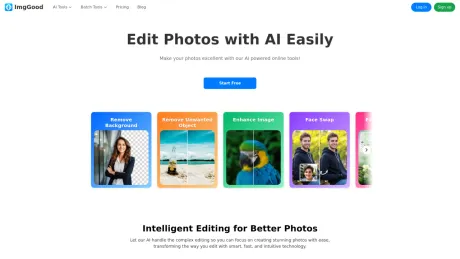
ImgGood's free Online Photo Editor helps you easily enhance your photos with AI. Remove backgrounds, upscale images, clean up pictures, and more.
ImgGood's Pricing Plans
ImgGood may change prices at any time. Here's our latest information:
ImgGood Pricing Plans
Free
$0
- Basic Features
- Non-HD export
- Limited bulk edit
Pro-Monthly
$9.99
/monthly
- Access all features
- HD quality export
- Bulk edit 30 images at once
- 300 credits per month
Pro-Yearly
$59.88
/yearly
- Access all features
- HD quality export
- Bulk edit 30 images at once
- 300 credits per month
What you get
Additional Information
Key Features
- Background Remover: Automatically detects and removes the background from any image, delivering clean and precise cutouts.
- Image Enhancer: Uses advanced AI to enhance image clarity, sharpness, brightness, and fine details for a polished look.
- Image Extender: Seamlessly expands the edges of an image, generating natural-looking extensions without visible distortion.
- Remove Unwanted Objects: Intelligently identifies and removes unwanted elements or distractions from photos with just one click.
- Face Swap: Accurately swaps faces between photos using AI, producing smooth, realistic results.
- Hairstyle Changer: Automatically applies different hairstyles to portraits using AI, with accurate alignment and natural-looking results.
- Photo Colorizer: Transforms black-and-white photos into vibrant, full-color images using AI, while preserving natural tones and fine details.
Frequently asked questions
What is ImgGood used for?
Your Smart AI Photo Editor.Is ImgGood free?
ImgGood has a free tier; paid plans unlock additional features.What are alternatives to ImgGood?
Top alternatives to ImgGood include ProductScope AI, PicTools.AI, AI Photos Editor, AVCLabs PhotoPro AI, Fotor.Where can I get ImgGood?
ImgGood is available at https://www.imggood.com.What category is ImgGood in?
ImgGood is listed in Image Editing.What is ImgGood photo editor?
ImgGood is an online image editing tool that uses advanced AI technology. It helps you remove backgrounds, upscale images, remove unwanted objects, and colorize black-and-white photos.Is ImgGood free to use?
Yes, ImgGood offers a free plan that allows you to use some features for free. You can upgrade to the Pro plan to unlock all features.Can I use ImgGood on my mobile phone?
Yes, you can access our website on your mobile phone’s browser to use ImgGood.Which browsers does ImgGood support?
ImgGood supports most of the popular browsers, such as Google Chrome, Firefox, Safari, Microsoft Edge, and more.
Compare ImgGood with…
Pick any tool to see a structured side-by-side: pricing, deployment, capabilities, and content policy.








