
- Category
- Image Editing
- Alternatives
- 6 similar tools
- Last updated
- 1 weeks ago
- Source
- Official site ↗︎
AI Collection Top Picks

Image Editing Category Picks



About MojoMake
Generate text and images into stunning videos instantly. Access world's top AI models in one platform. No design skills needed. Start creating for free.
What you get
Additional Information
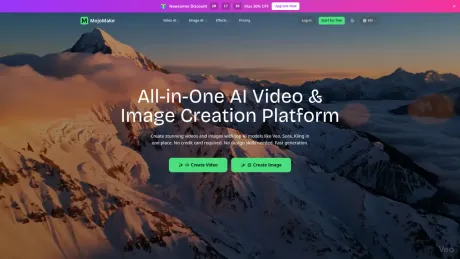
MojoMake is an all-in-one AI creative platform that allows users to generate professional-quality videos and images without complex software or coding skills. It integrates top AI models like Google Veo, Runway, Kling AI, and Sora into a single dashboard, providing an impressive and user-friendly experience for both beginners and experienced creators.
The platform offers various tools, including Text-to-Video, Image-to-Video, and Text-to-Image generation. Users can effortlessly create cinematic videos from text prompts or turn static images into engaging videos, perfect for social media, marketing, and creative projects. With professional 4K and 1080P quality, MojoMake ensures that the outputs are suitable for a wide range of applications, including commercial use.
MojoMake also provides comprehensive commercial rights for all generated content, allowing creators to freely use their videos and images for advertising, social media, and other commercial endeavors. The interface is intuitive, making it accessible for users with no design background, emphasizing that if you can type or upload a photo, you can create high-quality content.
With a focus on customer satisfaction, MojoMake gives new users 10 free credits to explore its tools and subscription options that offer significant savings compared to multiple tool subscriptions. The platform supports several AI models, allowing users to switch models easily to find the best fit for their projects while maintaining high-quality outputs.
Frequently asked questions
What is MojoMake used for?
MojoMake - All-in-One AI Video & Image Creation Platform.Is MojoMake free?
Pricing for MojoMake varies — see the Pricing section for details.What are alternatives to MojoMake?
Top alternatives to MojoMake include ProductScope AI, PicTools.AI, AI Photos Editor, AVCLabs PhotoPro AI, Fotor.Where can I get MojoMake?
MojoMake is available at https://mojomake.com.What category is MojoMake in?
MojoMake is listed in Image Editing.What is MojoMake AI Video Generator?
MojoMake is an all-in-one AI creative platform. It integrates top AI models like Google Veo, Runway, Kling AI, and Sora into a single dashboard. Users can generate professional videos and images without needing complex software or coding skills.Is MojoMake free to use?
Yes! New users get 10 free credits to try our tools — enough to create up to 2 AI videos (with watermark) or 10 images at no cost. For more features, choose a monthly subscription for the best value, or buy credit packs (pay-as-you-go).How do I create AI videos with MojoMake?
It's simple: 1. Choose a feature (Text-to-Video, Image-to-Video). 2. Enter a description or upload a photo. 3. Select your preferred AI model. 4. Click Generate. The AI handles the rest, turning your ideas into video.Which AI models are supported?
We support the world's best AI models, including Google Veo, Runway, Kling AI, OpenAI Sora, and Hailuo AI (MiniMax). You can switch between these models with one click to find the best style for your project.Do I need design skills to use MojoMake?
No. MojoMake is designed for beginners and professionals alike. If you can type a text message or upload a photo, you can create studio-quality content. Our interface is intuitive and user-friendly.Can I use the videos & images for commercial purposes?
Yes. You have full commercial rights to the content you generate on MojoMake. You can use your videos for YouTube, TikTok, social media ads, and marketing campaigns freely.How long does video generation take?
MojoMake generates AI videos in seconds to minutes, depending on the model and video length. Most videos are ready in under 60 seconds. Track real-time progress and get notified when your video is complete.What content is prohibited?
We strictly prohibit illegal content, adult/NSFW material, hate speech, and deepfakes of real people without consent. MojoMake is committed to safe and ethical AI usage. Violations will result in account bans.
Compare MojoMake with…
Pick any tool to see a structured side-by-side: pricing, deployment, capabilities, and content policy.








