- Category
- Background Remover
- Pricing
- Freemium
- Alternatives
- 6 similar tools
- Last updated
- 3 weeks ago
- Source
- Official site ↗︎
AI Collection Top Picks

Background Remover Category Picks
About Mokker
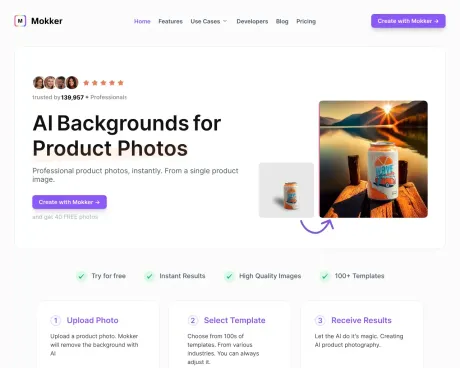
Upload a photo of a product and Mokker AI magically replaces the background in a realistic way - no more photoshop looks. Try it for free.
Mokker's Pricing Plans
Mokker may change prices at any time. Here's our latest information:
save up to 35% with annual pricing
Free
Test Mokker for Free
Free
- 40 photos once
- Full access to studio
- All templates
Starter
Perfect for single person businesses.
$19.99
/ month
- 500 Photos / month
- High Quality export
- Custom Prompts
Team
Perfect for small teams.
$45
/ user / month
- everything from Starter
- Unlimited Photos
- Teams Account (3 Seats)
Organization
Perfect for organizations. Starting from 5 seats.
$99
/ user / month
- everything from Team
- Custom AI Model (coming soon)
- Priority Support
Frequently asked questions
What is Mokker used for?
Mokker AI - Instant AI Background Replacement.Is Mokker free?
Mokker has a free tier; paid plans unlock additional features.What are alternatives to Mokker?
Where can I get Mokker?
Mokker is available at http://mokker.ai.What category is Mokker in?
Mokker is listed in Background Remover.Can Mokker''s AI be utilized for product photography?
Certainly, our AI retains your product''s original appearance while creating a new AI-generated background. This allows your product to be placed in any desired setting.How does Mokker work?
Simply upload your product photo, and Mokker will generate an AI background for you.Is there a free trial option?
Indeed, there is. Upon signing up, you receive 20 free photo credits. Subsequently, you can enjoy a free trial of Mokker for 7 days.Who holds the rights to the product photos?
You do! You maintain a full commercial license for your photos. Mokker utilizes your input photos to generate the results. More detailed information can be found in our License.Where can I use the photos?
The choice is yours. You have the freedom to use the photos wherever you please. We provide you with a complete commercial license for the photos produced using Mokker.Can you use Mokker's AI for product photography?
Yes, Mokker's AI is specifically designed for creating product photography.Is there a free trial available?
Yes, users can test Mokker for free with 20 photos.Who owns the product photos?
Users retain ownership of the product photos created.Where can I use my photos?
Photos can be used on various platforms, including websites and social media.Can I get an invoice?
Yes, invoices are available.Do I need a subscription?
Yes, a subscription is required for continued access.
Compare Mokker with…
Pick any tool to see a structured side-by-side: pricing, deployment, capabilities, and content policy.