
Image EditingPaid
Photo AI Studio
AI Photo Studio — Free AI Photoshoot & Video Generator | Photo AI Studio™.
- Category
- Image Editing
- Pricing
- Paid
- Alternatives
- 6 similar tools
- Last updated
- today
- Source
- Official site ↗︎
AI Collection Top Picks

Image Editing Category Picks



About Photo AI Studio
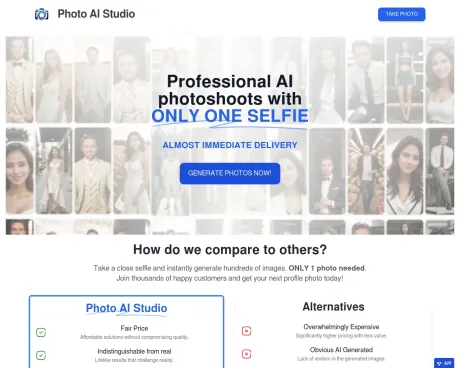
Create stunning AI photos and videos in seconds. Professional headshots, studio portraits, product images, and AI video with 150+ styles. Free AI photo studio — no camera needed.
Photo AI Studio's Pricing Plans
Photo AI Studio may change prices at any time. Here's our latest information:
Pricing
Default
$10.00
per month
Frequently asked questions
What is Photo AI Studio used for?
AI Photo Studio — Free AI Photoshoot & Video Generator | Photo AI Studio™.Is Photo AI Studio free?
Photo AI Studio is a paid product. See the Pricing section for current plans.What are alternatives to Photo AI Studio?
Top alternatives to Photo AI Studio include ProductScope AI, PicTools.AI, AI Photos Editor, AVCLabs PhotoPro AI, Fotor.Where can I get Photo AI Studio?
Photo AI Studio is available at https://www.photoaistudio.com.What category is Photo AI Studio in?
Photo AI Studio is listed in Image Editing.How long does it take to generate an AI photo?
Capturing an AI photo usually takes about 15 seconds with current processing speeds.How quickly can my AI character be created?
We don''t train characters; AI Photos are generated instantly from a single photo.What happens to my photos after processing?
After processing, your photos are stored for your convenience, and you have full control to delete them anytime.Do I own the rights to my uploaded photos?
Absolutely. You retain full ownership and a commercial license for the processed photos, ensuring privacy.What''s the recommended photo type for uploading?
A clear, close-up selfie is ideal, but you can upload photos of friends or celebrities if you have the right to use them.Where are my photos and data stored?
Your data is securely stored on our private servers with advanced security measures in place.Can I permanently delete my data?
Yes, you have the autonomy to delete your data, and we''ll remove all associated data upon your request.Is the payment process secure?
Security is a top priority. We use Stripe for secure payment processing without storing credit card information.Which file formats can I upload for my selfie?
We currently support JPG, PNG, WebP, and AVIF formats. Convert HEIC files to JPG before uploading.Can I request a refund?
Unfortunately, refunds aren''t possible due to significant expenses and GPU processing costs.What''s the turnaround time for photo processing?
Processing typically takes less than a minute, occasionally up to 5 minutes in rare cases.Are AI-generated photos realistic?
Our AI is designed for highly realistic photos, though the result depends on the quality and nature of the uploaded photo.How long will it take to take an AI photo?
Given the existing processing speeds, capturing one photo typically requires approximately 15 seconds.How long will it take to create my AI character?
We don't train any characters so AI Photos are created with only one photo and results are almost immediate.How are my photos handled after processing?
After processing, your photos are stored for your access and download convenience. You have full control and can delete them from our system at any time.Do I retain ownership of my uploaded photos?
Absolutely. You retain full ownership and are granted a commercial license for the processed photos. We respect your privacy and use the photos solely for generating your requested output.What is the ideal type of photo for uploading?
A clear, close-up selfie works best for our process. However, you're welcome to upload photos of friends or celebrities, as long as you have the right to use them.What file formats do you accept to upload my selfie?
We support most popular image file formats: JPG, PNG, WebP, HEIC and AVIFCan I get a refund?
Of course! Please check our Refund Policy at the footer for more details.What is the turnaround time for photo processing?
Typically, processing takes less than a minute. In rare cases, it might take up to 5 minutes.Are the photos generated by AI realistic?
Our AI technology is designed to produce highly realistic photos. However, the final result can depend on the quality and nature of the uploaded photo.
Compare Photo AI Studio with…
Pick any tool to see a structured side-by-side: pricing, deployment, capabilities, and content policy.








