
Seedance 2.0 AI Video Generator
Seedance 2.0 — 4K AI Video from Images, Audio & Text.
- Category
- Video Editing
- Pricing
- Paid
- Alternatives
- 6 similar tools
- Last updated
- 1 weeks ago
- Source
- Official site ↗︎
AI Collection Top Picks

Video Editing Category Picks



About Seedance 2.0 AI Video Generator
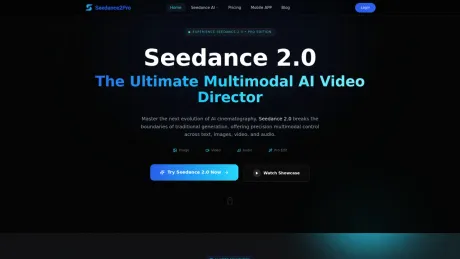
Seedance 2.0 generates 4K AI video from images, audio, and text. Consistent characters, lip-sync, video extension. No subscription — see outputs, start free.
Seedance 2.0 AI Video Generator's Pricing Plans
Seedance 2.0 AI Video Generator may change prices at any time. Here's our latest information:
Pricing
Default
$9.90
per month
What you get
Additional Information
Seedance 2.0 is ByteDance's multimodal AI video model that utilizes text, images, video clips, and audio as inputs to generate cinematic-quality videos. This tool is designed for a range of users, from individual content creators to large enterprises looking to streamline video production. With features such as identity persistence, users can maintain character consistency throughout their videos by uploading reference photos and tagging them in prompts.
The platform enables users to extend existing clips and edit footage without the need for reshooting, permitting seamless integration of scenes and enhanced storytelling. Notably, Seedance 2.0’s lip-sync capabilities allow it to accurately match mouth movements and body language to any audio input, making it suitable for various applications from marketing to education.
Seedance provides different credit packages through a one-time payment model, ensuring that credits never expire, thus allowing users to create videos at their own pace. The tool's performance maintains high-quality outputs with different resolutions available depending on the chosen plan, catering to both casual users and professional needs.
Overall, Seedance 2.0 simplifies the video creation process by allowing quick, intuitive uploads of multimedia references and easing the editing process, thus delivering a robust tool for generating diverse kinds of video content tailored to individual or commercial needs.
Frequently asked questions
What is Seedance 2.0 AI Video Generator used for?
Seedance 2.0 — 4K AI Video from Images, Audio & Text.Is Seedance 2.0 AI Video Generator free?
Seedance 2.0 AI Video Generator is a paid product. See the Pricing section for current plans.What are alternatives to Seedance 2.0 AI Video Generator?
Top alternatives to Seedance 2.0 AI Video Generator include Klap App, AI video editor, Atlabs AI, Topview AI URL to Video, Colossyan.Where can I get Seedance 2.0 AI Video Generator?
Seedance 2.0 AI Video Generator is available at https://www.seedance2pro.net.What category is Seedance 2.0 AI Video Generator in?
Seedance 2.0 AI Video Generator is listed in Video Editing.What makes Seedance 2.0 Pro different from other AI video generators?
Seedance 2.0 Pro is the first truly multimodal engine designed for directorial control. Unlike traditional tools that rely on text alone, 2.0 Pro allows you to use images, videos, and audio as direct references. This means you can dictate the exact style, motion, and rhythm of your scene, moving beyond random generation to precise, professional-grade production.What is Seedance 2.0 and who built it?
Seedance 2.0 is ByteDance's multimodal AI video model. It takes text, images, video clips, and audio as inputs — and generates cinematic video with consistent characters and precise lip-sync. It's the model behind Doubao's video generation features.How do I maintain character consistency across multiple shots?
Consistency is our core strength. By uploading a Reference Image of your subject and using the @Image tag in your prompt, our Identity Persistence mechanism locks in facial features, clothing, and body proportions. This ensures your character remains unmistakable across different angles and complex movements without any "flickering" or drift.How do I keep my character looking the same across different shots?
Upload a reference photo of your character, then tag it in your prompt with @Image. The Identity Persistence mechanism locks in their face, clothing, and proportions — even across different angles and complex movements. No drift, no flickering.Can I use Seedance 2.0 Pro to extend or edit existing videos?
Yes. Seedance 2.0 Pro is built for an iterative workflow. You can use the Video Extension tool to "keep filming" a scene with perfect narrative continuity. Additionally, our Advanced Editing capability allows you to perform character swaps or element additions within existing footage while preserving the original motion, lighting, and cinematic rhythm.Can I extend or edit an existing video clip?
Yes. Continue Filming extends any clip forward naturally — same characters, same scene logic. Advanced Editing lets you swap elements or add objects within existing footage without touching anything else in the frame.How does the Audio-to-Video feature work?
Our model treats audio as a primary control signal. When you upload a custom voiceover or music track, Seedance 2.0 Pro decodes the waveform to drive millisecond-accurate lip-sync and rhythmic action. The environment and characters in your video will naturally move and react to the beat and tone of your audio file.How does the lip-sync actually work?
Upload any audio file — voiceover, dialogue, music. Seedance 2.0 reads the waveform and drives mouth movement and body rhythm to match the audio's timing and tone. It works for speech and for beat-synced music content.What is the "@" command system, and how do I use it?
The @ system is your directorial interface. It allows you to tag specific uploaded assets in your prompt so the AI knows exactly what to reference. For example: "@Image1 for character style, follow the motion of @Video1." This eliminates ambiguity and gives you surgical precision over the final output.What resolution do I get, and can I use the videos commercially?
720p on the Starter plan. 1080p on Basic, Plus, and Professional. All exports are watermark-free and every paid plan includes a commercial license — you own 100% of what you generate.Are the videos generated by Seedance 2.0 Pro cleared for commercial use?
Absolutely. We empower professionals to scale their production. All videos generated by paid users include full commercial rights. You retain 100% ownership and copyright, making the content ready for social media monetization, brand advertisements, or professional client deliveries.Do credits expire? Is there a monthly charge?
No subscription, no monthly charge. You pay once and the credits are yours. They never expire — use them today or six months from now.How does Seedance 2.0 compare to other AI video generators?
Most tools are text-only — you describe what you want and hope for the best. Seedance 2.0 lets you reference images for style, videos for motion, and audio for rhythm simultaneously. You're directing the output rather than guessing at it.Does Seedance 2.0 require installation or a GPU?
No installation, no GPU, no local setup. Seedance 2.0 runs entirely in your browser — any modern device works. Generation happens on the server side, so your computer specs don't matter.How do credits work, and how many do I need per video?
Credits are consumed per generation. A standard 5-second clip costs fewer credits than longer or higher-resolution outputs. The Starter plan's 900 credits covers roughly 30–50 standard clips depending on settings chosen.What video lengths and input formats does Seedance 2.0 support?
Generated clips run 4–15 seconds. Reference images accept PNG, JPG, and WebP. Video references accept standard MP4. Audio references accept MP3 and WAV. You can upload up to 9 images, 3 video clips, and 3 audio files per generation.What is Seedance 2.0 4K?
Seedance 2.0 4K is the 4K-resolution output mode of ByteDance's Seedance 2.0 AI video model. It generates watermark-free 4K video from images, audio, and text — higher-resolution clips simply use more credits.
Compare Seedance 2.0 AI Video Generator with…
Pick any tool to see a structured side-by-side: pricing, deployment, capabilities, and content policy.








