
- Category
- Image Editing
- Pricing
- Paid
- Alternatives
- 6 similar tools
- Last updated
- 1 weeks ago
- Source
- Official site ↗︎
AI Collection Top Picks

Image Editing Category Picks



About Sketch To
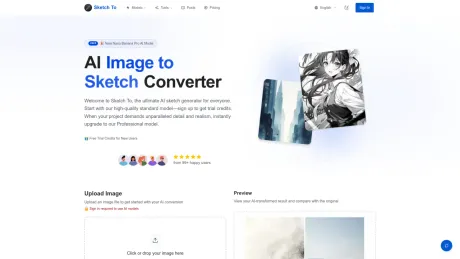
Sketch To turns photos into sketches and sketches into images, plus 100+ AI tools for editing, generating, styling, and enhancing. Credit packs available.
Sketch To's Pricing Plans
Sketch To may change prices at any time. Here's our latest information:
Basic
Pro
500 credits (≈ 250 images / month)
$19.99
/monthly
- Commercial License Included
- Priority Support for Bulk Work
- Image history saved
- High-Res Download
- Priority email support
- Ideal for professionals and businesses.
- 60% cheaper per image · Get 6x more images for just $10 more
Basic
80 credits (≈ 40 images / month)
$9.99
/monthly
- Own your creations
- Access to Standard Generation
- Image history saved
- Standard Quality Download
- Perfect for casual users and small projects.
What you get
Additional Information
Sketch To is a powerful AI tool designed to help users transform images into sketches and sketches into images. With over 100 AI image tools, it caters to varied creative needs, whether for personal projects or commercial use. Users can start with trial credits, allowing them to explore features without a commitment.
The platform operates using a credit system, where the standard model costs 1 credit per conversion, and new users receive trial credits to kickstart their creations. The AI technology distinguishes between standard and professional models to provide tailored experiences for hobbyists and professionals alike. Users can choose from a range of artistic styles for image processing, ensuring that they receive high-quality results suitable for social media, art projects, and more.
Sketch To boasts a simple three-step process for image conversion: upload the file, select the desired style, and generate the output. The service is optimized for speed, offering instant processing through a robust cloud infrastructure, ensuring rapid results. Professional users benefit from a superior model that provides enhanced detail and realism for their artistic needs.
The platform not only supports various image formats but also allows users to download their creations in high resolution, making it ideal for printing and professional submissions. With a user base of over 500,000, Sketch To is trusted for its quality and performance, attracting a diverse range of creatives from students to seasoned professionals.
Frequently asked questions
What is Sketch To used for?
Sketch To | AI Image to Sketch & Sketch to Image.Is Sketch To free?
Sketch To is a paid product. See the Pricing section for current plans.What are alternatives to Sketch To?
Top alternatives to Sketch To include ProductScope AI, PicTools.AI, AI Photos Editor, AVCLabs PhotoPro AI, Fotor.Where can I get Sketch To?
Sketch To is available at https://www.sketchto.com/.What category is Sketch To in?
Sketch To is listed in Image Editing.What's the difference between the Standard and Professional models?
Our Standard model is perfect for general use, offering high-quality conversions for hobbies and drafts. The Professional model uses a more advanced AI, providing superior detail, texture, and realism, ideal for commercial projects.How much does Sketch To cost?
Our Standard model uses 1 credit per conversion, and new users receive trial credits to get started. For the Professional model, we use a flexible credit system with credits purchasable as needed.What are the best practices for how to convert photo to sketch?
Using a clear, well-lit, high-resolution photo produces the best results. Strong contrast and clear subjects generate the most detailed sketches.What file formats are supported?
Sketch To supports all major image formats including JPG, PNG, WEBP, and more, allowing uploads up to 10MB in size.Can I use Sketch To for commercial purposes?
Yes! Our Professional model is specifically designed for commercial use with advanced AI technology that delivers industry-leading results.How long does it take to process an image?
Most conversions are completed within seconds, but the exact time may vary depending on image size and complexity.
Compare Sketch To with…
Pick any tool to see a structured side-by-side: pricing, deployment, capabilities, and content policy.








