SocialCal
Schedule Posts Across All Social Media Platforms.
- Category
- Social Media Content
- Alternatives
- 6 similar tools
- Last updated
- 1 weeks ago
- Source
- Official site ↗︎
AI Collection Top Picks

Social Media Content Category Picks



About SocialCal
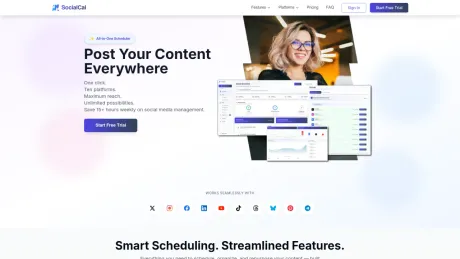
Save 15+ hours weekly with SocialCal. Schedule and manage social media posts across Twitter/X, Instagram, Facebook, LinkedIn, YouTube, TikTok, Threads, Bluesky, and Pinterest from one powerful dashboard.
What you get
Additional Information
SocialCal is a comprehensive social media management tool designed to streamline the scheduling and posting process across multiple platforms. Users can easily manage content for up to 10 different social networks from a single, user-friendly dashboard. With features like smart scheduling, best time to post suggestions, and an AI caption writer, SocialCal helps users maximize their engagement and save significant time in their social media workflows.
The platform allows for platform-specific customizations, meaning users can tailor their posts for each social media outlet to ensure the content fits the specific audience and requirements. This flexibility is further enhanced with analytics tools that provide real-time performance insights on their posts, allowing users to refine their strategies based on actual engagement data.
Ideal for creators, small businesses, and marketing teams, SocialCal provides functionality designed for those needing to maintain a consistent social media presence without the hassle of managing each platform separately. The tool also supports managing multiple clients through its client profile feature, which is perfect for agencies and freelancers managing various brands.
SocialCal’s features extend to content libraries, social listening tools, and bulk posting capabilities, making it not just a scheduler but a comprehensive solution for anyone serious about enhancing their social media marketing efforts.
Frequently asked questions
What is SocialCal used for?
SocialCal - Schedule Posts Across All Social Media Platforms.Is SocialCal free?
Pricing for SocialCal varies — see the Pricing section for details.What are alternatives to SocialCal?
Where can I get SocialCal?
SocialCal is available at https://www.socialcal.app/.What category is SocialCal in?
SocialCal is listed in Social Media Content.Do you offer a trial?
Yes — we offer a 7-day trial on all plans. Just a $1 activation fee to get started. Cancel anytime during the trial at no extra cost.Can I upgrade, downgrade, or cancel anytime?
Yes — you are in full control of your subscription. Upgrade or downgrade plans anytime directly from your account dashboard. Cancel anytime before your renewal date and you will not be charged again.Is there a money-back guarantee?
Yes. If you decide the platform is not for you, we offer a 14-day no-questions-asked money-back guarantee on all paid plans. You have got nothing to lose by trying it out.Can I customize posts per platform?
Absolutely. You can tweak your copy, hashtags, formatting, or visuals for each platform in a single view — so you never have to sacrifice quality just to save time.Do you offer analytics or performance insights?
Yes. Basic performance tracking is included on the Starter plan; Professional and Enterprise unlock advanced analytics with reach, engagement, and best-time-to-post insights across every connected platform.Can I manage multiple clients?
Yes. Client Profiles let you group your social accounts by client, so you can switch between them instantly when creating posts and view per-client analytics. Professional plans support up to 5 client profiles, and Enterprise plans include unlimited profiles — perfect for agencies and freelancers managing multiple brands. Enterprise also adds per-client approver scoping, so each client's reviewer only sees their own brand's drafts.
Compare SocialCal with…
Pick any tool to see a structured side-by-side: pricing, deployment, capabilities, and content policy.