
speechtovideo ai
Transform Your Voice into Videos | Speech to Video AI.
- Category
- Video Editing
- Alternatives
- 6 similar tools
- Last updated
- 1 months ago
- Source
- Official site ↗︎
AI Collection Top Picks

Video Editing Category Picks



About speechtovideo ai
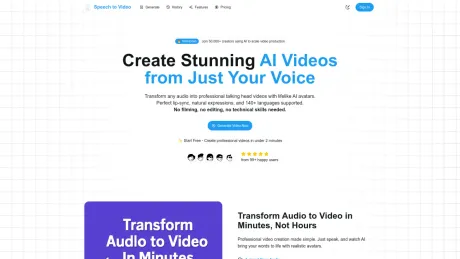
Create stunning AI-powered videos from just your voice. Upload audio, add custom avatars, and generate professional video content in minutes with advanced speech-to-video technology.
What you get
Additional Information
Speech to Video is an AI-powered platform that transforms audio into professional talking head videos featuring lifelike AI avatars. Users can upload audio files, record directly, or paste text, supporting over 40 languages and various audio formats. The platform allows for the selection of AI avatars from a pool of 100+ diverse presenters or creating a custom avatar from a photo.
The service eliminates traditional video production barriers by enabling users to generate videos quickly without filming or editing. With advanced neural networks, it provides studio-quality results efficiently and effectively. Key features include multi-input support, custom AI avatars, real-time video generation, and team collaboration tools.
It caters to a wide audience, including content creators, educators, educators, marketers, and social media managers looking to enhance their content creation process. The platform has successfully drawn in over 50,000 creators worldwide, who have generated millions of videos, significantly reducing production time and costs.
Additionally, users have the right to use their generated videos for commercial purposes, making it a versatile tool for branding, marketing, and educational content.
Frequently asked questions
What is speechtovideo ai used for?
Transform Your Voice into Videos | Speech to Video AI.Is speechtovideo ai free?
Pricing for speechtovideo ai varies — see the Pricing section for details.What are alternatives to speechtovideo ai?
Top alternatives to speechtovideo ai include Klap App, AI video editor, Atlabs AI, Topview AI URL to Video, Colossyan.Where can I get speechtovideo ai?
speechtovideo ai is available at https://speechtovideo.run/.What category is speechtovideo ai in?
speechtovideo ai is listed in Video Editing.How does the speech-to-video AI work?
Our AI analyzes your audio input, extracts speech patterns, and generates synchronized video with realistic avatars. The system uses advanced lip-sync technology to match mouth movements with your speech, creating natural-looking video content.What audio formats do you support?
We support most common audio formats including MP3, WAV, M4A, OGG, and more. You can also record audio directly in your browser using our built-in recording feature. Maximum file size is 50MB per audio file.Can I use my own avatar or face?
Yes! You can upload reference images to create personalized avatars that look like you. The AI will use your image to generate a digital version that speaks your audio content. We support JPG, PNG, WEBP, and GIF formats.Can I use the videos commercially?
Yes, all generated videos can be used for commercial purposes including social media marketing, presentations, courses, and business content. You own the rights to videos created with your audio input.
Compare speechtovideo ai with…
Pick any tool to see a structured side-by-side: pricing, deployment, capabilities, and content policy.








