- Category
- Workflow & Automation
- Alternatives
- 6 similar tools
- Last updated
- 1 weeks ago
- Source
- Official site ↗︎
AI Collection Top Picks

Workflow & Automation Category Picks


About TestDino
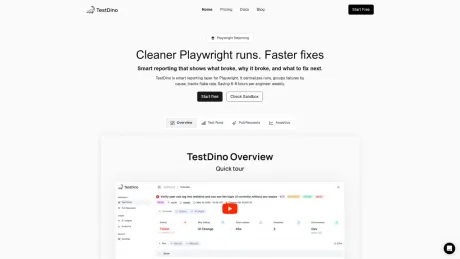
TestDino records Playwright test runs from CI, providing centralized debugging, flaky test detection, and analytics your team and your AI agents can act on.
What you get
Additional Information
TestDino is a reporting and analytics platform designed specifically for Playwright, focused on enhancing CI testing for development teams. It centralizes test runs and uses AI to group failures by root cause, giving teams clearer insights into their test results. With features like real-time tracking, error grouping, and automated notifications, it allows users to quickly identify and resolve issues in their testing processes.
The platform supports a variety of testing frameworks within Playwright and offers seamless integration with tools like GitHub, GitLab, Jira, and Slack, ensuring that teams can maintain their workflow without disruption. By providing rich analytics on test performance, stability, and flake detection, TestDino helps developers optimize their testing strategies and improve overall release speed.
Furthermore, TestDino's AI capabilities allow it to analyze failures and suggest fixes, helping teams save substantial manual effort. Notably, customers have reported significant time savings, eliminating unnecessary debugging and enabling faster issue resolution. This enables teams to focus on the crucial aspects of software quality without getting bogged down by the intricacies of failure triage.
For enterprises, TestDino includes robust features such as customizable storage options, advanced security measures, and dedicated support. This makes it suitable for any size of operation, particularly those looking to enhance their testing effectiveness in a scalable manner.
Frequently asked questions
What is TestDino used for?
TestDino | Playwright Reporting and Analytics.Is TestDino free?
Pricing for TestDino varies — see the Pricing section for details.What are alternatives to TestDino?
Where can I get TestDino?
TestDino is available at https://testdino.com/.What category is TestDino in?
TestDino is listed in Workflow & Automation.What is TestDino?
TestDino is a smart reporting platform for Playwright. It centralizes test runs, groups failures by root cause using AI, tracks flaky tests, and gives your team actionable insights to fix what matters.How does TestDino work?
Install the TestDino Playwright reporter, add your project token, and run your tests. Results stream in real-time with AI-powered failure classification, flake detection, and error grouping.What kind of AI insights does it provide?
TestDino analyzes stack traces, screenshots, and DOM context to classify each failure into categories: Actual Bug, UI Change, Flaky Test, or Environment Issue. It also suggests fixes and tracks patterns across runs.What testing frameworks does it support?
TestDino is built specifically for Playwright. It supports all Playwright test runners including Node.js and Python, with native integration for traces, screenshots, and videos. Multi-framework support is on the roadmap.Can it detect flaky tests automatically?
Yes. TestDino detects flaky tests by analyzing patterns across runs, not just retries. It tracks stability percentages, flake frequency, and provides quarantine recommendations.Can I get alerts or export reports?
Yes. Get Slack notifications, email alerts, and scheduled PDF reports. Export data via API or integrate with Jira, Linear, and other tools for issue tracking.Is it customizable to our environments, branches, and workflows?
Yes. Configure environment tagging with regex patterns, branch-level settings, quality gates on PRs, and custom AI classification rules to match your team's workflow.How much time does TestDino save each developer?
Teams typically save 6-8 hours per engineer weekly by eliminating manual failure triage. Error grouping alone reduces hundreds of failures to a handful of root causes.Does it work with sharded or split CI jobs?
Yes, and both stream live. With sharding, Playwright partitions the suite and every shard passes the same --ci-run-id, so they merge into one report. With split mode, you partition the jobs yourself when they run different commands, and --split-id groups them. A split can be sharded too.
Compare TestDino with…
Pick any tool to see a structured side-by-side: pricing, deployment, capabilities, and content policy.