Guidde, Reviewed: AI How-To Videos You Can Edit Like a Doc
By: AI Collection
At a glance
4.0 / 5
guidde
FreeEvery team that runs on software eventually drowns in the same question: "How do I do this again?" Someone films a quick screen recording, it goes stale the moment the UI changes, and three months later nobody can find it. Guidde is built for that exact problem. It captures a workflow while you click through it and turns the recording into a narrated, step-by-step how-to video, then lets you edit that video the way you would edit a document instead of re-shooting it.
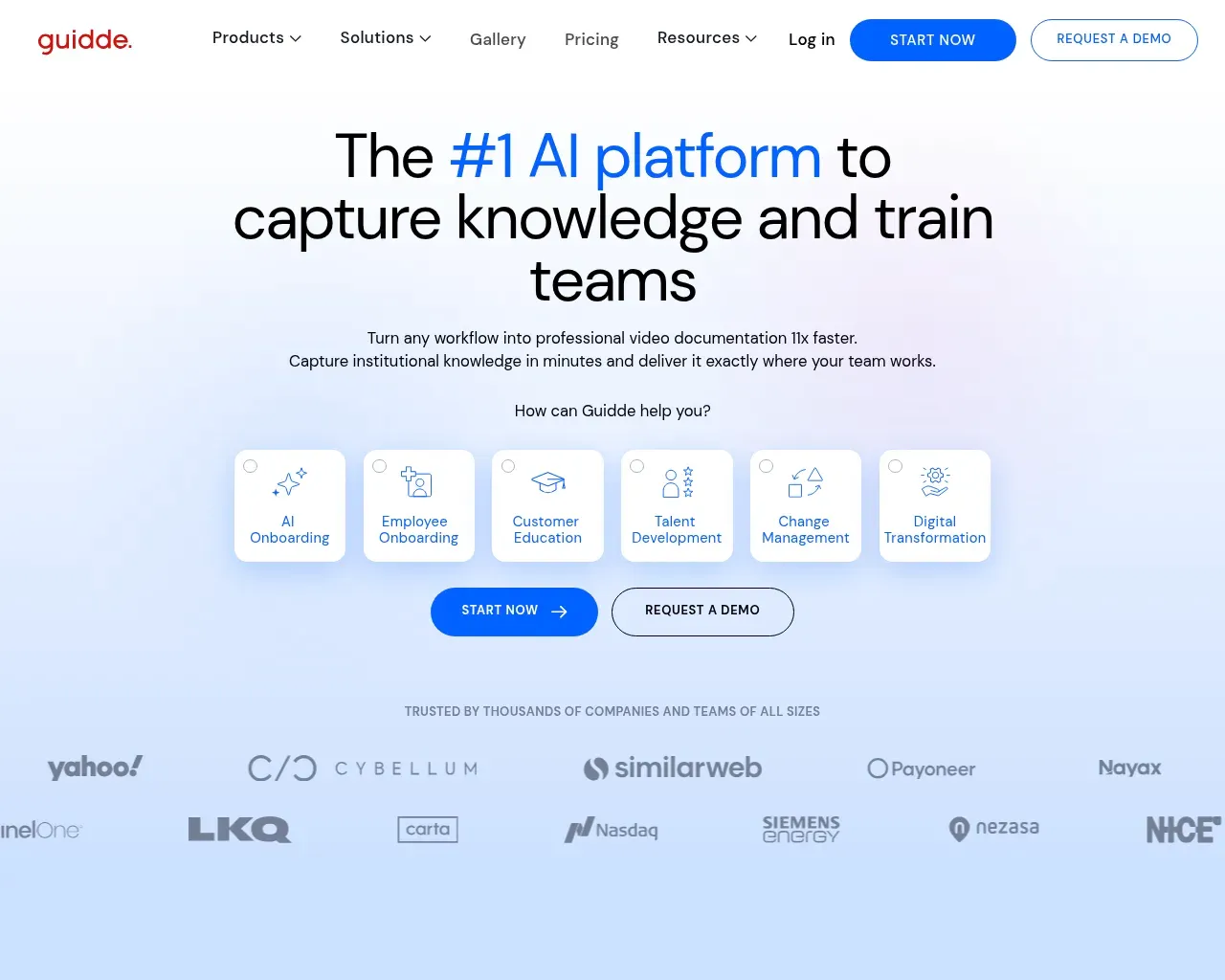
What Guidde actually does
You install a browser extension (a desktop app is available on paid plans) and hit record. As you move through a process, Guidde captures each step, writes a first draft of the instructions, and generates an AI voiceover to narrate them. The output is a short video guide with auto-captions, plus a written version you can export. The company pitches this as building video documentation "11x faster," and while that specific multiplier is a marketing figure, the underlying time saving is the point everyone agrees on: you skip writing a script, recording clean audio, and editing the footage.
The AI narration piece is branded Magic Mic, which reached the top spot on Product Hunt. It handles voiceover in more than 50 languages, so a guide recorded once in English can be pushed out to a global team without a separate translation and re-record cycle. Visual touches like automatic highlights, pans, and zooms are applied for you, which is what makes a raw click-through look like a produced tutorial.
The editing model is the real differentiator
Most screen-recording tools treat a video as one continuous take. Change a button, and you re-record the whole clip. Guidde splits the capture into modular steps, closer to slides than to footage. If your software ships a UI update, you swap the one screenshot that changed, rewrite that step's text, and regenerate its voiceover in seconds. Nothing else in the guide is touched.
That distinction is why Guidde keeps coming up as an alternative to both Loom and Scribe. Loom is strong at quick asynchronous video messages; Scribe is strong at automatically generated written step-by-step guides. Guidde sits between them, giving you the video format of one and the editable, documentation-first structure of the other, with AI voiceover on top. For teams maintaining SOPs and onboarding material that changes often, that editability matters more than raw recording quality.
Pricing
Guidde has a genuinely usable free tier, which is rare in this category. No credit card is required to start.
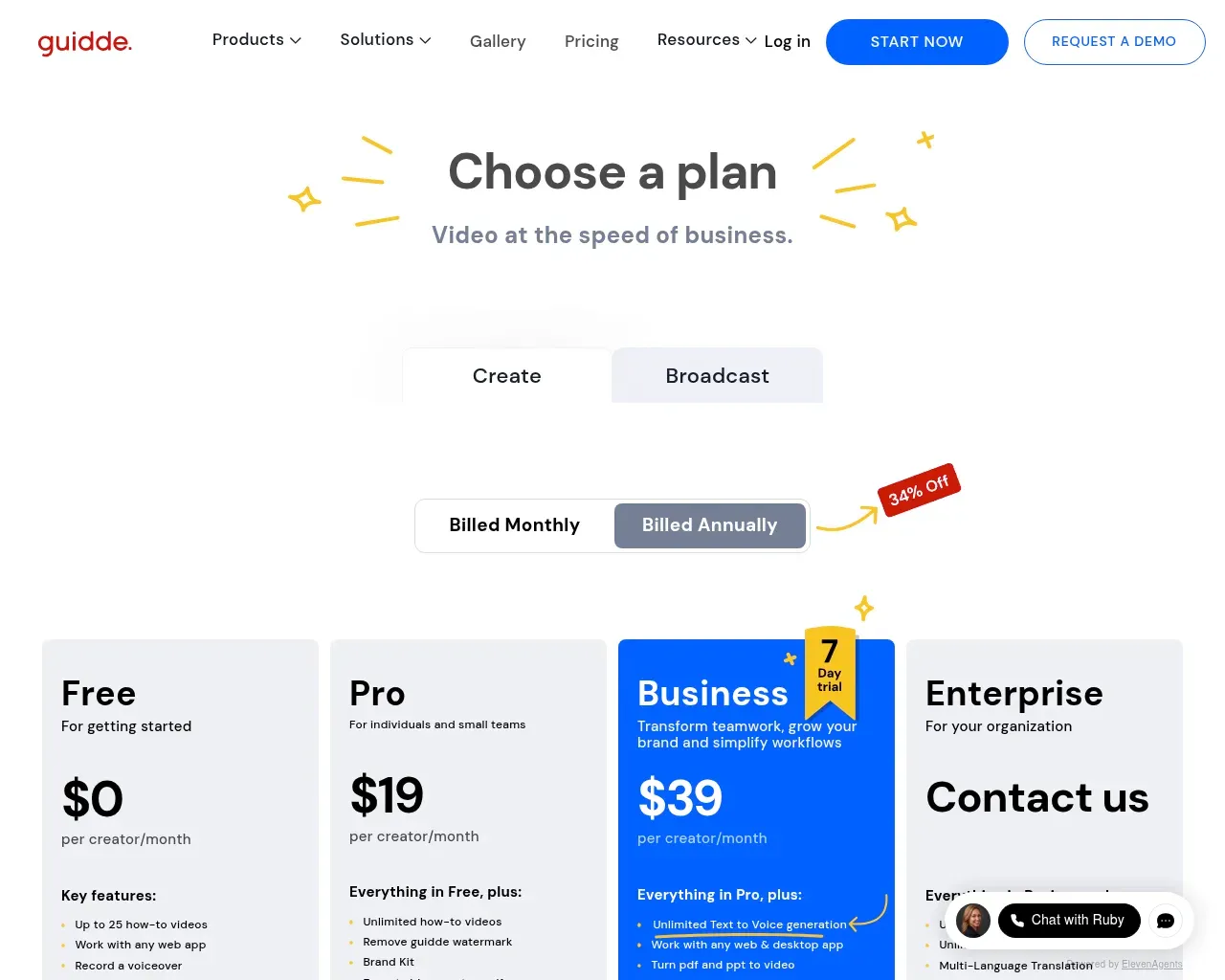
- Free ($0 per creator/month): up to 25 how-to videos, works with any web app, voiceover recording, shareable links, transitions, and a stock music library.
- Pro ($29 per creator/month, or $19 on annual billing): unlimited how-to videos, removes the Guidde watermark, adds a Brand Kit, exports to video, PPT, or PDF, and can blur sensitive information.
- Business ($59 per creator/month, or $39 on annual billing): unlimited text-to-voice generation, support for desktop apps as well as web, PDF and PPT to video, advanced privacy controls, and analytics.
- Enterprise: custom pricing through their sales team, aimed at organization-wide rollouts with centralized controls.
Annual billing saves 34% against those monthly rates. Pricing is per creator, not per viewer, so the cost scales with how many people author guides rather than how many watch them, which suits the typical pattern of a few documentation owners serving a large audience.
Who it fits
Guidde is aimed at internal enablement work: employee onboarding, IT and customer support deflection, software implementation, and standard operating procedures. It integrates with the places that content tends to live, including Notion, Confluence, SharePoint, Zendesk, Salesforce, HubSpot, ServiceNow, WordPress, and GitHub, so a finished guide can be dropped straight into a help center or knowledge base. Emerson, one of the customers Guidde publishes a case study on, reports creating guides 40 to 60 percent faster and fielding fewer repetitive questions, which is the kind of outcome the tool is built to produce.
If you support a global or non-technical workforce and spend real time answering the same how-to questions, this is squarely your use case. If you mainly need casual video messaging for a small team, a lighter recorder may be enough.
Where it falls short
The honest limitations show up once you push past internal documentation. Reviewers on G2 and Capterra consistently raise the same points. Fine-tuning is restricted: adjusting voiceover timing and customizing visual elements is limited, so teams producing polished, client-facing or marketing-grade video tend to hit a ceiling. The AI voices, despite the large library, don't always land a fully natural cadence, and it can show on longer narration. And as your library grows, managing it (folders, access controls, and versioning) gets cumbersome, with some users saying the organization and team-access model isn't its strongest area.
Independent buzz is also fairly quiet. Guidde has a real customer base and published case studies, but there is little organic discussion on forums like Hacker News, so most third-party signal comes from the structured review sites rather than heated community debate. Treat that as a sign to run the free tier against your own workflow before committing a team to it.
Overall I'd put Guidde at 4 out of 5. It does the core job of turning workflows into maintainable, multilingual video documentation better than a plain screen recorder, and the editable-slide model genuinely solves the re-record problem. The score stops short of 5 because of the customization ceiling and the library-management rough edges, both of which matter more the larger and more polished your output needs to be.
Sources consulted
- Guidde homepage — product positioning, Magic Mic, use cases, and the 11x claim.
- Guidde How it works — capture-to-guide workflow and AI narration.
- Guidde pricing — Free, Pro, Business, and Enterprise tiers and per-creator model.
- Guidde integrations — supported destinations like Notion, Confluence, Zendesk, and Salesforce.
- Guidde vs Loom — the modular, edit-without-re-recording differentiator.
- Guidde on Capterra — user-reported pros, pricing, and features.
- Guidde reviews on G2 — independent pros and cons, including customization and library-management limits.
- Beyond Guidde: AI video tools comparison (ngram) — where Guidde sits among Scribe, Loom, Tango, and Descript.
- Guidde vs Loom (The Digital Merchant) — independent take on the video-plus-documentation hybrid.
Published on: September 4, 2026
Looking for alternatives to guidde? See all guidde alternatives →
Have an AI tool of your own? Submit it below and get a free, in-depth product review article — just like this one.
Add your AI tool in seconds
Paste your URL and we'll draft the listing. You review and edit every field before submitting.