ImageColorizer
App | Colorize and Restore Old Photos on Mobile.
- Category
- Background Remover
- Pricing
- Free
- Alternatives
- 6 similar tools
- Last updated
- 3 weeks ago
- Source
- Official site ↗︎
AI Collection Top Picks

Background Remover Category Picks


About ImageColorizer
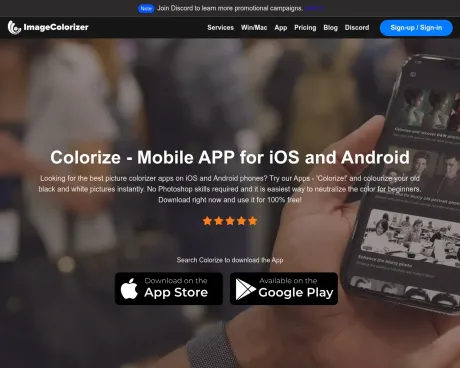
Use the ImageColorizer mobile app to colorize black and white photos, enhance old pictures, and restore portraits on iOS, iPadOS, macOS, and Android.
What you get
Additional Information
Colorize App is an AI-powered tool designed to transform old black-and-white photographs into vibrant, colorful images. Available on iOS, Android, and Mac, the app is user-friendly and requires no prior editing skills. Users can instantly upload their cherished photos, apply advanced features such as colorization, enhancement, and retouching, and download their edited images in seconds.
The app features three main functionalities: Colorize, Enhance, and Retouch. With Colorize, users can add lifelike colors seamlessly to their black-and-white images. Enhance improves the clarity and detail, while Retouch offers easy fixes for common imperfections in portraits. The entire process is streamlined for quick results, ensuring that anyone can restore their old photographs effortlessly.
ImageColorizer caters to a wide audience, from casual users wanting to enhance personal photos to professional users needing robust restoration tools. The app supports unlimited photo restoration with features designed to clean up old, damaged photographs, remove unwanted elements, and upscale images without losing any details. Various subscription plans are available for users looking to unlock additional features and credits.
Frequently asked questions
What is ImageColorizer used for?
Image Colorizer App | Colorize and Restore Old Photos on Mobile.Is ImageColorizer free?
ImageColorizer is free to use.What are alternatives to ImageColorizer?
Where can I get ImageColorizer?
ImageColorizer is available at https://imagecolorizer.com/app.What category is ImageColorizer in?
ImageColorizer is listed in Background Remover.What is the Best Way to Restore Old Photos?
The best way to restore old photos is by using advanced online photo restorers like ImageColorizer, which automatically fixes damage, enhances clarity, and colorizes black-and-white images with ease. Our tool offers many powerful features to help you get rid of faded, messy, damaged old photographs effortlessly.Can I Colorize Old Photos with ImageColorizer for Free?
Yes, you can colorize old photos and make them vibrant with ImageColorizer for free. We offer both free and premium versions to fit different needs.Can Fade Black and White Photos be Restored?
Absolutely! The faded black-and-white photos can be restored using our advanced tools like AI Enhance, AI Retouch, AI Repair, etc.How Long Does it Take to Restore an Old Picture?
Restoring an old picture with ImageColorizer typically takes just a few minutes.How Do You Clean Old and Damaged Photographs?
You can easily clean up old and damaged photographs with ImageColorizer’s AI Object Removal tool.Is There a Way to Remove Creases from an Old Photo?
Try our AI Repair tool that is perfectly designed for reducing creases and scratches from old photos.Do you Limit the Number of Images That I Can Restore?
There is no limit to the number of photos you can colorize and restore with ImageColorizer.Why Retouch an Old Portrait with Image Colorizer?
It is easy to retouch old portraits with ImageColorizer. You can touch up your face with one click without setting parameters.How Can I Enlarge Old Photos by 200% without Losing Details?
To enlarge an old photo by 200%, use our AI Restore tool.Do You Have an Old Photo Restorer for Mac?
Yes, ImageColorizer works on both Windows and Mac.Can I colorize old photos with free credits?
Yes. You can create a free account and use available credits to try ImageColorizer's AI photo colorizer. Paid plans add more monthly credits, higher limits, batch processing, and an ad-free workflow.Can faded black-and-white photos be restored?
Yes. ImageColorizer can restore faded black-and-white photos by enhancing clarity, improving contrast, repairing visible damage, and optionally adding realistic color.Can I remove creases from an old photo?
Yes. Use AI Repair to reduce creases, scratches, and surface marks from old photos. The restored result is suitable for sharing, archiving, and preparing family photos for print.Is there a limit on the number of images I can restore?
You can restore as many photos as your available credits and plan limits allow. Upload size, dimensions, and batch limits may vary by plan.Why retouch an old portrait with ImageColorizer?
AI retouching helps old portraits look clearer while preserving a natural appearance. ImageColorizer can reduce noise, improve brightness, smooth minor imperfections, and make facial details easier to see.How can I enlarge old photos while preserving details?
Use AI Restore to enlarge old photos and improve their apparent detail. Results vary by the original scan quality, but the tool is designed to increase resolution, sharpen soft areas, and keep important facial and background details recognizable.
Compare ImageColorizer with…
Pick any tool to see a structured side-by-side: pricing, deployment, capabilities, and content policy.