- Category
- Text To Speech
- Pricing
- Free
- Alternatives
- 6 similar tools
- Last updated
- 3 days ago
- Source
- Official site ↗︎
AI Collection Top Picks

Text To Speech Category Picks
About NaturalReader
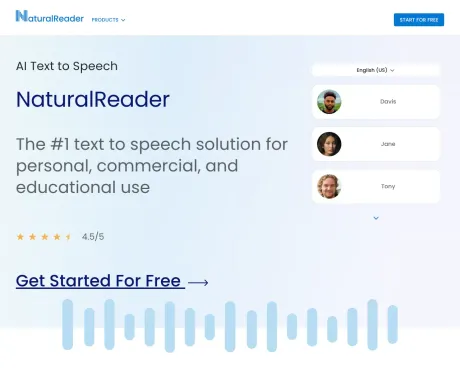
NaturalReader: Free Text to Speech for Online, Mobile App, Commercial license and Education with AI voices.
Frequently asked questions
What is NaturalReader used for?
Transform any text into natural-sounding audio with AI voices.Is NaturalReader free?
NaturalReader is free to use.What are alternatives to NaturalReader?
Where can I get NaturalReader?
NaturalReader is available at http://www.naturalreaders.com.What category is NaturalReader in?
NaturalReader is listed in Text To Speech.What is AI text to speech or Neural Speech Synthesis?
Neural Speech Synthesis employs deep machine learning to analyze human voices, speech patterns, intonations, and linguistic expressions. This advanced deep learning has made AI voices remarkably natural, capable of mimicking human speech. AI voices are now often used as substitutes for human voices depending on the context.How does text to speech assist students with dyslexia or other learning disabilities?
Dyslexia and other learning disabilities related to reading are common among students. NaturalReader text-to-speech technology enhances accessibility in learning by aiding in reading, test-taking, and promoting independence. Students can have any text read aloud to them, allowing them to follow along visually and auditorily, reducing the focus on reading and enhancing content comprehension. Features like dyslexia-friendly fonts, adjustable reading speeds, and highlighted text further facilitate reading. NaturalReader EDU provides support for learning at home, including homework, reading, and web browsing, through the Chrome Extension and Mobile Application.What distinguishes the AI Voice Generator from AI Text To Speech?
NaturalReader AI Text To Speech is for personal use only. This means that the individual purchaser can use it for their own private listening, but the generated audio files cannot be used publicly, commercially, or redistributed in any manner. The audio files are for the personal enjoyment of the purchaser and cannot be shared with others or used on external platforms. For non-personal use, such as in messaging systems or training videos, a commercial license is required to allow audio content redistribution. Please consider NaturalReader AI Voice Generator for non-personal use, as it is a separate application.How can I use text to speech for voice-overs?
Users can employ text-to-speech technology to create voiceovers by typing a written script and having an AI voice read it aloud, similar to a human speaker. Once the script is ready, users can select a voice and reading speed, and then download the script as an MP3 audio file for universal use in videos and various formats. Note that not all text-to-speech applications permit the redistribution of generated audio files. Users planning to redistribute audio files should ensure that the text-to-speech application they use is designed for commercial, business, or public use, as indicated by examples such as company training videos, product explainers, YouTube and podcast content, eLearning materials, and advertisements.How does Text-to-speech help students with learning differences?
NaturalReader text-to-speech makes learning more accessible by assisting with any reading, taking tests and promoting independence.What are the differences between a Group and Site License?
A NaturalReader EDU Site License provides text-to-speech applications for the entire school, while a NaturalReader EDU Group License is built to provide smaller groups of students access to our applications.How does a NaturalReader EDU Subscription work?
A NaturalReader EDU Subscription is managed and purchased by the school to give access to their students.Does NaturalReader store or use any data related to the student?
No! NaturalReader only requires an email address and password for account registration and no user data is used for AI voice training or saved in ChatGPT.What are the differences between a Plus and Premium Subscription?
Plus Subscriptions allow students to listen with our most natural-sounding Plus AI Voices, while the Premium Subscription allows users to use all of our Premium non-AI voices.
Compare NaturalReader with…
Pick any tool to see a structured side-by-side: pricing, deployment, capabilities, and content policy.