- Category
- Entertainment & Novelty
- Alternatives
- 6 similar tools
- Last updated
- 1 months ago
- Source
- Official site ↗︎
AI Collection Top Picks

Entertainment & Novelty Category Picks
About BabyVideo
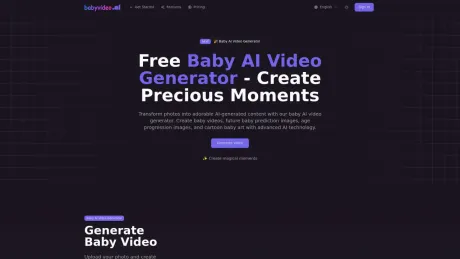
Upload parent photos and generate a realistic future baby preview with AI. Choose baby boy, baby girl, or surprise me for fun family sharing.
What you get
Additional Information
AI Baby Video Generator allows users to transform a single baby photo into a variety of shareable videos. The tool can create animations of babies smiling, sleeping, crawling, and more. It's designed for parents and relatives who want to share memorable baby moments without the need for advanced video editing skills. Users can explore multiple options ranging from subtle emotions to dynamic dance clips, catering to different social media sharing needs.
The platform also offers features like AI Baby Podcast where users can generate a short talking baby video that delivers a warm message. For creative exploration, there's a future baby feature that offers users a playful peek into what their baby might look like as they grow, based on parent photos. The service is safe and private, ensuring user-uploaded photos are kept confidential during the generation process.
AI Baby Video Generator supports creativity with multiple video styles, making it an enjoyable tool for casual users and those looking to add a special touch to family moments. The user interface is designed to be intuitive, allowing users to produce quality videos quickly. With high-quality output options and various formats, it’s perfect for a range of scenarios from birthday greetings to family updates.
Frequently asked questions
What is BabyVideo used for?
AI Baby Generator by BabyVideo.ai.Is BabyVideo free?
Pricing for BabyVideo varies — see the Pricing section for details.What are alternatives to BabyVideo?
Top alternatives to BabyVideo include Pet Booth, Creative QR codes using AI, MemeGenAI, DreamGen: AI role-playing and strory-writing, Langame card game.Where can I get BabyVideo?
BabyVideo is available at https://babyvideo.ai.What category is BabyVideo in?
BabyVideo is listed in Entertainment & Novelty.Is it free to try?
Yes, there is a free plan available.How good will the final video look?
The quality of the final video depends on the input photo, with clear front-facing images yielding better results.Do I really only need one photo?
Yes, one high-quality photo is sufficient to create a video.Are my uploaded photos kept private?
Yes, your uploaded photos are kept private.How much does it cost after the free credits?
Pricing plans available include various credit packs or subscriptions.What scenes can I create from one photo?
You can create various scenes such as smiling, talking, dancing, and more.How long does it take to generate a baby video?
The generation time can vary but is generally quick.Can I customize the style or motion?
Yes, customization options are available for both style and motion.What video quality can I expect?
Quality will depend on your chosen plan and the input photo used.Can I share the videos on TikTok, Instagram, or YouTube?
Yes, videos can be shared on various social media platforms.Can I also create future baby or grow-up images?
Yes, the platform includes features for future baby images.What kind of photo works best?
A clear, front-facing photo with visible eyes and mouth works best.Is my data and uploaded photo safe?
Yes, user data and photos are safe.What happens to my photos after generation?
Photos are deleted after the video is generated.How does the daily check-in reward work?
Daily check-in rewards provide users with credits for regular use.Can I get a refund if I am not satisfied?
Refund policies apply as stated in the terms of service.Is the AI baby video generator easy for beginners?
Yes, the tool is designed to be user-friendly for beginners.What is an AI baby generator?
An AI baby generator creates a creative future baby preview from parent photos. It is designed for fun, curiosity, family sharing, and social posts.How does an AI baby generator work?
The generator uses uploaded parent photos and visible facial traits to create a realistic baby-style portrait. The result is a baby face prediction for entertainment, not a scientific result.Is this the same as a future baby generator or baby face predictor?
Yes. AI baby generator, future baby generator, baby face generator, and baby face predictor usually describe the same kind of creative parent-photo preview tool.Can I generate a baby boy or baby girl?
Yes. Choose baby boy, baby girl, or Surprise Me before generating. You can create different future baby versions from the same parent photos.Is the AI baby generator free?
You may receive free credits after signing in or through site promotions, and each AI baby generation uses credits.Are uploaded parent photos private?
Parent photos are used to create your AI baby preview and are not shown as public homepage examples. You should only upload photos you own or have permission to use.What kind of photos work best?
Clear, front-facing parent photos with visible eyes, nose, mouth, forehead, cheeks, and jawline usually work best.Why do future baby results look different each time?
Each generation creates one creative variation. Some visible traits may lean more toward one parent photo while others may be softly blended.Can I use two parent photos?
Yes. You can upload one or two parent photos. Two clear parent photos usually give the AI more visible facial information to blend into a future baby preview.Is this a real genetic prediction?
No. AI baby generator results are creative previews for fun. They are not medical, genetic, or scientific predictions.
Compare BabyVideo with…
Pick any tool to see a structured side-by-side: pricing, deployment, capabilities, and content policy.