- Category
- Video Editing
- Pricing
- Paid
- Alternatives
- 6 similar tools
- Last updated
- 1 months ago
- Source
- Official site ↗︎
AI Collection Top Picks

Video Editing Category Picks
About Bunnie AI
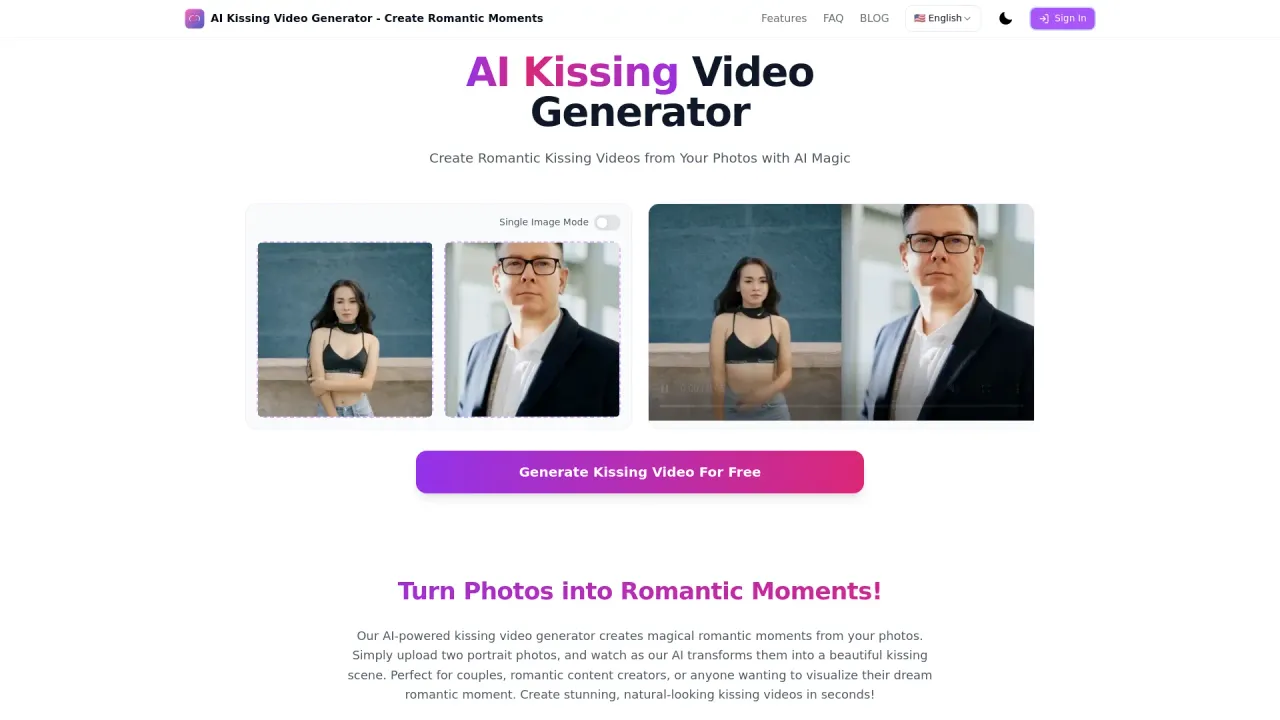
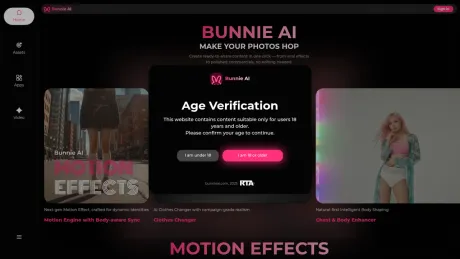
Upload one photo and turn it into an AI video.
Bunnie AI's Pricing Plans
Bunnie AI may change prices at any time. Here's our latest information:
Bunnie AI's price plan
Basic plan
2000 Credits/mo.
$1.9 / week. Billed yearly, $99.99 a year
Unlimited access to every effect, 1 Simultaneous Generation, 1 maximum video in queue
Pro plan
6000 Credits/mo.
$7.6 / week. Billed yearly, $399.99 a year
10% extra credits on every top-up First-in-line generation Unlimited access to every effect 2 Simultaneous Generation 10 maximum videos in queue
Super plan
18000 Credits/mo.
$13.4 / week. Billed yearly, $699.99 a year
20% extra credits on every top-up Commercial use licence First-in-line generation Unlimited access to every effect 4 Simultaneous Generation 20 maximum videos in queue
What you get
Additional Information
How to Use
- Select a Template – Browse Bunnie AI’s library of romantic, fun, or trending video templates to match your creative vision.
- Upload Your Photo – Choose a clear, high-quality image of your subject that fits the pose or style of the selected template.
- Generate Your Video – Click “Generate” and let Bunnie AI instantly create a stunning, realistic video ready to download and share.
Features
1,000+ AI Video Templates
From romantic scenes to dance and fantasy moments — always stay on trend.HD & Realistic Results
Powered by cutting-edge AI for lifelike facial motion, lighting, and angles.Fast & Easy
No need for prompts or editing — one click is all it takes.Privacy-First Design
Your uploaded photos are never stored or shared — generation is 100% secure.Continuous Updates
Weekly template refreshes and trending effects to keep your content viral.
Use Cases
Social Media Creators
Produce viral short videos for platforms like TikTok, Instagram Reels, or YouTube Shorts.AI Influencers
Generate consistent, engaging video content for your virtual persona.Personal Moments
Create cute or romantic clips (e.g., kiss, hug, couple scenes) for fun sharing.
FAQ
1. What is Bunnie AI?
Bunnie AI is a photo-to-video AI generator that lets anyone create realistic short videos using templates.
With 1,000+ curated options — like dancing, kissing, or storytelling scenes — users can make cinematic content with one click, no technical skills required.
2. How does Bunnie AI work?
Bunnie AI uses a simple one-click, template-based workflow powered by advanced LoRA training technology.
Just upload your photo, select a template, and our algorithms handle the rest.
It ensures crystal-clear output, perfect stability, and realistic motion — producing professional-quality videos in seconds.
Continuous updates improve detail and animation smoothness over time.
3. What kind of videos can I make?
You can create romantic, funny, artistic, or viral videos — from AI kisses and hugs to fashion, cosplay, or influencer-style scenes.
New templates are added weekly to keep your ideas fresh.
4. Is Bunnie AI safe to use?
Absolutely! Your privacy and security are our top priorities.
All uploaded images are used only for generation — never stored or shared.
Our infrastructure ensures 100% private and confidential processing.
5. Who is Bunnie AI for?
Perfect for creators, influencers, and AI art explorers.
Whether you’re managing an AI influencer or just experimenting, Bunnie AI gives you pro-quality results instantly.
Frequently asked questions
What is Bunnie AI used for?
Bunnie AI - Bring your photo to life.Is Bunnie AI free?
Bunnie AI is a paid product. See the Pricing section for current plans.What are alternatives to Bunnie AI?
Top alternatives to Bunnie AI include Klap App, AI video editor, Atlabs AI, Topview AI URL to Video, Colossyan.Where can I get Bunnie AI?
Bunnie AI is available at https://bunnieai.com/.What category is Bunnie AI in?
Bunnie AI is listed in Video Editing.Features
- **1,000+ AI Video Templates** From romantic scenes to dance and fantasy moments — always stay on trend. - **HD & Realistic Results** Powered by cutting-edge AI for lifelike facial motion, lighting, and angles. - **Fast & Easy** No need for prompts or editing — one click is all it takes. - **Privacy-First Design** Your uploaded photos are never stored or shared — generation is 100% secure. - **Continuous Updates** Weekly template refreshes and trending effects to keep your content viral. ---Use Cases
- **Social Media Creators** Produce viral short videos for platforms like **TikTok**, **Instagram Reels**, or **YouTube Shorts**. - **AI Influencers** Generate consistent, engaging video content for your virtual persona. - **Personal Moments** Create cute or romantic clips (e.g., **kiss**, **hug**, **couple scenes**) for fun sharing. ---1. What is Bunnie AI?
**Bunnie AI** is a photo-to-video AI generator that lets anyone create realistic short videos using templates. With **1,000+ curated options** — like dancing, kissing, or storytelling scenes — users can make cinematic content with one click, no technical skills required.2. How does Bunnie AI work?
Bunnie AI uses a **simple one-click, template-based workflow** powered by advanced **LoRA training technology**. Just upload your photo, select a template, and our algorithms handle the rest. It ensures crystal-clear output, perfect stability, and realistic motion — producing **professional-quality videos in seconds**. Continuous updates improve detail and animation smoothness over time.3. What kind of videos can I make?
You can create **romantic**, **funny**, **artistic**, or **viral** videos — from AI kisses and hugs to **fashion**, **cosplay**, or **influencer-style scenes**. New templates are added weekly to keep your ideas fresh.4. Is Bunnie AI safe to use?
Absolutely! Your **privacy and security** are our top priorities. All uploaded images are used **only** for generation — never stored or shared. Our infrastructure ensures **100% private and confidential** processing.5. Who is Bunnie AI for?
Perfect for **creators**, **influencers**, and **AI art explorers**. Whether you’re managing an AI influencer or just experimenting, Bunnie AI gives you **pro-quality results instantly**.What are the core features of Bunnie AI?
Bunnie AI revolutionizes video creation with our signature **"video effects" feature** – the easiest way to transform any image into stunning AI videos. Simply upload a photo (selfie, pet, illustration, or any image you love) and choose from our library of **1000+ professionally designed templates** to create your video in seconds. Unlike traditional AI video tools that require complex prompt writing and creative expertise, Bunnie's **one-tap animation system** delivers high-quality, diverse results with zero learning curve. Whether you want to create viral AI dance videos, romantic moments, or fantasy transformations, our intuitive interface makes professional video creation accessible to everyone.What types of video templates does Bunnie offer?
Our ever-expanding template library covers every creative need imaginable, some popular categories: - **AI Dance Videos**: Transform your photos into viral dance sensations, including trending moves like twerk dances - **Interactive Themes**: Create engaging multi-person scenarios with AI kiss, AI hug, and other romantic templates - **Furry Friends**: Animate all kinds of adorable pets like AI cats, or even have a tiger give you a hug - **Special Effects**: Explore unique themes including zombie transformations and AI clothes changer templates We continuously update our template collection based on the latest trends and user feedback. Have a creative idea? We'd love to hear it! Your suggestions help shape our future template releases.How can I get credits to generate AI videos?
Bunnie offers flexible credit options through our **three subscription tiers** – Basic, Plus, and Super – each providing different amounts of video credits to match your creative needs. First-time subscribers enjoy **exclusive discounts**, and you can always purchase extra credits for those burst of inspiration moments. Beyond subscriptions, we believe in rewarding our community: participate in our regular contests, engage with us on social media, and join community events to **earn bonus credits**. Visit our Pricing page to find the perfect plan for your creative journey, and don't forget to follow our social channels where we frequently share credit giveaways and special promotions!How do I create an AI video with Bunnie?
Creating stunning AI videos is incredibly simple. It's easy and with **no technical skills**! **Step 1: Choose Your Template** Browse our extensive library and select any creative video template that inspires you. **Step 2: Upload Your Image** Select your favorite photo. Pro tip: For best results, choose images that match the template's pose, subject type (person, animal, etc.), and angle. **Step 3: Generate with One Click** Hit the generate button and watch the magic happen! Your personalized AI video will be ready in **under a minute**. **Step 4: Share Your Creation** Love your video? Share it on social media and tag us! You might even win credits through our community contests.What advantages does Bunnie AI offer over competitors?
**Ultra-Realistic Video Quality** Our AI templates leverage advanced datasets and cutting-edge model optimization. Say goodbye to common AI video issues like body distortions, facial inconsistencies, or choppy movements. Bunnie delivers smooth, emotionally authentic videos every single time. **Lightning-Fast and Dead Simple** Get professional results in seconds with our optimized infrastructure. Just three easy steps: Select → Upload → Generate. Works seamlessly on both web and mobile. Creating AI videos has never been this effortless! **Always Fresh, Always Trending** We track what's hot on social media platforms like TikTok—viral dances, comedy skits, trending memes, and more. Our constantly updated template library ensures you're always ahead of the curve with the latest content that's taking the internet by storm.Is my data secure with Bunnie AI?
**Absolutely!** Your privacy is our top priority at Bunnie. Your uploaded images are used for video generation only. We do not access, or share any of your personal content at any time. You can create with complete confidence knowing that your images and videos are **100% private and secure** – because great AI tools should respect user privacy, and that's exactly what we deliver.
Compare Bunnie AI with…
Pick any tool to see a structured side-by-side: pricing, deployment, capabilities, and content policy.