Circle Crop Image
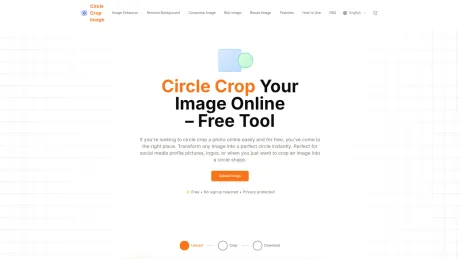
Free Online Circle Image Cropper.
- Category
- Image Editing
- Alternatives
- 6 similar tools
- Last updated
- 4 months ago
- Source
- Official site ↗︎
AI Collection Top Picks

Image Editing Category Picks



About Circle Crop Image
Free online tool to crop images into perfect circles. Privacy-focused with local processing - your images never leave your browser.
What you get
Additional Information
Circle Crop Image is a web-based tool designed for quickly transforming rectangular images into perfectly circular shapes. It is ideal for creating profile pictures, enhancing social media visuals, and assisting in design projects without the requirement of a user account. Users can upload images directly from their devices, center them within a circular frame, and download the cropped result, all while maintaining the original quality.
This tool supports common image formats such as JPG, PNG, WEBP, and GIF, ensuring a broad usability across different image types. Importantly, images are processed locally in the user's browser, providing enhanced privacy and security; the service does not store any images on its servers. Once a session ends, all uploaded data is cleared, allowing for complete confidentiality.
With a simple interface, the Circle Crop Image tool is accessible on various devices, including desktops, tablets, and smartphones, requiring no additional application downloads. This versatility makes it a convenient option for users who require a quick and efficient way to create circular images on the go.
In addition to the cropping tool, Circle Crop Image offers various tips to assist users in achieving optimal results, such as using high-resolution images and ensuring that key subjects are centered within the crop area. The output images feature transparent backgrounds, making them suitable for use in web content and graphic design applications where only the circular portion is needed.
Frequently asked questions
What is Circle Crop Image used for?
Circle Crop Image - Free Online Circle Image Cropper.Is Circle Crop Image free?
Pricing for Circle Crop Image varies — see the Pricing section for details.What are alternatives to Circle Crop Image?
Top alternatives to Circle Crop Image include ProductScope AI, PicTools.AI, AI Photos Editor, AVCLabs PhotoPro AI, Fotor.Where can I get Circle Crop Image?
Circle Crop Image is available at https://circlecropimage.net/.What category is Circle Crop Image in?
Circle Crop Image is listed in Image Editing.How do I crop an image into a circle shape?
Simply upload your image to our tool, adjust it within the circular frame to position the subject properly, and click 'Crop and Download' to get your perfectly round image. Our tool makes it easy to crop any image in a circle format instantly without needing any design skills.How do I make a circular profile picture?
Upload your photo to our circle crop tool, position your face in the center of the circular frame, then download your new round profile picture. It's perfect for social media profiles that use circle-shaped images like Facebook, LinkedIn, or Instagram.Can I crop photos into round shapes on my phone?
Yes! Our circle image cropper works on all devices including smartphones and tablets. The mobile-friendly interface lets you easily create round image crops anywhere. Just visit our website from your mobile browser - no app download required.Do you store the images I upload?
No, we never store your images on our servers. The entire cropping process happens directly in your browser, which means your photos remain private. Once you leave the page, all image data is automatically removed.What image formats can I use with the circle crop tool?
Our tool works with all standard image formats including JPG, PNG, WEBP, and GIF. You can upload any of these formats and your circular cropped image will be downloaded as a PNG file with transparency around the circle.Will my circular cropped image have a transparent background?
Yes, when you download your cropped image, it will have a transparent background around the circle. This makes it perfect for placing on websites, documents, or designs where you want only the circular portion to be visible.
Compare Circle Crop Image with…
Pick any tool to see a structured side-by-side: pricing, deployment, capabilities, and content policy.