- Category
- Video Editing
- Alternatives
- 6 similar tools
- Last updated
- 1 weeks ago
- Source
- Official site ↗︎
AI Collection Top Picks

Video Editing Category Picks

About EchoWave
Edit video free in your browser. Auto subtitles in 86 languages, 63 AI voices, audio visualizers, templates and 4K export. No install, no sign up.
What you get
Additional Information
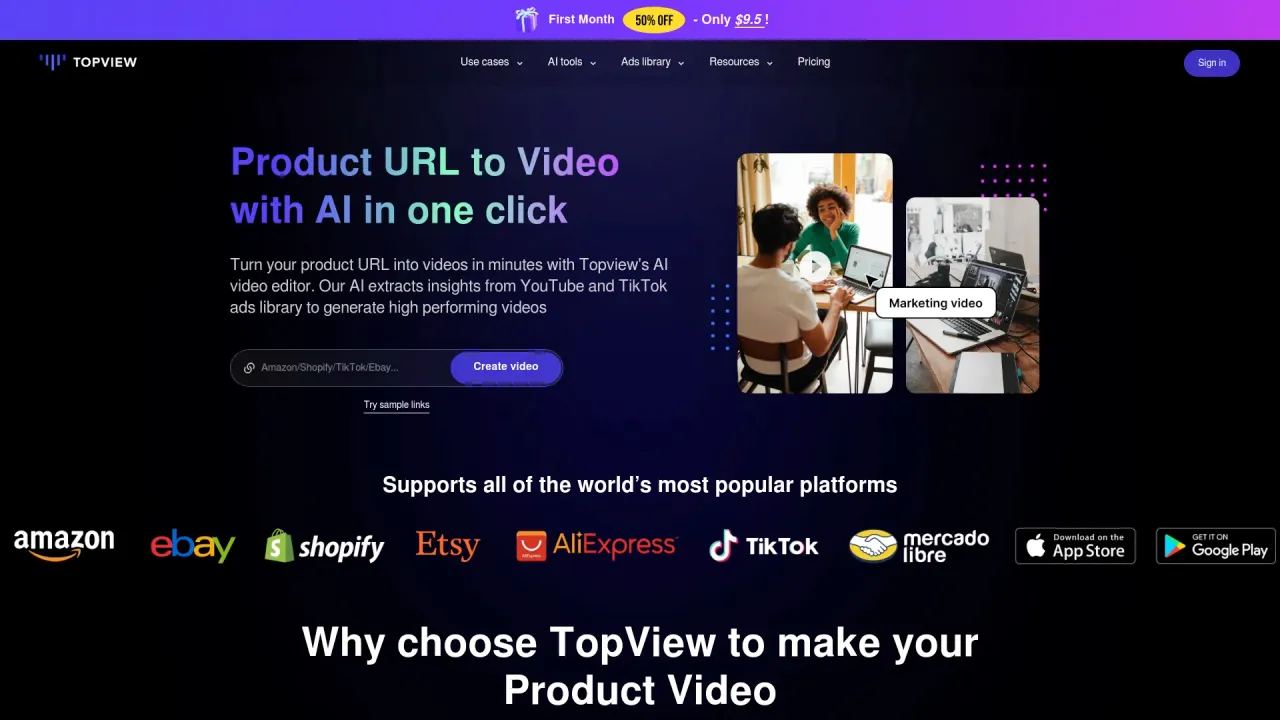
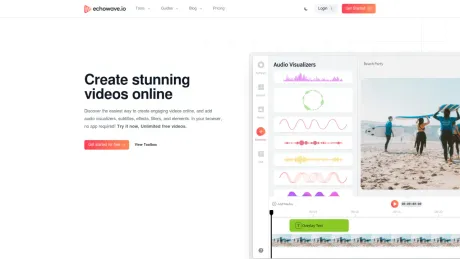
EchoWave is an online video and audio editor that allows users to create and edit multimedia content directly in their web browsers without the need for downloads or sign-ups. The platform provides a comprehensive toolbox that includes features like AI auto subtitles, video cropping, merging, adding effects, and much more to cater to various editing needs.
Designed for creators including podcasters, musicians, and social media influencers, EchoWave stands out by enabling users to convert their audio files into engaging videos easily. It offers functionalities such as adding custom audio waveforms, visual effects, and the capability to efficiently share content across platforms like Facebook, Instagram, and YouTube.
The editing process is streamlined into three simple steps: uploading assets, selecting templates, and submitting for processing, making it accessible for users of all skill levels. With a focus on social media engagement, EchoWave addresses the common challenge of sharing audio content effectively across popular networks.
Moreover, EchoWave is built with a responsive design that ensures usability on both desktop and mobile devices, providing flexibility in editing on-the-go. Whether you are a casual creator or a professional, EchoWave furnishes all the essential tools and features needed to produce quality content.
Frequently asked questions
What is EchoWave used for?
EchoWave: Free Online Video & Audio Editor.Is EchoWave free?
Pricing for EchoWave varies — see the Pricing section for details.What are alternatives to EchoWave?
Top alternatives to EchoWave include Klap App, AI video editor, Atlabs AI, Topview AI URL to Video, Colossyan.Where can I get EchoWave?
EchoWave is available at https://echowave.io/.What category is EchoWave in?
EchoWave is listed in Video Editing.Can I cancel my subscription?
Absolutely! You can cancel your subscription at any time through your account dashboard. There are no cancellation fees or hidden charges.Do you offer refunds?
While we don't typically offer refunds, you can always start with our free plan to evaluate the service.Is my payment information secure?
Your security is our priority. We never directly handle your credit card details—we use Stripe (PCI Service Provider Level 1) for all payment processing, ensuring enterprise-grade security for transactions of any size.What payment methods do you accept?
We accept all major credit cards, including Visa, Mastercard, American Express, and Discover. For Business plans, we can also arrange alternative payment methods including invoicing and bank transfers.Do you offer educational discounts?
Yes! We're proud to support educators and students. Please reach out to our support team with your educational credentials, and we'll provide special pricing options tailored to your institution's needs.How long are generated videos kept?
We store videos for a minimum of 30 days on paid plans and 24 hours on our free plan.Are there export or usage limits?
Our AI features (including subtitles, captions, and rendering) follow a fair use policy to ensure quality service for everyone. While most users never approach these limits, unusually high usage may require an upgrade to a higher tier plan.What file formats are supported?
EchoWave supports all popular video formats, including MP4, MOV, AVI, and WebM. For audio extraction, we support MP3, WAV, AAC, and other common formats. You can export your finished videos in high-quality MP4 format.Can I use EchoWave on mobile devices?
Yes! EchoWave is fully responsive and works on modern smartphones and tablets.How do you charge for multiple users?
Our plans use a per-seat pricing model—the plan cost is multiplied by the number of editors in your workspace.Do you offer trials for paid plans?
We offer a free trial for Business customers with a minimum of 3 users. For individual users, our generous free tier provides an excellent way to experience EchoWave before upgrading to a paid plan.Do you offer white-labeling options?
Yes, please contact us for white-labeling options that allow you to remove EchoWave branding and add your own logo and colors.Is EchoWave really free?
Yes. The free plan gives you the full editor and unlimited videos, exported at up to 720p with a small EchoWave badge. Most of the free tools and converters export completely clean files. Paid plans unlock 1080p up to 8K, higher frame rates, exports without the badge and premium quality settings.Do I need to install anything or create an account?
No. EchoWave runs in your browser, so you can open the editor and start cutting straight away. There is nothing to download and you can begin without an account. If you prefer a native app, EchoWave for Mac and Windows is on the download page.How do automatic subtitles work?
Upload your video and EchoWave transcribes the speech for you. You edit the words like a document, pick one of 176 caption styles with karaoke word highlighting, and translate the result into any of 86 languages. Export captions baked into the video or as SRT and VTT files.Can I export in 4K?
Yes. Paid plans export at 1080p, 1440p, 4K and even 8K, at frame rates from 23.976 up to 120 fps, with ready made presets for YouTube, TikTok and Reels. Free exports are 480p or 720p at 30 fps.Will my video have a watermark?
Free tools and converters export clean files with no watermark. Videos rendered from the free editor plan carry a small EchoWave badge, and any paid plan removes it.Does EchoWave work on my device?
EchoWave works in any modern browser, including Chrome, Safari, Firefox and Edge, on Mac, Windows, Linux and Chromebooks. The editor works on phones and tablets too, and native desktop apps are available for Mac and Windows.Where do my videos render?
On EchoWave cloud render servers, not on your machine. Submit an export, keep working or close the tab, and your file is ready to download when the render finishes. Your fans hear the video, not your laptop fan.Can I automate video creation?
Yes. Save any project as a template with text, image, video and audio placeholders, batch render hundreds of variations from a CSV, or generate videos programmatically with the REST API and MCP server. The API docs cover everything you need to get started.
Compare EchoWave with…
Pick any tool to see a structured side-by-side: pricing, deployment, capabilities, and content policy.