- Category
- Data Analysis
- Pricing
- Paid
- Alternatives
- 6 similar tools
- Last updated
- 1 weeks ago
- Source
- Official site ↗︎
AI Collection Top Picks

Data Analysis Category Picks



About Genius Sheets
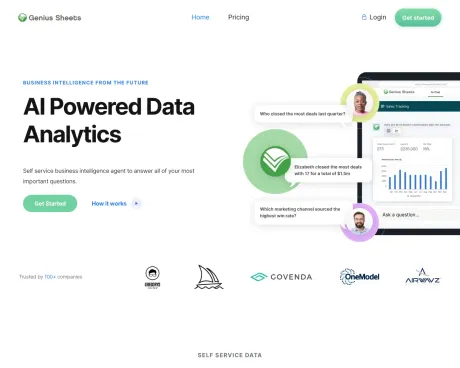
Genius Sheets pulls live QuickBooks Online and Xero financials into Excel and Google Sheets. Consolidate every entity in one workbook, refreshed daily, with drill-down to the transaction.
Genius Sheets's Pricing Plans
Genius Sheets may change prices at any time. Here's our latest information:
Pricing
Default
$15.00
per month
Frequently asked questions
What is Genius Sheets used for?
Custom Excel Reporting for Multi-Entity Finance Teams.Is Genius Sheets free?
Genius Sheets is a paid product. See the Pricing section for current plans.What are alternatives to Genius Sheets?
Top alternatives to Genius Sheets include LLM-Powered Invoice & Receipt Extractor (OSS), AutoPredict, NewsDeck from OneSub, Decile, DetangleAI.Where can I get Genius Sheets?
Genius Sheets is available at http://www.geniussheets.com.What category is Genius Sheets in?
Genius Sheets is listed in Data Analysis.Is there a free trial available for Genius Sheets?
Certainly! You can register for a 2-week free trial without the need for a credit card. Afterward, it will automatically switch to our free tier.Do you provide team plans?
Yes, we offer customized enterprise plans tailored to larger teams and organizations. For further details, please contact us at info@geniussheets.com.What is your cancellation policy?
You have the flexibility to cancel a monthly subscription at any time. Just send an email to support@geniussheets.com or utilize the cancellation option on our website.How do I begin using Genius Sheets?
To get started, link your account to QuickBooks on the Dashboard page of our website. Following that, download either the Google Sheets or Excel Add-in.Where can I find more information?
For more comprehensive instructions on how to initiate and make the most of our tool, please refer to our onboarding guide, available here.How can I use the AI chat feature?
To use our AI chat, first create a Genius Sheets account and log in. You can access our Sandbox account, which contains demo data from a fictional company, allowing you to experiment and explore the feature.Does Genius Sheets offer a free trial?
Yes. You can sign up with no credit card down for a two-week free trial. To upgrade, contact us at info@geniussheets.us.Do you offer team plans?
Yes, for larger teams and organizations we offer customized enterprise plans. Contact info@geniussheets.us to learn more.How do I get started?
Connect your account to QuickBooks or Xero on the dashboard page of the website, then download either the Google Sheets or Excel add-in.How many entities can I connect?
As many as you manage. Enterprise plans connect every QuickBooks Online and Xero file under one login, and you can mix the two freely.Do you support Xero?
Yes. Connect Xero organizations the same way you would a QBO file, on every plan.Why does Google Sheets keep asking me to authorize?
Almost always because more than one Google account is signed into the same browser. The permission pop-up gets approved under a different account than the one your spreadsheet is open in, so the approval never takes and the prompt returns. Open the workbook in an Incognito window signed in with only your Genius Sheets account to confirm, then give that account its own Chrome profile.Why are my formulas returning blank or zero?
A blank or zero means the formula ran but found no account matching that name. The usual causes are a company with account numbers enabled in QuickBooks (accounts come through as 4100 Food Sales, not Food Sales), or a workbook built for a different entity with a different chart of accounts. Use List Categories to copy the exact names for the company you have selected.
Compare Genius Sheets with…
Pick any tool to see a structured side-by-side: pricing, deployment, capabilities, and content policy.