
ImageToVideo AI
Convert Image to MP4, AI Video Maker.
- Category
- Video Editing
- Alternatives
- 6 similar tools
- Last updated
- 2 weeks ago
- Source
- Official site ↗︎
AI Collection Top Picks

Video Editing Category Picks



About ImageToVideo AI
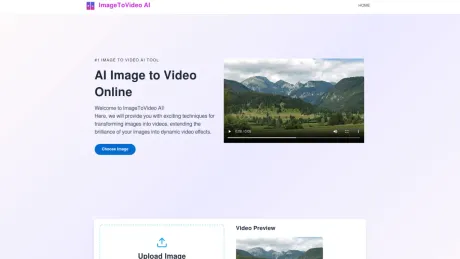
Convert image to video using AI. ImageToVideo AI offers a free online service that allows you to easily upload image and generate the video you desire, anytime.
ImageToVideo AI's Pricing Plans
ImageToVideo AI may change prices at any time. Here's our latest information:
Pricing
Pricing
- Image to Video AI offers free credits for users to test the service, while additional credits and advanced features are available through paid plans for larger projects.
What you get
Additional Information
ImageToVideo AI allows users to transform static images into dynamic MP4 videos efficiently. This browser-based tool focuses on simplicity and speed for creators needing rapid video content without in-depth editing software. It is especially useful for marketers and content creators who want to produce engaging visual material for social media or promotional use.
The platform supports various image formats, including JPG, PNG, and WEBP, ensuring broad usability for different types of images. Users can apply multiple templates designed for popular social media platforms such as TikTok and Instagram, enabling quick conversion into platform-optimized videos.
Key features include an AI Video Extender that allows users to lengthen video clips while maintaining consistency, along with several AI models tailored to different quality, speed, and style needs. ImageToVideo AI emphasizes high-definition exports without watermarks for professional presentations.
With a user-friendly interface, innovative animation options, and a generous offering of free credits, ImageToVideo AI caters to a wide range of users wishing to enhance their creative output with minimal effort.
Frequently asked questions
What is ImageToVideo AI used for?
Image to video AI: Convert Image to MP4, AI Video Maker.Is ImageToVideo AI free?
Pricing for ImageToVideo AI varies — see the Pricing section for details.What are alternatives to ImageToVideo AI?
Top alternatives to ImageToVideo AI include Klap App, AI video editor, Atlabs AI, Topview AI URL to Video, Colossyan.Where can I get ImageToVideo AI?
ImageToVideo AI is available at https://imagetovideoai.io/.What category is ImageToVideo AI in?
ImageToVideo AI is listed in Video Editing.What is ImageToVideo AI?
ImageToVideo AI turns static images into MP4 videos with smooth motion, optional effects, and prompt-based control. It is designed for creators who want fast, browser-based image to video generation without editing software.Can I turn a photo into a video with AI?
Yes. Upload a photo, choose a style or prompt, and the AI creates a short video by adding motion, depth, and visual effects.What image formats are supported?
You can upload JPG, PNG, and WEBP images.How long does it take to generate a video?
Most videos are generated within minutes, and in many cases much faster depending on resolution, duration, and effect complexity.Can I download videos without watermarks?
Yes. Your current product pages state that downloads are watermark-free and available in HD.Which AI model should I choose?
We offer multiple AI models optimized for different needs. Basic 1.0 is suitable for quick generation, Fast 2.4 balances speed and quality, while Pro 2.6 delivers the most advanced motion, realism, and cinematic results.Is ImageToVideo AI free to use?
Yes. New users receive free credits to experience the platform and test video generation capabilities. Additional credits and advanced features are available through paid plans for larger creative projects.What can I use ImageToVideo AI for?
It works well for social media content, marketing clips, creative storytelling, product visuals, portrait animations, and short promotional videos.Does ImageToVideo AI support more languages?
ImageToVideo AI is now compatible with English, Japanese, French, Spanish, Italian, Hindi, Dutch and German.What is the best way to make a video from an image?
Upload a clear image, add a short motion prompt, pick a model or template, and adjust settings such as duration and resolution before generating.Can I customize the animation style?
Yes. Your site already supports templates, motion effects, and prompt-based customization. You can choose preset styles or write custom prompts for different results.Can I use the generated videos commercially?
If you want to state this on the site, make sure the answer matches your actual terms.
Compare ImageToVideo AI with…
Pick any tool to see a structured side-by-side: pricing, deployment, capabilities, and content policy.








