
- Category
- Video Editing
- Alternatives
- 6 similar tools
- Last updated
- 2 months ago
- Source
- Official site ↗︎
AI Collection Top Picks

Video Editing Category Picks



About Kling 3.0
AI video and image platform with character consistency, 4K output, and cinematic video generation.
What you get
Additional Information
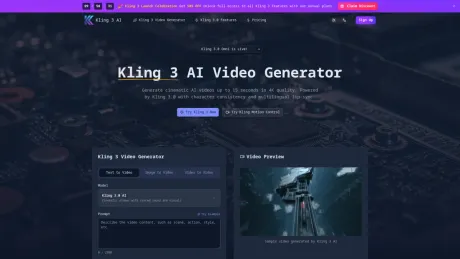
Kling 3 AI is an innovative AI video generation platform that allows users to create cinematic-quality videos and images from text prompts, reference images, and creative direction. The platform features the Kling 3.0 model, which maintains character consistency and supports multilingual lip-sync, enabling users to generate high-quality content effortlessly. It caters to a variety of users, including solo creators, marketing teams, agencies, e-commerce brands, and filmmakers who seek to streamline their production workflows.
The platform allows for video production of up to 15 seconds in length, with cinematic camera controls that help script shots, such as zooming in or panning. Kling 3 also integrates natively generated audio that syncs with the video output, providing a complete audiovisual experience. This comprehensive creative suite is designed to meet the demands of modern content creators, ensuring faster, smarter, and more reliable workflows.
Kling 3 AI emphasizes rapid iteration and allows users to generate high-quality outputs efficiently. The platform is browser-based and supports use on various devices, making it accessible for a wide range of creative professionals and teams. With support for various aspect ratios and video formats, Kling 3 is well-suited for marketing, branding, and creative storytelling across multiple channels.
Frequently asked questions
What is Kling 3.0 used for?
Kling 3 | #1 AI Video Generator.Is Kling 3.0 free?
Pricing for Kling 3.0 varies — see the Pricing section for details.What are alternatives to Kling 3.0?
Top alternatives to Kling 3.0 include Klap App, AI video editor, Atlabs AI, Topview AI URL to Video, Colossyan.Where can I get Kling 3.0?
Kling 3.0 is available at https://kling3.app.What category is Kling 3.0 in?
Kling 3.0 is listed in Video Editing.Kling 3.0 Core Feature
* **15s 4K Video**: Cinematic AI video generation with realistic physics. * **Character Consistency**: Maintain identical subjects across clips via Omni model. * **Multilingual Lip-Sync**: High-fidelity sync in 5 major languages.Kling 3.0 Usage
1. Enter your prompt describing the scene and camera movements. 2. Select the Kling 3.0 model and configure resolution and duration. 3. Generate and download your high-resolution AI video.Kling 3.0 Contact
* **Support**: support@kling3.appWhat is Kling 3 AI and who is it for?
Kling 3 AI is an AI video generator for turning text prompts, reference images, and creative direction into polished cinematic videos. Kling 3 fits solo creators, marketing teams, agencies, e-commerce brands, and filmmakers who need faster production without a full studio workflow.Can I try Kling 3 AI before paying?
Yes. Kling 3 AI is positioned with a low-friction trial experience so new users can test prompt quality, motion style, visual consistency, and export speed before committing to a larger workflow.How is Kling 3 AI different from other AI video generators?
Kling 3 AI is framed around practical output with cleaner prompt response, stable motion, cinematic framing, and a simpler path from concept to export. It combines text-to-video, image-to-video, and creator-ready controls in one workflow.Does Kling 3 AI support image-to-video generation?
Yes. Kling 3 supports prompt-led animation from still images, concept art, product photos, and character references. That makes Kling 3 useful for ads, explainers, product demos, storyboards, and social content that need motion without reshooting footage.What formats does Kling 3 work best for?
Kling 3 AI works well for the formats creators actually publish, including 16:9 for YouTube and landing pages, 9:16 for Reels and TikTok, and square crops for paid social and product ads.Can businesses use Kling 3 AI output commercially?
Yes. Kling 3 AI is described for commercial use cases such as campaign videos, product launches, paid social, e-commerce creatives, and branded content, making it relevant for business and client-facing workflows.Is Kling 3 AI built for fast iteration?
Yes. Kling 3 AI is positioned as a rapid iteration workflow where users can test a prompt, refine style cues, adjust framing, and generate another pass quickly without slowing down production.Can teams use Kling 3 AI on desktop and mobile browsers?
Yes. Kling 3 AI is browser-based and works across desktop, tablet, and mobile devices, which matches how teams review prompts, previews, and exports across different screens.What kind of teams benefit most from Kling 3?
Kling 3 is especially relevant for growth teams, paid social managers, founders, educators, creative agencies, and content teams that need cinematic AI video without a long production cycle.Does Kling 3 AI work for landing pages and product demos?
Yes. Kling 3 AI is well suited for hero loops, product explainers, feature teasers, ad creatives, and demo videos, which helps align the homepage with commercial search intent instead of broad research-only traffic.Why does the homepage mention Kling 3, Kling 3 AI, and kling3?
People search the brand in multiple ways, so the homepage uses Kling 3 as the primary form while naturally supporting Kling 3 AI and kling3 in descriptive copy. This improves discoverability without relying on obvious keyword stuffing.What does Kling 3 AI promise in creative control?
The Kling 3 AI positioning emphasizes camera direction, prompt clarity, scene mood, and brand consistency. In practice, Kling 3 is presented as a controllable AI video workflow for repeatable creative output, not as a black-box generator.
Compare Kling 3.0 with…
Pick any tool to see a structured side-by-side: pricing, deployment, capabilities, and content policy.








