
Lightroom Preset Generator
Legendary Presets.
- Category
- Image Editing
- Alternatives
- 6 similar tools
- Last updated
- 4 days ago
- Source
- Official site ↗︎
AI Collection Top Picks

Image Editing Category Picks



About Lightroom Preset Generator
Lightroom Preset Generator | Legendary Presets
What you get
Additional Information
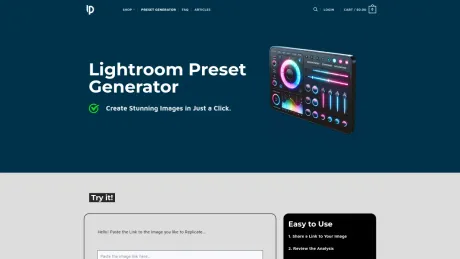
The Lightroom Preset Generator is designed to simplify photo editing by analyzing images for key factors like lighting and color balance. Users can share a link to their image, receive analysis and preset suggestions, and apply these tailored adjustments directly in Adobe Lightroom. This process allows for easier enhancement of a photo's mood, ensuring a polished aesthetic with minimal effort.
The tool is accessible for users of all skill levels—beginners can benefit from the guided suggestions, while experienced photographers can use the analysis as a foundation for refining their unique style. Users can generate up to five presets per day to ensure fairness in experience across the community.
The adjustments suggested by the generator include essential corrections such as white balance, exposure, contrast, and color grading, alongside optional enhancements. Furthermore, users can save the suggested settings as a new Lightroom preset, facilitating the application of a consistent style in future projects.
Even under challenging lighting conditions, the generator provides corrective guidance, making it a valuable resource for anyone looking to enhance their photographic work. This comprehensive tool is a quick and effective way to achieve professional-grade results in photo editing.
Frequently asked questions
What is Lightroom Preset Generator used for?
Lightroom Preset Generator | Legendary Presets.Is Lightroom Preset Generator free?
Pricing for Lightroom Preset Generator varies — see the Pricing section for details.What are alternatives to Lightroom Preset Generator?
Top alternatives to Lightroom Preset Generator include ProductScope AI, PicTools.AI, AI Photos Editor, AVCLabs PhotoPro AI, Fotor.Where can I get Lightroom Preset Generator?
Lightroom Preset Generator is available at https://legendarypresets.com/lightroom-preset-generator/.What category is Lightroom Preset Generator in?
Lightroom Preset Generator is listed in Image Editing.How can the Lightroom Preset Generator help improve my photos?
The Preset Generator analyzes your image for lighting, color balance, contrast, and other factors, then suggests tailored Lightroom adjustments. This helps you quickly enhance your photo’s mood, bring out details, and create a consistent, polished look.Is there a limit to how many presets I can generate daily?
Yes. To ensure a smooth experience for everyone, the tool currently allows up to 5 preset generations per day. If you reach the daily limit, you can return the next day for more suggestions.Do I need advanced photography skills to use the Preset Generator?
Not at all. The system is designed for all skill levels—beginners benefit from guided adjustments, while experienced photographers can use the suggestions as a starting point to refine their signature style.Will the Preset Generator match the mood I’m going for?
Yes. The tool carefully reviews your image’s lighting, colors, and tonal balance to recommend settings that align with its existing mood. You can always fine-tune the results to achieve your exact creative vision.What kind of adjustments does it suggest?
The Preset Generator provides values for White Balance (Temperature, Tint), Tone Adjustments (Exposure, Contrast, Highlights, Shadows, Whites, Blacks), Color Grading (Hue, Saturation, Luminance), and Effects (Clarity, Texture, Dehaze, Grain), as well as optional enhancements like Vignette or Calibration tweaks.Can I save the suggested settings as a Lightroom preset?
Absolutely. After applying the recommended adjustments in Lightroom, you can save them as a new preset. This allows you to quickly apply the same style to future images, maintaining a cohesive aesthetic across your portfolio.If the lighting in my image is poor, can the Preset Generator still help?
Yes. Even if your image has challenging lighting conditions, the Preset Generator will suggest exposure corrections, balanced white points, and subtle color tweaks to improve the overall look, giving you a solid foundation for further manual refinement.
Compare Lightroom Preset Generator with…
Pick any tool to see a structured side-by-side: pricing, deployment, capabilities, and content policy.








