LockedIn AI
AI Interview Assistant & Meeting Copilot.
- Category
- Meeting Assistant
- Alternatives
- 6 similar tools
- Last updated
- 4 days ago
- Source
- Official site ↗︎
AI Collection Top Picks

Meeting Assistant Category Picks
About LockedIn AI
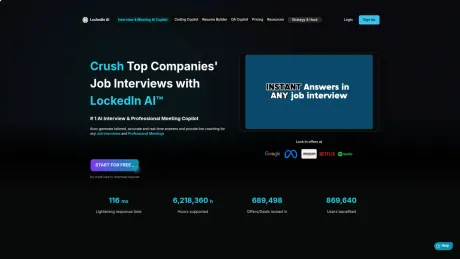
The #1 AI interview assistant trusted by 1M+ professionals. Get real-time answers, live interview AI coaching, and code help during your interview. Free to start.
LockedIn AI's Pricing Plans
LockedIn AI may change prices at any time. Here's our latest information:
Pricing
Pricing
- LockedIn AI offers a free plan with essential features for all users, while premium plans are available for advanced capabilities.
What you get
Additional Information
LockedIn AI is designed to assist job seekers during interviews by providing real-time feedback and guidance. The AI tool listens to the interview, analyzes questions, and delivers tailored answers and support as the session unfolds. Its key features include AI-driven assistance, coding support, and remote helper functionalities through LockedIn Duo, where trusted friends can offer guidance secretly.
This tool adapts to various interview scenarios, from technical questions to soft skills assessments, ensuring users are prepared for any situation. With its intuitive setup, users can quickly create a profile and start receiving coaching without complicated installations, making it accessible for interviews across different platforms, including Zoom and Google Meet.
In addition to interview support, LockedIn AI includes features for mock interviews, a resume builder, and a career planning suite. Users can benefit from comprehensive performance reports after each session, allowing them to track their improvements. The platform supports more than 50 languages and offers integration with popular coding environments like VSCode.
LockedIn AI is free to start, with premium plans available for those seeking advanced features. It is suitable for job seekers across industries such as software engineering, finance, marketing, and more, making it a versatile tool for anyone looking to enhance their interview performance.
Frequently asked questions
What is LockedIn AI used for?
LockedIn AI - AI Interview Assistant & Meeting Copilot.Is LockedIn AI free?
Pricing for LockedIn AI varies — see the Pricing section for details.What are alternatives to LockedIn AI?
Where can I get LockedIn AI?
LockedIn AI is available at https://www.lockedinai.com/.What category is LockedIn AI in?
LockedIn AI is listed in Meeting Assistant.What is an AI interview assistant?
An AI interview assistant is a tool that listens to your interview in real time, understands each question, and gives you tailored answers, code solutions, and coaching live — so you respond with confidence. LockedIn AI runs quietly in the background and is visible only to you.What is LockedIn AI's dual-layer AI?
Dual-layer AI means LockedIn AI helps you in two ways at once during a live interview. The AI Copilot answers the interviewer: it hears each question and shows you a clear answer in real time. The AI Coach corrects you: it listens to your own answer and flags what to fix, such as a vague claim, a missing number, filler words or your pace, while you're still talking.Does the AI interview assistant work for phone interviews?
Yes. The AI interview assistant captures audio during phone and audio-only interviews, transcribes the conversation in real time, and delivers answers you can reference on your screen — useful when there's no video and you're relying entirely on what you hear.Can I practice with the AI interview assistant before a real interview?
Yes. You can run full mock interviews on any device — desktop, tablet, or phone — with no download needed. After each session, the AI interview assistant generates a performance report with competency scores so you can improve before the real thing.Web App System Requirement
Windows: Can share both entire screen(check share system audio) and chrome tabs. MacOS: Can only share the chrome tabs but you can launch your video conference in the chrome tabs instead of desktop app.Desktop App System Requirement
Windows: Win 10 and above. MacOS: MacOS 13.1 and above.Supported Browser
Chrome, Edge, Chromium, Opera, BraveWhat are the supported industries?
Our services cover a wide range of industries, including Software Engineering, Finance, Consulting, Marketing, Customer Success, Sales, Product Management, IT, Cyber Security, Data Analytics and more! For more info or questions about specific domains, browse our documentation at https://docs.lockedinai.com/docs or email support@lockedinai.com.Is LockedIn AI safe to use?
Yes. Your personal data is encrypted, and we never put users’ real names anywhere. No bot joins your call: LockedIn AI runs as its own app on your computer, so only you see it.What are some other use cases?
While LockedIn AI is best known as an AI interview assistant, it works for much more, including work meetings, presentations, online teaching, training sessions, real-time translation, and more. Compatible with Zoom, Skype, Google Meet, and Microsoft Teams.How does the credit work?
Credits are used for each minute of the session and never expire. You can continue to use the AI coach and Professional Meeting Copilot services until you run out of credits.Can a friend help me during my live interview?
Yes — LockedIn Duo lets a trusted friend join your private session as a remote helper. They see your screen and hear the interview audio in real time, and can send you text suggestions, code snippets, and voice-to-text guidance. The helper stays completely outside the call and is never visible to the interviewer. You always control whether they have access and can disconnect them at any moment.How does Hands-on assist work in LockedIn Duo?
When you want extra support beyond text and voice guidance, you can grant your helper temporary access to navigate your screen — for example, to type out a code snippet or pull up a reference. Access is granted with a single tap by you, and you can revoke it instantly at any time. Nothing happens without your explicit permission, and every action stays inside your private LockedIn Duo session.Is LockedIn Duo visible to the interviewer?
No. Your helper joins your private LockedIn Duo session, not the interview's video call. The interviewer sees only you and your normal screen share: no LockedIn AI overlay, no helper, and nothing else on their end.What is Career Launchpad?
Career Launchpad is a comprehensive suite of AI-powered career tools designed to help job seekers create professional resumes, optimize LinkedIn profiles, generate cover letters, track applications, and plan their career path. It's your all-in-one solution for job search success.Do I need to sign up to use Career Launchpad tools?
Yes, you need to create a free account to access the Career Launchpad dashboard and track your tool usage. However, many tools offer limited free usage, and you can upgrade to access premium features and unlimited usage.How does the Career Launchpad dashboard work?
The dashboard provides a centralized view of all your career tools, tracks your usage analytics, shows your progress across different tools, and provides personalized recommendations for your job search journey.Is the Resume Builder ATS-friendly?
Yes, our Resume Builder creates ATS-optimized resumes that pass through Applicant Tracking Systems. The templates are designed with clean formatting, proper keyword optimization, and standard sections that ATS systems can easily parse.Can I customize the resume templates?
Absolutely! Our Resume Builder offers multiple professional templates with customizable sections, fonts, colors, and layouts. You can tailor your resume to match your industry and personal style while maintaining ATS compatibility.What does the Resume Checker analyze?
The Resume Checker analyzes your resume for ATS compatibility, keyword optimization, formatting issues, content gaps, grammar errors, and provides a detailed score with specific recommendations for improvement.How accurate is the Resume Checker scoring?
Our Resume Checker uses advanced AI algorithms trained on thousands of successful resumes and recruiter feedback. The scoring system evaluates multiple factors and provides actionable insights with 90%+ accuracy based on industry standards.How does LinkedIn Profile Optimization work?
Our tool analyzes your current LinkedIn profile and provides AI-powered suggestions for your headline, summary, experience descriptions, and skills to increase visibility, engagement, and recruiter interest.Will optimizing my LinkedIn profile help me get more job opportunities?
Yes! An optimized LinkedIn profile can increase your profile views by up to 40% and significantly improve your chances of being found by recruiters. Our optimization focuses on keyword usage, compelling storytelling, and professional presentation.What photo quality do I need for headshot generation?
For best results, upload a clear, well-lit photo showing your face and shoulders. The AI works best with photos taken in good lighting, facing forward, with minimal background distractions and professional attire.How realistic are the AI-generated professional headshots?
Our AI creates highly realistic professional headshots that maintain your facial features while enhancing lighting, background, and overall presentation. The results look natural and are suitable for LinkedIn, resumes, and professional profiles.How personalized are the generated cover letters?
Our AI generates highly personalized cover letters by analyzing the job description, company information, and your background. Each letter is tailored to match the specific role and company culture, ensuring relevance and authenticity.Can I edit the generated cover letters?
Yes, all generated cover letters are fully editable. You can modify any section, add personal touches, adjust the tone, and customize the content to perfectly match your voice and the specific opportunity.What makes a cover letter optimized?
An optimized cover letter has a compelling opening, relevant keywords from the job description, quantified achievements, clear value proposition, proper structure, and a strong call-to-action that motivates hiring managers to read your resume.When should I send follow-up emails after an interview?
Send a thank-you email within 24 hours after the interview, a status check email after 1-2 weeks if you haven't heard back, and a final follow-up after 3-4 weeks. Our generator creates appropriate emails for each scenario.Are the follow-up emails professional and appropriate?
Yes, our AI generates professional, polite, and appropriately toned follow-up emails. The templates are based on best practices and are designed to maintain positive relationships while expressing continued interest.Are AI-generated experience letters legally valid?
The experience letters we generate serve as templates and drafts. For official use, they must be reviewed, approved, and signed by authorized personnel from your previous employers. We recommend using them as starting points for formal requests.What information do I need to provide for an experience letter?
You'll need to provide your employment details, job title, tenure, key responsibilities, achievements, reporting manager information, and company details. The more accurate information you provide, the better the generated letter.What can I track with the Job Tracker?
You can track job applications, interview stages, company information, application dates, follow-up reminders, salary ranges, job requirements, application status, and notes about each opportunity in one organized dashboard.Does the Job Tracker provide analytics on my job search?
Yes! The Job Tracker provides insights on your application success rate, interview conversion rates, average response times, most successful job boards, and trends in your job search to help you optimize your strategy.How are the top job platforms selected and ranked?
Our recommendations are based on platform effectiveness, user success rates, industry coverage, job quality, application-to-interview ratios, and specific criteria relevant to your skills, experience level, and target industry.Do the platform recommendations update based on market changes?
Yes, our job platform recommendations are regularly updated based on market trends, platform performance data, user feedback, and emerging opportunities to ensure you're always using the most effective channels for your job search.How does the Career Path Advisor provide personalized recommendations?
The advisor analyzes your current skills, experience, interests, career goals, and market trends to suggest viable career paths, required skills for progression, potential salary ranges, and actionable steps for career advancement.Can the Career Path Advisor help with career transitions?
Absolutely! It's designed to help professionals transition between industries, roles, or career levels by identifying transferable skills, skill gaps, education requirements, and strategic steps for successful career pivots.How does the Passion to Profession Planner work?
The planner helps you identify your passions, analyze market opportunities, create actionable transition plans, set realistic timelines, and develop the necessary skills to turn your interests into a sustainable career.Is it realistic to turn any passion into a profession?
While most passions can become professions, success depends on market demand, monetization potential, and your commitment to skill development. Our planner provides realistic assessments and alternative pathways to help you make informed decisions.What types of skills can I test with the Quiz Generator?
You can generate quizzes for technical skills (programming, data analysis, cybersecurity), soft skills (leadership, communication), industry-specific knowledge, and various professional competencies across different career levels.How do skill quizzes help in job preparation?
Skill quizzes help identify knowledge gaps, build confidence, prepare for technical interviews, demonstrate competency to employers, and provide structured learning paths for skill development in your target role.
Compare LockedIn AI with…
Pick any tool to see a structured side-by-side: pricing, deployment, capabilities, and content policy.