
Modor
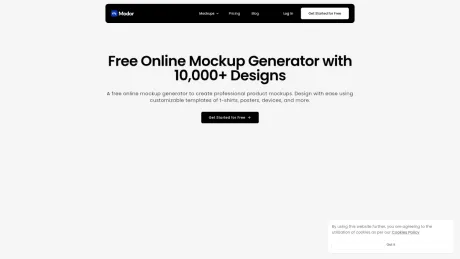
Free Online Mockup Generator - Generate AI Mockups with Modor.
- Category
- Image Editing
- Alternatives
- 6 similar tools
- Last updated
- 1 weeks ago
- Source
- Official site ↗︎
AI Collection Top Picks

Image Editing Category Picks



About Modor
Create professional product and print mockups for free with Modor. Customize t-shirt, posters, devices, instantly using our online AI mockup generator.
What you get
Additional Information
Modor is a free online mockup generator that allows users to create professional-looking product mockups with ease. It boasts a vast library of over 10,000 templates for various categories such as apparel, packaging, and digital devices. The platform is designed for anyone who wants to visualize their designs without needing advanced graphic design skills.
The generator features AI-powered tools that simplify the mockup creation process, including smart object placement and automatic scaling. Users can customize colors, backgrounds, and shadow effects to ensure their mockups are as realistic as possible. The drag-and-drop interface makes it effortless to upload designs, select templates, and download images in various formats.
Additionally, Modor's templates are optimized for different platforms like Instagram and Facebook, ensuring uniformity across social media channels. The high-resolution mockups can be exported without any watermarks, making them suitable for professional presentations and e-commerce listings. Modor is ideal for freelancers, small business owners, and anyone needing quality mockups quickly and free of charge.
Frequently asked questions
What is Modor used for?
Free Online Mockup Generator - Generate AI Mockups with Modor.Is Modor free?
Pricing for Modor varies — see the Pricing section for details.What are alternatives to Modor?
Top alternatives to Modor include ProductScope AI, PicTools.AI, AI Photos Editor, AVCLabs PhotoPro AI, Fotor.Where can I get Modor?
Modor is available at https://modor.io/.What category is Modor in?
Modor is listed in Image Editing.What is a mockup generator?
A mockup generator is an online tool that allows users to showcase their designs in realistic templates, such as product packaging, apparel, or digital devices, without requiring advanced editing skills.Is Modor a free mockup generator?
Yes, Modor offers a free mockup generator with a wide selection of templates. Some premium templates may require a subscription for full access.Does Modor support AI-powered mockup generation?
Yes, Modor integrates AI-assisted features for smart object placement, auto-scaling, and lighting adjustments to streamline the mockup creation process.How do I create a mockup for free using Modor?
Upload your design, select a mockup template, adjust positioning and lighting, then download the final image—no watermark on free exports.What types of mockups can I generate with Modor?
Modor supports various mockups, including apparel (T-shirts, hoodies), tech devices (phones, ipads), packaging (boxes, labels), and stationery (business cards, posters).How does Modor compare to Photoshop for creating mockups?
Modor simplifies mockup creation with a user-friendly interface, eliminating the need for Photoshop expertise while delivering professional results.What is the best free mockup generator without watermarks?
Modor ranks among the best free mockup generators, offering high-quality templates with no watermarks on exported images.Can I customize colors and backgrounds in Modor’s mockups?
Yes, Modor allows full customization, including color adjustments, background changes, and shadow effects to enhance realism in your mockups.Can I use Modor mockups for commercial purposes?
Yes, mockups created with Modor can be used commercially, provided the original design rights belong to you.Does Modor add a watermark to free mockups?
No, mockups generated with Modor’s free plan do not include watermarks.
Compare Modor with…
Pick any tool to see a structured side-by-side: pricing, deployment, capabilities, and content policy.








