
Pixlio AI
AI Image Editor & All-in-one AI Image Creative Studio.
- Category
- Image Editing
- Alternatives
- 6 similar tools
- Last updated
- 1 weeks ago
- Source
- Official site ↗︎
AI Collection Top Picks

Image Editing Category Picks



About Pixlio AI
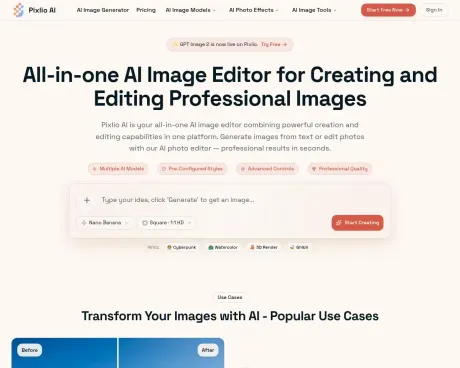
Pixlio AI image editor powered by models like GPT Image 2.5, Seedream 5.0 Pro, Seedream 5 Lite, Seedream 4.5, Nano Banana 2 & more. Edit, generate, and transform images with AI. Try it for free
What you get
Additional Information
Pixlio AI is a comprehensive platform that combines image creation and editing capabilities, making it ideal for creators, marketers, and businesses looking to enhance their visual content. With features like background removal, text manipulation, and intelligent editing algorithms, Pixlio enables users to transform images with pixel-perfect precision. Whether generating lifestyle images for e-commerce or creating engaging social media graphics, Pixlio AI accommodates diverse needs across different industries.
The platform supports original image creation through advanced AI models, allowing users to generate images based on text descriptions. Users can choose from various pre-configured styles, including popular aesthetics like Studio Ghibli and photorealism, ensuring that their images align with specific branding or thematic requirements. Pixlio also offers advanced customization options, allowing for control over aspects like aspect ratios, seed values for reproducibility, and more.
Quick processing times are a key feature, with most operations completing in under 20 seconds. This efficiency, coupled with high-resolution output capabilities suitable for both print and digital use, allows users to integrate created or edited images directly into marketing projects or professional portfolios. Additionally, Pixlio AI maintains a focus on user privacy and security, handling all content with care and allowing for commercial usage rights on all images created or edited using paid credits.
Flexible subscription plans cater to different usage levels, from occasional users to high-volume creators. Users can sign up for free credits to explore the platform, ensuring a risk-free introduction to its capabilities. As a browser-based tool, it offers immediate access without the need for software installation, further simplifying the user experience.
Frequently asked questions
What is Pixlio AI used for?
Pixlio AI | AI Image Editor & All-in-one AI Image Creative Studio.Is Pixlio AI free?
Pricing for Pixlio AI varies — see the Pricing section for details.What are alternatives to Pixlio AI?
Top alternatives to Pixlio AI include ProductScope AI, PicTools.AI, AI Photos Editor, AVCLabs PhotoPro AI, Fotor.Where can I get Pixlio AI?
Pixlio AI is available at https://pixlio.net.What category is Pixlio AI in?
Pixlio AI is listed in Image Editing.What is an AI image editor?
An AI image editor is a tool that uses artificial intelligence to both create new images from text descriptions and edit existing photos intelligently.Can I both create and edit images with Pixlio AI?
Yes! Pixlio AI photo editor is a comprehensive platform. Generate original images from text prompts using models like Nano Banana, Qwen Image Edit, and Seedream 4, then edit them or upload your own photos for AI-powered editing.What editing features does your AI image editor include?
Our image editor includes background removal and replacement, text addition and removal, object manipulation, scene changes, style transfers, quality enhancement, color adjustments, and more.Do I get free credits when I sign up?
Yes! Every new user receives complimentary credits to try both image creation and editing features.How is this different from Photoshop or Canva?
Unlike traditional image editors, Pixlio AI uses artificial intelligence to understand your intent and execute complex edits automatically.Can I use edited images commercially?
Yes, all images created or edited on Pixlio AI using paid credits come with commercial usage rights.What file formats does your AI photo editor support?
Upload images in JPG, PNG, and WebP formats. Export your edited or generated images in PNG, JPG at various quality and resolution settings.How fast is the editing process?
Most editing operations complete in 5-45 seconds depending on complexity. Image generation takes similar time.What AI models power your image editor?
Pixlio AI integrates with various AI models, including Nano Banana and others.
Compare Pixlio AI with…
Pick any tool to see a structured side-by-side: pricing, deployment, capabilities, and content policy.








